

Your photo collection holds more than just images; it preserves family history, milestones, and everyday moments that shape your legacy. Yet, many of us face a common dilemma: countless physical prints in unlabeled boxes or thousands of digital files scattered across various devices. The sheer volume often feels overwhelming, making it difficult to find specific memories or even begin the preservation process.
Effective photo organization is not about perfection, it is about creating a system that works for you, ensuring your precious memories remain accessible and protected for generations. This guide explores the most common photo sorting methods – by event, date, or people – helping you determine which approach, or combination, best suits your collection and goals. You will gain practical, actionable insights to transform your chaotic collection into a well-ordered archive.

Understanding Your Photo Organizing Goals
Before you dive into sorting, clarify what you want to achieve. Do you aim to easily find specific pictures of your children growing up? Do you want to compile albums for family reunions? Perhaps you inherited a vast collection of old family photos and need to understand your heritage better. Your ultimate goal dictates the most effective organization strategy. Consider these key questions:
If your primary motivation is documenting your lineage, specialized techniques for organizing photos for a family history project can help preserve those connections for future generations.
If you are dealing with decades of imagery, learning how to organize 20 years of digital photos can provide a specific roadmap for managing larger historical archives.
- Who uses these photos? Is it primarily for you, for sharing with immediate family, or for a broader audience like future genealogists?
- What types of memories do you prioritize? Do special occasions stand out, or are everyday moments equally important?
- What format are your photos in? Digital images, physical prints, slides, negatives, or a mix of everything?
- How do you want to access them? Quick searches on a computer, browsing physical albums, or creating digital slideshows?
For example, if you primarily want to track your children’s development, organizing by date offers a clear chronological progression. If you frequently create photo books for vacations, an event-based system makes sense. Defining your purpose streamlines the entire process and prevents you from implementing a system that does not meet your needs.

The Chronological Backbone: Organizing by Date
Organizing photos by date, or chronologically, is arguably the most straightforward and universally applicable method. It provides a linear timeline of your life and family history, making it easy to track changes, growth, and the passage of time. This approach is especially powerful for digital collections, as most cameras and smartphones automatically embed date and time data into image files.
Once you have established a timeline, choosing between external hard drives vs cloud storage ensures your digital archive remains safely backed up.
To prevent your chronological archive from becoming unmanageable, consider implementing a 10-minute daily photo organization routine to handle incoming images.
Advantages of Date-Based Organization:
- Universal Clarity: Dates are unambiguous. Every photo has a capture date, or at least an approximate period.
- Simple Implementation for Digital: Software often defaults to this method, and you can easily rename files or folders using date prefixes (e.g., YYYY-MM-DD_FileName).
- Excellent for Life Timelines: If your goal is to see your family’s journey unfold, a chronological order offers an undeniable narrative flow.
- Efficient for Research: Genealogists or historians often rely on dates to place events and individuals in context.
Challenges of Date-Based Organization:
- Lacks Thematic Context: A single date might include multiple unrelated events, making it harder to find specific holiday photos if mixed with everyday snapshots.
- Approximation for Old Photos: Many inherited physical photos lack dates, requiring careful estimation or research, which adds time and effort.
- Overwhelming Detail: For prolific photographers, a strict date-only system can still result in thousands of photos per month, requiring further refinement.
Implementing a Date-Based System:
For digital photos, create a primary folder for each year, then subfolders for months, and further subfolders for specific days or events within those months. For example:
My Photos/2023/2023-08 August/2023-08-15_BeachVacation/
For physical photos, use archival photo boxes or albums. Label each container or album section with the year or date range. If a photo lacks a date, estimate it as accurately as possible and note “circa” or “approx.” You can use pencil on the back of prints or archival index cards placed within sleeves. Prioritize consistency in your naming and labeling conventions.
“Consistency is paramount in any photo organization system. Whether you choose date, event, or people, stick to a uniform naming convention and folder structure from the start. This prevents future confusion and makes your collection truly searchable.”

The Storytelling Approach: Organizing by Event
Organizing photos by event focuses on the story behind the images. Each event—a birthday, a wedding, a vacation, a holiday, a school play—becomes its own distinct category. This method naturally groups related memories, making it ideal for creating photo albums, slideshows, or sharing specific experiences with others.
For those digitizing massive event-based narratives, professional photo scanning services can save hundreds of hours of manual labor.
Advantages of Event-Based Organization:
- Strong Narrative Focus: You easily retrieve all photos related to a specific story or occasion.
- Intuitive for Sharing: When someone asks for pictures from “the family reunion,” you have them neatly grouped.
- Reduces Clutter: By consolidating all images from one event, you often gain a clearer perspective on duplicates or irrelevant shots.
- Facilitates Creative Projects: Creating photo books or scrapbooks becomes significantly easier when all relevant images are together.
Challenges of Event-Based Organization:
- Defining an “Event”: What constitutes an event? Is a Sunday picnic an event? This requires personal judgment and can lead to inconsistent categories if not well-defined.
- Overlapping Events: A trip might span several weeks or include multiple smaller events, requiring a deeper hierarchy or metadata tagging.
- Difficult for Everyday Photos: Routine snapshots without a specific “event” can become orphans or be shoehorned into less relevant categories.
- Date Ambiguity: While events often have dates, relying solely on event names can make it hard to locate photos chronologically without additional sorting.
Implementing an Event-Based System:
For digital photos, create folders for major life events, holidays, and vacations. Incorporate the date into the folder name for chronological clarity and searchability. For example:
My Photos/Weddings/2005-06-12_SarahAndTomWedding/
My Photos/Vacations/2018-07_ItalyTrip/
For physical photos, use dedicated photo albums for specific events. Wedding albums, baby books, and vacation scrapbooks are classic examples. If using archival boxes, label them clearly with the event name and date range (e.g., “Grand Canyon Trip, 1998”). Consider digital asset management software that allows you to tag photos with event names, allowing for flexible searching. Learning about robust digital asset management principles can further enhance your event-based strategy.

The Relationship Focus: Organizing by People
Organizing photos by the individuals featured in them is a deeply personal and meaningful approach, particularly for family historians and those who cherish specific relationships. This method prioritizes who is in the picture, rather than when or where it was taken. It proves invaluable for creating individual photo histories or for sharing collections with specific family members.
Advantages of People-Based Organization:
- Genealogical Goldmine: This method is indispensable for tracking individuals across different periods of their lives.
- Personalized Collections: You easily create albums or slideshows focused on a specific child, grandparent, or friend.
- Emotional Resonance: For many, the people in photos are the primary focus, making this a very intuitive way to browse memories.
- Facial Recognition Software: Modern digital tools leverage AI to automate much of this categorization, saving significant manual effort.
Challenges of People-Based Organization:
- Photo Duplication: A single photo featuring multiple people might logically belong in several “people” folders, leading to unnecessary duplication of files (digitally) or confusion (physically).
- Inefficient for Broad Searches: If you want to find all photos from a specific vacation, a people-centric system requires you to search within multiple individual folders.
- Identifying Unknowns: Old photos with unidentified individuals become roadblocks, requiring research or community input.
- High Initial Effort: Tagging every person in a large collection is time-consuming, though facial recognition helps for digital images.
Implementing a People-Based System:
For digital photos, a purely folder-based system by person creates redundancy. Instead, rely heavily on metadata tagging within your photo management software (e.g., Adobe Lightroom, Apple Photos, Google Photos, or even file explorer tags). Tag each individual present in a photo. Many programs offer facial recognition features that suggest names for faces, streamlining this process. For instance, you could search for “Mom” and retrieve all photos where she is tagged.
INFOGRAPHIC: {“prompt”: “Infographic showing a photo with different people circled and labeled with their names, illustrating digital facial recognition and tagging for photo organization. Below, show a folder structure example for digital photos where tagging is used instead of duplicating photos into multiple ‘people’ folders.”, “alt”: “Infographic demonstrating photo organization by people, showing how facial recognition software tags individuals in a single image. Text labels point to different people in a photo, identifying them by name. Below this, a simple diagram illustrates a digital folder structure where photos are organized by date or event, with people tags acting as metadata overlays rather than separate folders to avoid duplication.”}
For physical photos, dedicate specific archival boxes or albums to key individuals (e.g., “Grandma’s Youth Photos,” “John’s Childhood”). Recognize that many photos will naturally feature multiple people. In such cases, prioritize the primary subject or cross-reference with other organizational methods. You can also create an index card system, listing photos by person and noting their location in your dated or event-based albums.

Hybrid Approaches: Combining the Best of All Worlds
For most individuals, a single photo sorting method proves insufficient to capture the complexity of a lifetime’s memories. The most practical and powerful strategy involves a hybrid approach, leveraging the strengths of date, event, and people categories. This layered system offers maximum flexibility and searchability.
Common Hybrid Structures:
- Date > Event: This is a highly recommended starting point for digital collections. You organize by year, then by month, and finally by specific event within that month.
My Photos/YYYY/MM_MonthName/YYYY-MM-DD_EventName/
Example:My Photos/2023/08_August/2023-08-15_BeachVacation/
This structure provides chronological context while still grouping specific stories. - Event > Date: If events are your primary access point, you can reverse the hierarchy.
My Photos/EventCategory/EventName_YYYY/MM-DD/
Example:My Photos/Vacations/ItalyTrip_2018/07-10_Rome/
This works well for distinct, recurring events like “Holidays” or “Birthdays.” - Leveraging Metadata Tags for People: Regardless of your primary folder structure (date or event), use metadata tags to identify people. Most photo management software excels at this. You then search for “Mom” and quickly find all photos she is in, even if they are stored across various date or event folders. This avoids duplicating files and maintains a clean, singular copy of each image.
Implementing a Hybrid System:
- Start with a Primary Structure: Choose either date or event as your foundational folder system. For most people, a date-first approach (YYYY/MM_MonthName/EventName) offers the best balance of chronological order and thematic grouping.
- Add Specificity with Subfolders: Break down larger categories into more detailed ones. A “Vacations” folder might contain subfolders for “Italy 2018,” “Florida 2022,” etc.
- Embrace Digital Tagging: This is where the “people” element truly shines without creating redundant files. Use keywords, captions, and facial recognition features in your photo software. Tag locations, specific activities, and the names of everyone in the photo. This creates powerful search capabilities beyond folder hierarchies.
- Utilize Smart Albums/Collections: Many photo management applications allow you to create virtual albums based on criteria such as “all photos tagged ‘Summer Vacation’ from 2020” or “all photos with ‘Grandma’ tagged.” These collections do not move or duplicate your physical files; they merely offer dynamic views of your organized data.
For physical collections, a hybrid approach means organizing albums by date or event, and then using an index or accompanying notes to list key individuals present in those photos. When digitizing old photos, ensure you capture any handwritten notes on the back and transcribe them into digital metadata, further enriching your hybrid system. The National Archives offers excellent resources on preserving historical documents, which can also apply to your physical photo legacy.

Physical Photo Organization: A Unique Challenge
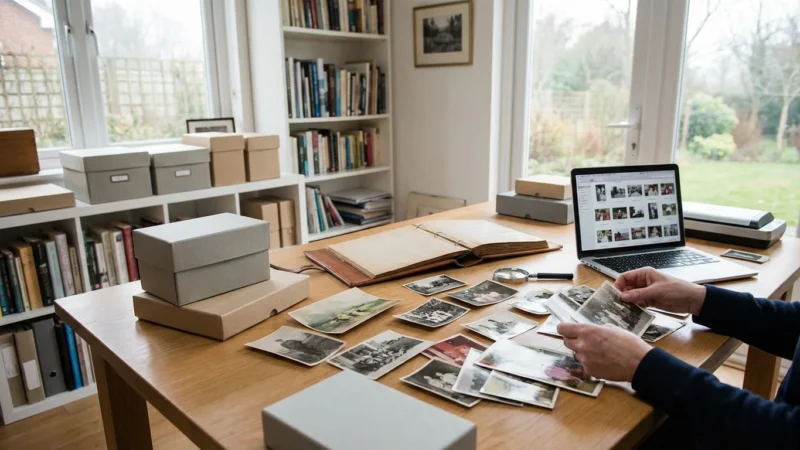
While digital organization offers flexibility, physical photos require different considerations, primarily focusing on long-term preservation. You handle irreplaceable originals, and your choices directly impact their longevity.
When tackling large volumes of inherited imagery, using an organizing physical photo prints: a room-by-room approach can make the project feel more manageable.
Steps for Organizing Physical Photos:
- Gather and Assess: Collect all physical photos from boxes, albums, drawers, and attics. Understand the scope of your collection.
- Preliminary Sort: Quickly sort photos into broad categories: unknown, known people/events, specific years. This initial pass helps manage overwhelming volume.
- Clean and Repair (Professionally or Carefully): Gently clean photos with a soft, lint-free cloth. For significant damage like tears or mold, consult a professional conservator. Avoid tape or glue for repairs.
- Identify and Annotate: As you sort, identify people, places, and dates. Gently write details in pencil on the back of the print (if it has a matte finish that accepts pencil without indenting) or on an archival paper insert that accompanies the photo. Never use ink, permanent markers, or adhesive labels directly on photos.
- Digitize for Preservation and Access: Scanning your physical photos creates a digital backup, allowing you to organize them using the digital methods discussed above and protecting the originals from wear and tear. Use a flatbed scanner at a high resolution (at least 600 DPI for standard prints).
- Choose Archival Storage Materials: Store original prints in acid-free, lignin-free, and PVC-free materials.
- Sleeves: Use individual polyester, polypropylene, or polyethylene sleeves to protect photos from fingerprints, dust, and environmental damage.
- Boxes: Store sleeved photos in archival-quality photo storage boxes. Label boxes clearly with contents, dates, or event names.
- Albums: If using albums, ensure they are photo-safe and archival, with acid-free pages and no harmful adhesives.
- Control Environment: Store photos in a cool, dry, dark, and stable environment. Avoid attics, basements, or exterior walls where temperature and humidity fluctuate significantly. Consistent conditions help prevent degradation. More detailed guidance on environmental controls for archival storage can be found from institutions like the Image Permanence Institute.
Remember, digitizing does not replace physical preservation. It complements it, offering a safeguard against loss and enabling broader access.

Maintaining Your Photo Organization System
Establishing a robust organization system is an excellent first step, but its long-term effectiveness depends on consistent maintenance. Think of it as a living system, constantly evolving with your new memories.
Key Practices for Sustained Organization:
- Process Regularly: Do not let photos pile up. Schedule a regular time—weekly, monthly, or quarterly—to upload new digital photos, scan new physical prints, and sort them into your established system. This prevents overwhelm and keeps your collection tidy.
- Be Consistent: Adhere strictly to your chosen folder structure and naming conventions. If you decide on
YYYY-MM-DD_EventName, do not occasionally useEventName_YYYY. Inconsistency defeats the purpose of an organized system. - Cull Ruthlessly (But Thoughtfully): Review your photos for duplicates, blurry shots, or genuinely uninteresting images. Deleting or archiving these reduces clutter and makes your meaningful memories stand out. However, use caution with unique historical photos. What seems unimportant today might hold significance tomorrow.
- Backup Religiously: A well-organized collection is vulnerable if it exists in only one place. Implement a robust backup strategy: the 3-2-1 rule. This means having at least three copies of your data, stored on at least two different types of media, with one copy offsite. This protects against hardware failure, accidental deletion, or disaster.
- Review and Adapt: Periodically review your system. Does it still meet your needs? As your family grows or your interests change, you might need to adjust categories or add new tags. Flexibility within a consistent framework ensures your system remains relevant.
“The best photo organization system is the one you actually use and maintain. It does not need to be overly complicated, just consistent and reflective of how you think about your memories. Start simple, stay consistent, and your memories will thank you.”
Frequently Asked Questions
What should I do with undated photos?
For undated photos, try to estimate a date range. Look for clues like clothing styles, car models, known family members’ ages, or location features. Annotate the photo or its digital metadata with “Circa YYYY” or “Approx. YYYY.” If you digitize, you can use a date like 1900-01-01 as a placeholder for “Unknown Date” to group them digitally for later research.
Is it better to use external hard drives or cloud storage for digital photos?
Both external hard drives and cloud storage offer benefits, and using a combination provides the best security. External hard drives offer local, fast access and no subscription fees. Cloud storage offers offsite backup, accessibility from multiple devices, and protection against local disasters. Many experts recommend having at least one local copy (external drive) and one cloud copy.
How do I manage photos from multiple family members or devices?
Establish a centralized “ingest” process. When photos come from different phones, cameras, or family members, collect them into one temporary folder. Deduplicate, rename, and then sort them into your main organizational structure. Cloud services with shared albums can also help streamline this, allowing multiple contributors to add to a central event or album.
Should I delete digital photos after printing them?
No, do not delete digital photos after printing. Prints can fade, get damaged, or become lost. Your digital files serve as your original and most resilient backup. Keep your digital archive well-organized and backed up even after creating physical outputs.
What resolution should I scan old photos at?
Scan standard prints (e.g., 4×6, 5×7) at a minimum of 600 dots per inch (DPI) to capture sufficient detail for future uses, including enlargement. For negatives, slides, or very small prints, consider 1200 DPI or higher. Higher resolution ensures you preserve the maximum amount of information from the original.
Disclaimer: This article is for informational purposes only. When handling valuable or irreplaceable photographs, consider consulting a professional conservator. Always test preservation methods on non-valuable items first.








Leave a Reply