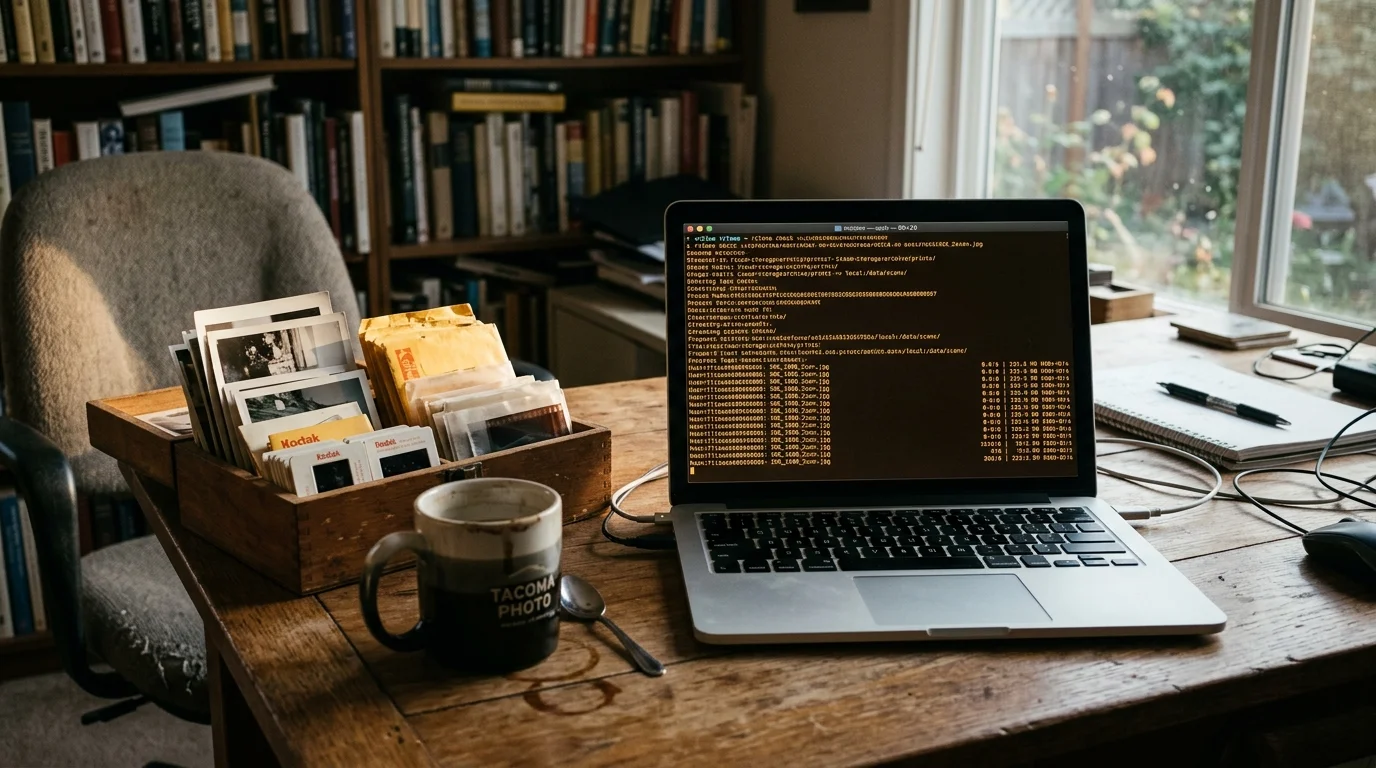
You can merge 80,000 scattered photos across Google Drive and Dropbox without purchasing temporary $9.99 monthly cloud tiers. Your 120GB MacBook SSD cannot store both libraries simultaneously, but an in-memory terminal pipeline eliminates local disk limits entirely.
Most desktop sync utilities duplicate files locally, but streaming zero-byte symlinks and hash manifests reconciles fragmented clouds without writing raw images to your drive. This protocol delivers absolute preservation integrity while completely bypassing double-billing traps.
By calculating content digests on the fly, you can deduplicate google drive dropbox photos without paying for transient hosting space.
The 120GB Local Storage Trap and the Multi-Cloud Dilemma
Managing an extensive photo collection across personal and professional cloud services creates immediate logistical friction. Remote employees often accumulate fragmented archives across Dropbox and Google Drive, scattering identical assets across mismatched project folders over several years.
Consolidating your accounts is also the perfect opportunity to implement a robust 3-2-1 backup strategy to ensure your unified library is never vulnerable to a single provider failure.
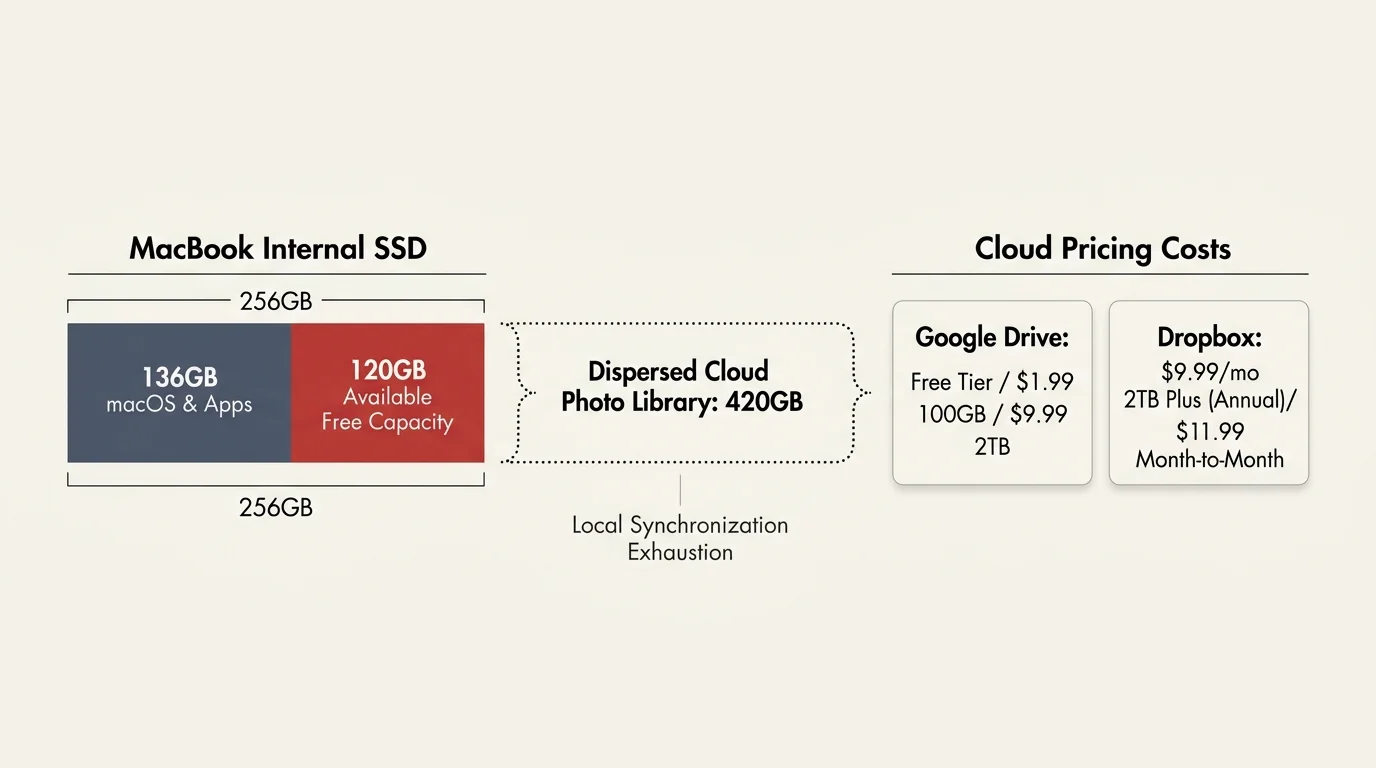
A standard 256GB MacBook internal drive typically leaves approximately 120GB of available free capacity once macOS and productivity software claim their share. Attempting to synchronize a 420GB dispersed photo library locally to compare files triggers an immediate disk exhaustion error.
Apple File System (APFS) manages local purgeable space dynamically, but physical drive ceilings remain absolute. When desktop synchronization clients detect insufficient disk room, they suspend background operations and freeze file indexing queues.
Commercial cloud vendors resolve local hardware bottlenecks by selling larger remote storage tiers. Dropbox charges $9.99 per month for its 2TB Plus tier under annual billing, or $11.99 on a month-to-month schedule.
A free Google account caps out at 15GB of pooled storage, while paid Google One plans start at $1.99 monthly for 100GB and reach $9.99 monthly for 2TB. Maintaining premium tiers across both providers during a multi-week consolidation project introduces ongoing, unnecessary subscription expenses.
Commercial migration platforms exploit this dilemma by offering cloud-to-cloud transfers behind secondary paywalls. These services charge recurring subscriptions or levy steep data egress surcharges based on transferred gigabytes.
You do not need external hard drives or paid third-party tools to solve this dilemma. Terminal-driven streaming methods allow your 120GB MacBook to evaluate external assets without downloading binary photo payloads to your internal drive.
The Cloud Hash Impasse: Google Drive MD5 vs Dropbox Content Hash
Cloud providers generate cryptographic checksums to verify that stored binary files remain uncorrupted during transmission and rest. However, incompatible architectural standards prevent Google Drive and Dropbox from comparing file fixity directly using native cloud metadata.
Similar synchronization challenges arise when evaluating Google Photos vs Apple Photos for organization, where closed ecosystems handle metadata indexing differently.
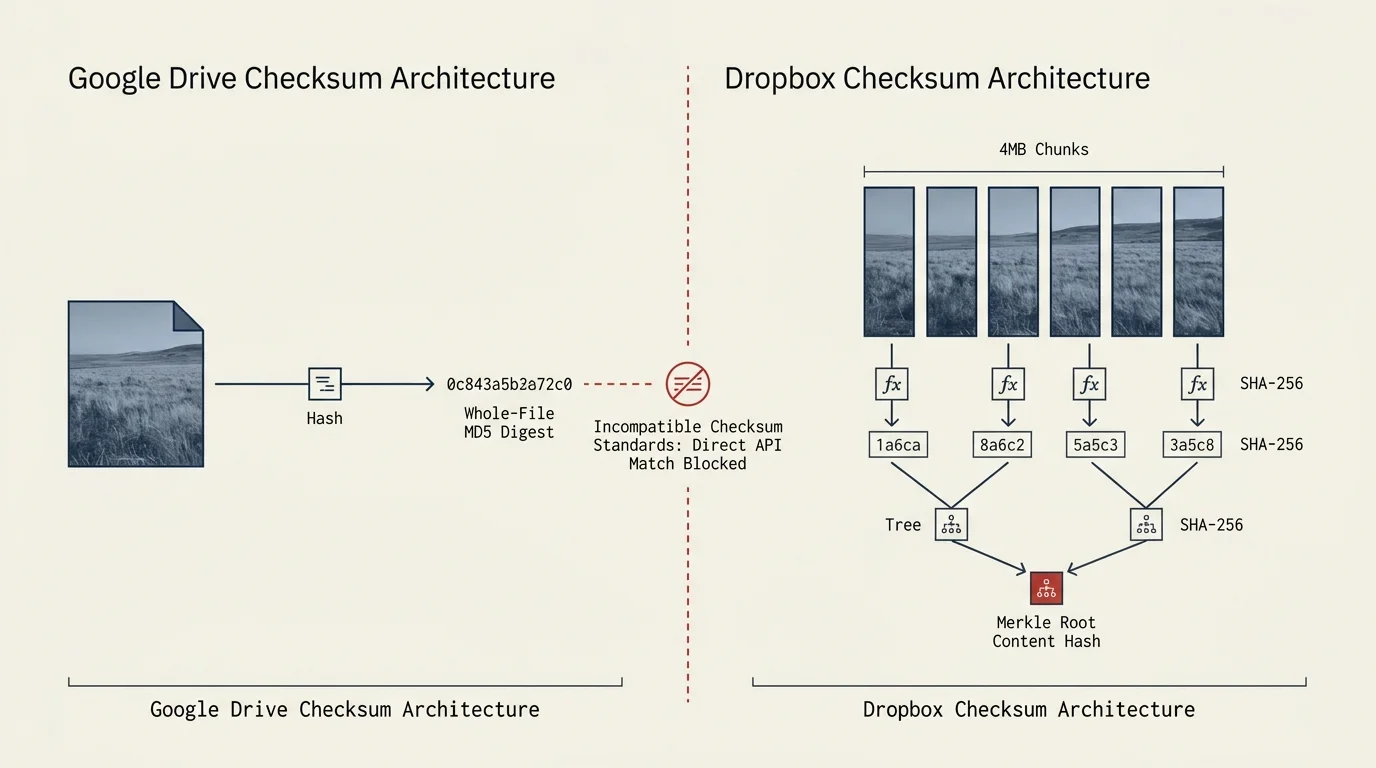
Google Drive computes a standard MD5 checksum for every uploaded non-document binary file. This 128-bit hash value populates the file metadata object immediately upon upload completion.
In contrast, Dropbox rejects MD5 in favor of a proprietary Content Hash algorithm based on segmented data chunks. Dropbox splits every file into 4MB blocks, computes a SHA-256 digest for each block, concatenates those digests, and hashes the resulting string.
Because MD5 and Content Hash algorithms are mathematically incompatible, cloud-to-cloud management utilities cannot verify file equality through server metadata alone. The system cannot tell if an image in Dropbox matches a file in Google Drive without generating a unified checksum.
Standardizing your photographic archive requires an independent, platform-agnostic fixity baseline. Guidance from the Library of Congress Preservation Directorate establishes standard SHA-256 hashing as the preferred metric for auditing digital photographic assets.
Generating a standard SHA-256 checksum across every file resolves the multi-cloud impasse cleanly. Calculating these digests through an in-memory network stream bridges the gap between Google Drive and Dropbox without taxing local hardware.
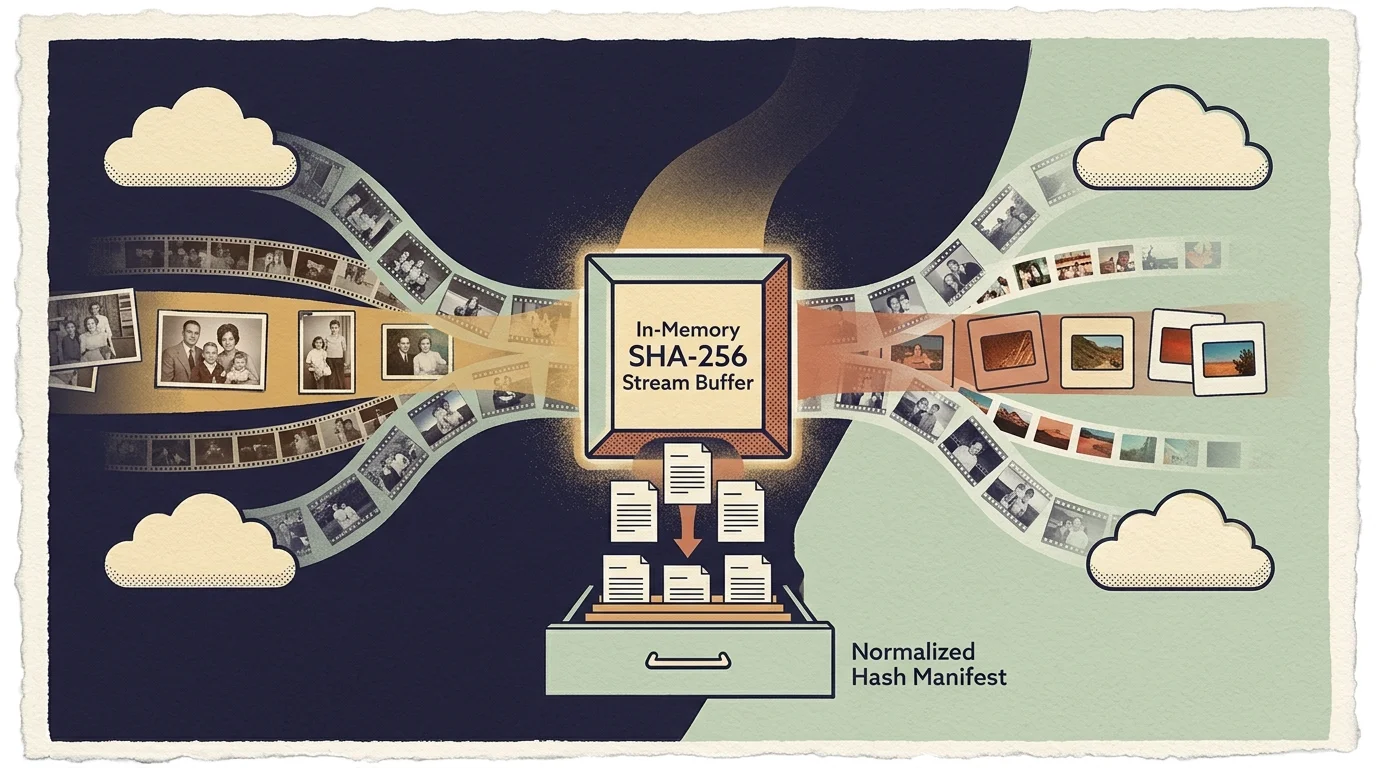
Building In-Memory SHA-256 Manifests to Hash Match Photo Files
To hash match photo files without exhausting your 120GB MacBook SSD, you must bypass your physical storage drive entirely. In-memory streaming reads remote cloud objects through small network RAM buffers, processes their cryptographic signatures, and discards the binary payload.
If avoiding cloud quotas remains your top objective, setting up dedicated local photo backup solutions ensures your library stays secure without ongoing hosting bills.
Your MacBook allocates small chunks of volatile RAM, typically between 16MB and 32MB, to handle each active streaming thread. The CPU calculates the cumulative SHA-256 hash continuously as network packets stream across the system memory bus.
Once the final packet streams through memory, the terminal pipeline writes the resulting hexadecimal digest and cloud file path into a plain-text manifest. The operating system drops the raw image data from memory, leaving your SSD completely untouched.
A comprehensive plain-text inventory manifest indexing 80,000 image assets consumes less than 15MB of local disk space. This compact file footprint preserves your MacBook storage headroom while providing a forensic catalog of your complete multi-cloud collection.
Streaming verification protects fragile optical scans and camera RAW files from disk caching write cycles. You avoid unnecessary solid-state cell wear while establishing verifiable cryptographic fixity across every family portrait and professional portfolio asset.
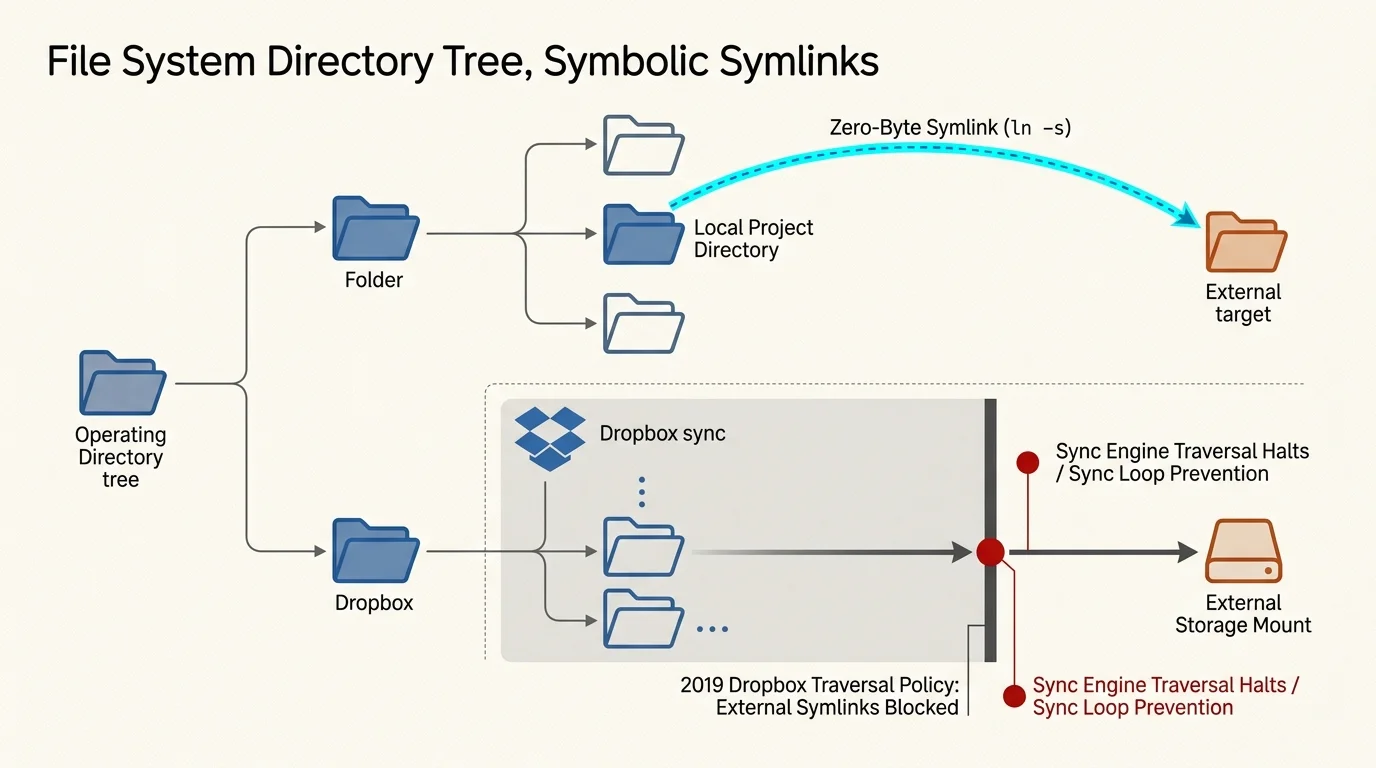
Local Symlink Behavior and the 2019 Dropbox Traversal Block
Photographers historically used Unix symbolic links—or symlinks—to construct virtual filing hierarchies without duplicating massive RAW image files. A symbolic link functions as a zero-byte pointer directing the operating system to an asset stored elsewhere on the file system.
To sidestep arbitrary folder restrictions enforced by commercial providers, consider self-hosting a private family cloud using modern self-hosted photo platforms.
In mid-2019, Dropbox fundamentally altered how its desktop synchronization client handles symbolic links. The desktop application stopped traversing or syncing files from symlinks pointing outside the official local ~/Dropbox folder directory.
Today, placing an external symlink inside your local Dropbox folder merely synchronizes a static pointer file to the cloud. The desktop client syncs the link itself rather than uploading the underlying photo contents stored on an external drive or secondary volume.
Google Drive desktop client updates introduced similar constraints, restricting virtual file mappings across mismatched local directories. Attempting to stitch local cloud mount folders together using standard operating system aliases now fails silently across both platforms.
You can bypass these synchronization client constraints by running operations directly through the terminal shell. Terminal utilities interface directly with provider application programming interfaces (APIs), completely ignoring local sync client traversal rules and folder locks.

Step-by-Step Terminal Pipeline: Merging Without Local Duplication
Executing an in-memory consolidation pipeline requires systematic terminal execution to safeguard your archival photo memories. Follow these actionable commands to merge cloud photo drives free of licensing fees and third-party software subscriptions.
If file timestamps become scrambled during the transfer process, you can use ExifTool commands to restore true creation dates across your entire consolidated directory.
First, install the open-source rclone utility on your Mac via Homebrew by typing brew install rclone in Terminal. Run rclone config to authenticate both Google Drive and Dropbox using official OAuth web credentials.
Second, generate streaming SHA-256 hash catalogs for both cloud services without writing images to disk. Execute the following command for your Google Drive photo folder: rclone hashsum sha256 gdrive:Photos > gdrive_hashes.txt.
Next, generate the corresponding digest manifest for your Dropbox photo directory: rclone hashsum sha256 dropbox:Photos > dropbox_hashes.txt. Let both streaming processes run in the background until the text manifests populate completely.
Third, cross-reference both text catalogs using an awk command to extract duplicated file hashes: awk ‘NR==FNR{a[$1]=$2; next} $1 in a{print $1, a[$1], $2}’ gdrive_hashes.txt dropbox_hashes.txt > duplicate_hashes.txt. This command isolates every shared file across both platforms.
Fourth, perform a dry-run copy to verify that unique files in Dropbox transfer into Google Drive without overwriting existing data. Run rclone copy dropbox:Photos gdrive:Consolidated_Photos –checksum –dry-run to review planned actions safely.
Fifth, initiate the live transfer while respecting Google Drive upload limits. Google enforces a strict ceiling of 750 GB per rolling 24-hour window across every individual user account.
Append a bandwidth throttling flag to ensure your cloud migration never saturates connections or triggers API rate limits. Execute rclone copy dropbox:Photos gdrive:Consolidated_Photos –checksum –bwlimit 8M –metadata to initiate the transfer.
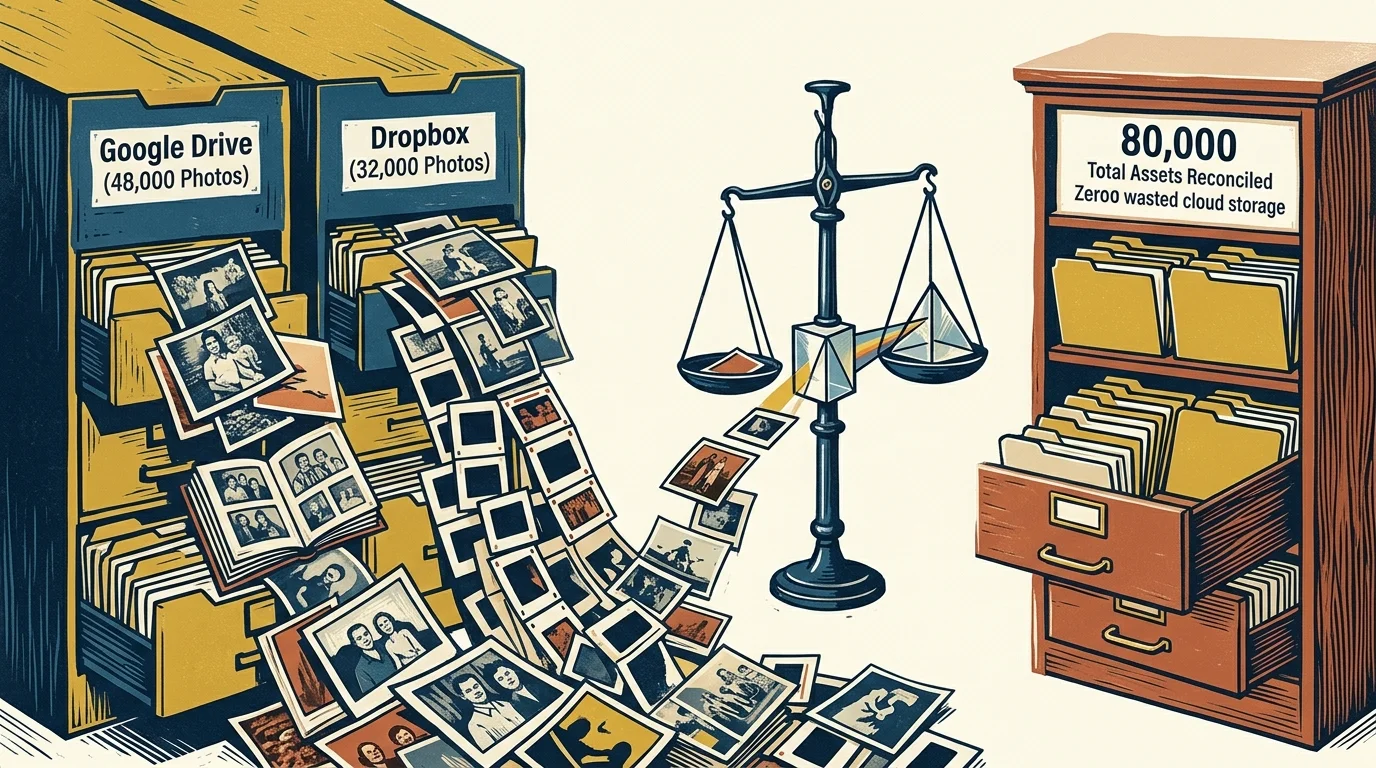
Worked Example: Consolidating 80,000 Photos Across Mismatched Drives
Consider a concrete scenario involving a remote employee managing 80,000 photos across two services. The personal archive comprises 45,000 files (240GB) on Google Drive and 35,000 files (180GB) on Dropbox, totaling 420GB of data.
The user works on an Apple MacBook Air with a 256GB SSD containing only 120GB of available free storage space. Synchronizing both photo libraries locally to run traditional visual deduplication software requires 420GB, exceeding available drive headroom by 300GB.
The employee currently pays $9.99 monthly for Dropbox Plus and $9.99 monthly for 2TB of Google One cloud storage. Merging the collection into Google One will allow them to cancel Dropbox Plus, saving $119.88 every year.
Over a standard residential 100 Mbps fiber connection, terminal streaming calculates SHA-256 hashes at an average rate of 11 MB/s. Auditing all 420GB of image data across both clouds completes in approximately 10.6 hours of overnight execution.
Comparing the two text manifests reveals that 18,500 photos—representing 92GB of redundant data—exist in both services. These duplicates stem from automatic mobile camera uploads, shared holiday folders, and duplicated historical scans.
The terminal pipeline ignores those 18,500 redundant files completely. It transfers only the remaining 16,500 unique Dropbox photos (88GB) directly into the Google Drive directory, which finishes in approximately 2.2 hours at 8 MB/s.
The consolidated Google Drive repository now holds 61,500 unique, verified photographs occupying 328GB of cloud storage. The MacBook SSD never held more than 25MB of temporary text manifest files throughout the entire process.
The user cancels the $9.99 monthly Dropbox Plus subscription immediately following transfer verification. The consolidated photo collection fits comfortably inside the existing Google One 2TB storage allowance without double-paying subscription fees.

Comparing Cloud Deduplication and Transfer Methods
Choosing an appropriate consolidation strategy requires evaluating local hardware requirements, financial costs, and preservation integrity. The comparison table below highlights operational parameters across four common photo migration approaches.
| Migration Method | Local SSD Overhead | Checksum Verification | Estimated Cash Cost | Preservation Integrity |
|---|---|---|---|---|
| Dual Desktop Sync Clients | 420 GB (Exceeds 120GB Limit) | Client File Size Only | $0 Direct Software Cost | Moderate (Sync Conflict Risk) |
| Commercial Web SaaS Bridge | 0 GB (Cloud Transfer) | Proprietary Sync Log | $19 to $49 Monthly Plan | Low (Metadata Stripping Risk) |
| Desktop Symlink Redirection | 0 GB (Fails Post-2019) | None (Sync Suspended) | $0 Software Cost | Zero (Fails to Sync) |
| Terminal In-Memory Stream Pipeline | < 25 MB Manifests | Full SHA-256 Cryptographic | $0 Free Open-Source | Archival Grade (Full Fixity) |
Dual desktop synchronization tools fail for remote workers constrained by modern solid-state drive sizes. Synchronizing hundreds of gigabytes locally requires purchasing secondary external solid-state drives, introducing additional hardware expense.
Third-party web migration platforms eliminate local storage constraints but introduce ongoing recurring fees. Many consumer SaaS bridges also strip embedded EXIF metadata tags, resetting file creation dates during transfers.
Preserving precise cryptographic fixity aligns with digital preservation guidelines published by the National Archives Preservation program. Generating standardized SHA-256 logs guarantees that digitized family heritage assets remain authentic throughout cloud migrations.
The terminal-driven in-memory pipeline delivers comprehensive fixity validation, zero local disk consumption, and zero software subscription fees. It remains the most technically reliable strategy for merging fragmented multi-cloud photo collections.
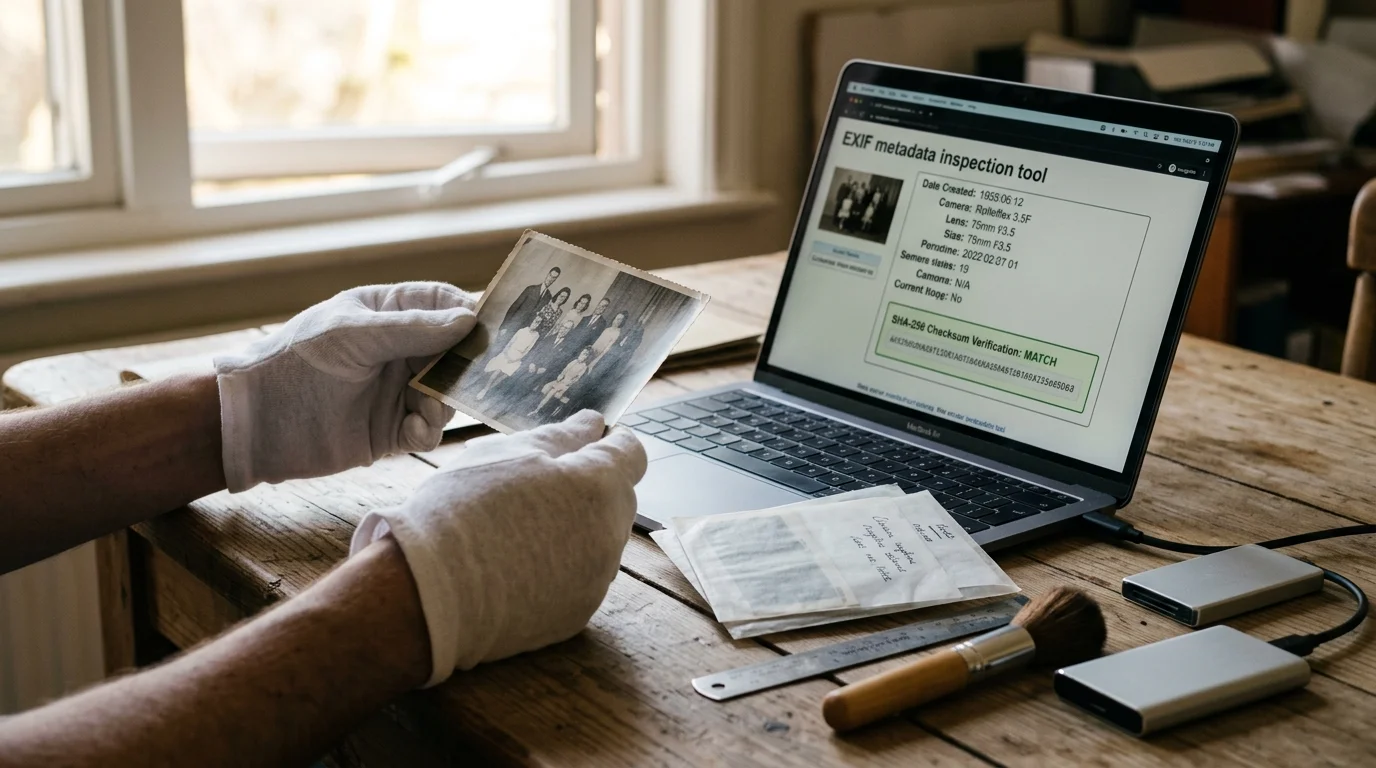
Preserving Archival Heritage and Metadata Integrity
Preserving family photo collections requires protecting embedded metadata alongside raw image pixels. High-resolution scans and camera RAW files carry vital historical context that careless migration procedures can erase permanently.
EXIF, IPTC, and XMP metadata blocks preserve camera settings, scan resolutions, capture dates, and descriptive catalog annotations. When cloud migration tools handle files improperly, they frequently overwrite historical creation dates with the current download timestamp.
Using the –metadata flag in your terminal copy command ensures that all original file attributes, timestamps, and extended attributes transfer intact. Maintaining timestamp fidelity guarantees that your family photos remain in proper chronological sequence within Google Photos or desktop viewers.
Always practice non-destructive, reversible consolidation when managing precious family memories. Never delete redundant files immediately after running hash comparisons across unverified cloud directories.
Implement a staging quarantine folder in Dropbox using –backup-dir to isolate duplicates safely before permanent removal. This intermediate step allows you to review flagged images manually before committing to file deletions.
Digital preservation requires continuous verification of data fixity and metadata provenance. Irreversible deletion without checksum confirmation risks permanently erasing family history.
Archival photo preservation demands patience, structural discipline, and respect for original artifacts. By validating file fixity with terminal SHA-256 digests, you protect your family heritage against silent data corruption and accidental loss.
Frequently Asked Questions
Can I use desktop symlinks inside Dropbox to trick the sync client into uploading external hard drives?
No, the Dropbox desktop client stopped following symlinks pointing outside its designated folder in mid-2019. Placing external symlinks in Dropbox creates an inert shortcut pointer file rather than syncing referenced photo contents.
How does Google Drive’s 750 GB daily upload limit affect large photo deduplication transfers?
Google Drive limits all user accounts to 750 GB of uploads within a rolling 24-hour window. If your cloud-to-cloud migration exceeds this ceiling, transfers pause until the quota window clears, which you can manage with bandwidth limiting flags.
Will running terminal hash matching strip EXIF metadata or alter photo creation dates?
Streaming hash calculations reads files in volatile memory without altering binary content or file attributes. Adding transfer flags like metadata preservation copies embedded EXIF tags, creation dates, and color profiles accurately.
What happens if two identical photos have different file names across Google Drive and Dropbox?
Cryptographic SHA-256 hash matching identifies identical files based strictly on internal binary content, ignoring file names entirely. A photo named IMG_001.jpg will correctly match Scan_Family_1982.jpg if their binary signatures match.
Does generating streaming hashes consume my monthly home internet data cap?
Yes, streaming cloud files through memory transfers file payloads across your network without saving them to physical storage. Users with capped residential internet plans should schedule terminal hashing during unmetered off-peak billing hours.
Disclaimer: This article is for informational purposes only. When handling valuable or irreplaceable photographs, consider consulting a professional conservator. Always test preservation methods on non-valuable items first.