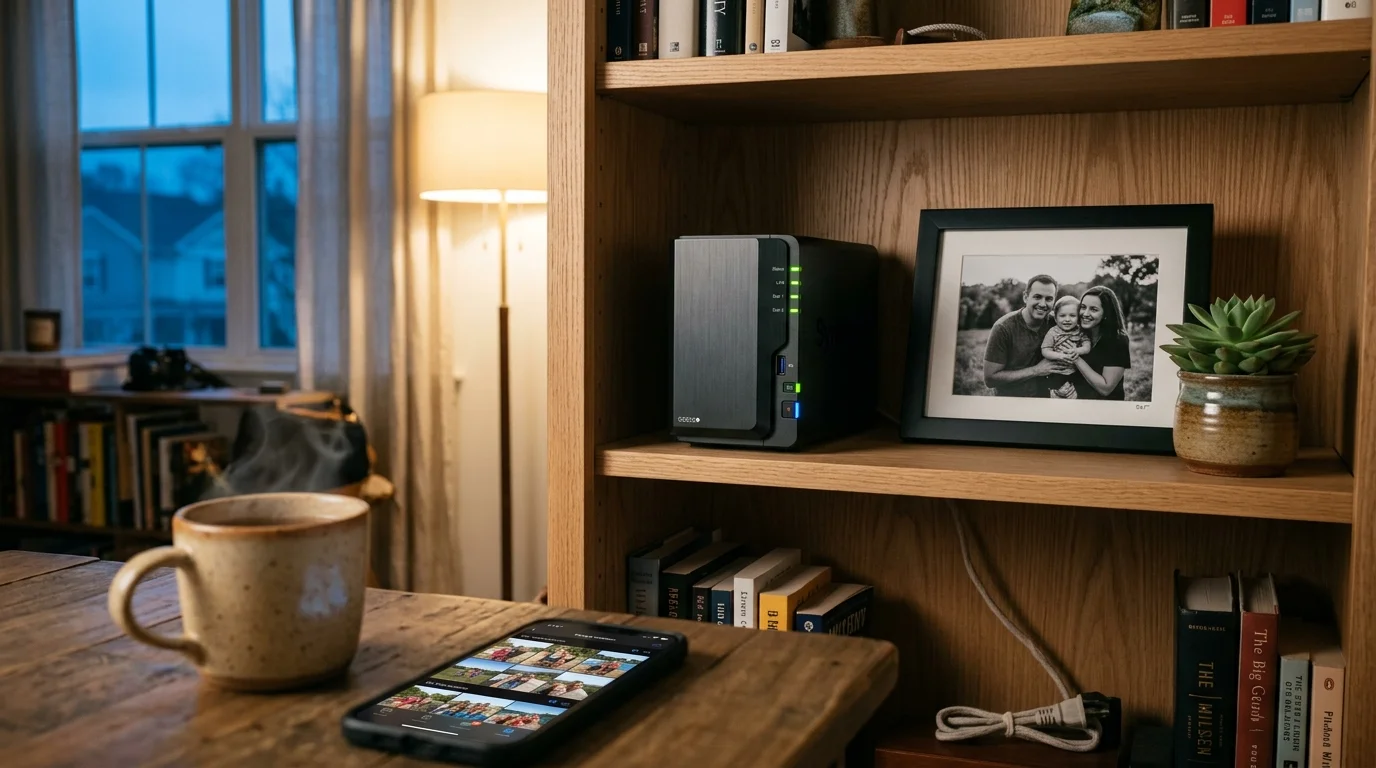
Escaping commercial cloud storage tiers like Google Photos ($99.99 per year for 2 TB) or Apple iCloud+ ($120 per year) protects family privacy. Building a self hosted family photo backup keeps high-resolution archives under your physical control.
While enthusiasts tout Immich as an alternative to Google Photos private server deployments, running it on budget hardware creates severe memory bottlenecks. Synology Photos delivers turnkey facial recognition on entry-level hardware that Immich cannot natively support.
This architectural comparison analyzes real hardware constraints, machine learning acceleration, mobile sync pipelines, and remote setup protocols for multi-generational families.

The True Financial Cost: Cloud Storage Subscriptions vs. Budget NAS
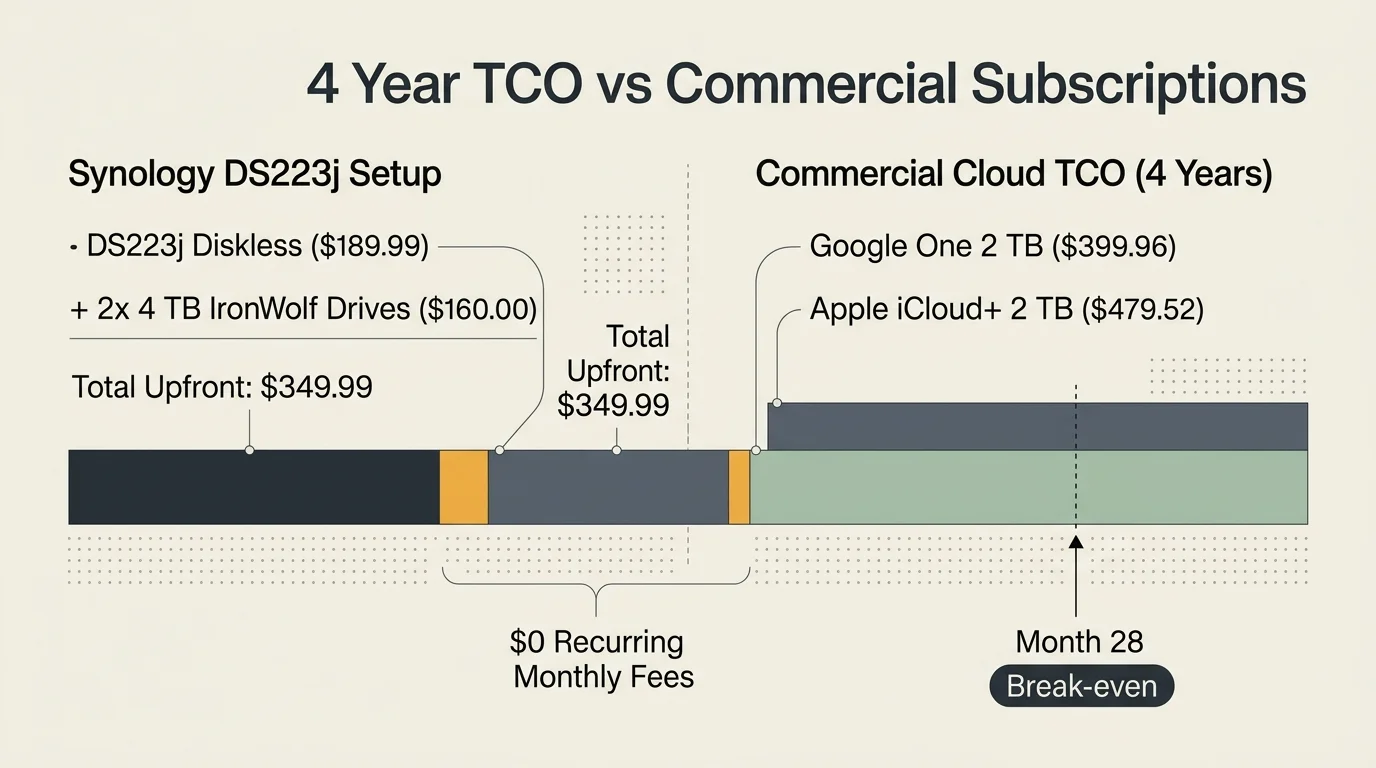
Subscription fees for commercial photo storage drain household budgets silently over time. A standard 2 TB Google One family plan costs $99.99 annually, accumulating $399.96 across a standard four-year hardware depreciation cycle.
Apple iCloud+ costs $9.99 monthly for identical 2 TB capacity, totaling $479.52 over four years. If your family exceeds two terabytes across several smartphones, monthly tiers jump rapidly into expensive commercial cloud brackets.
Purchasing dedicated network attached storage eliminates these perpetual recurring payments entirely. You invest upfront in physical storage drives that preserve your original raw camera files without mandatory ongoing operational rent.
Following archival standards outlined by the Library of Congress Preservation program ensures your digital negatives remain accessible without third-party platform lock-in. Local network drives grant total administrative ownership over your multi-generational memories.
When you store family pictures on commercial clouds, terms of service changes or missed credit card billings can endanger decades of heritage. Local drives put physical control back into your household.
Hardware Architecture: ARM Silicon vs. x86-64 Memory Ceilings
Budget network attached storage falls into two distinct processing architectures. Entry-level units use low-power ARM microprocessors, whereas intermediate models rely on standard x86-64 Intel silicon.
The Synology DiskStation DS223j retails at an MSRP of $189.99 diskless, featuring a quad-core Realtek RTD1619B processor. However, it solders a rigid 1 GB DDR4 RAM allocation directly to the circuit board without expansion slots.
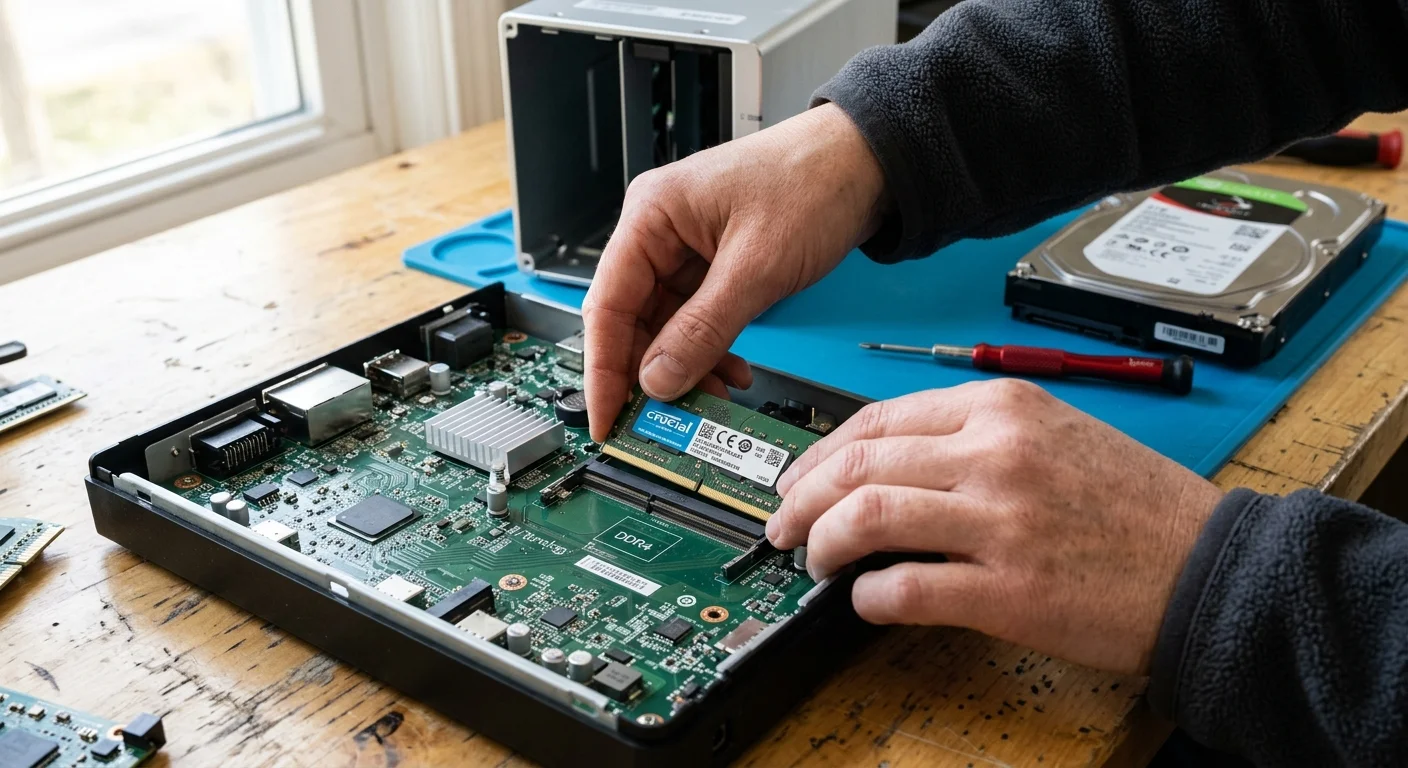
In contrast, the Synology DiskStation DS224+ retails at an MSRP of $299.99 diskless with an Intel Celeron J4125 processor. It includes 2 GB of onboard memory and an accessible SO-DIMM expansion slot accepting up to 6 GB officially.
Running an alternative to Google Photos private server via Immich imposes intense computational demands. The official Immich specification establishes a strict baseline of 6 GB system RAM and two dedicated processor cores.
Immich orchestrates four distinct container services: the core application server, Valkey cache, a PostgreSQL database running the pgvector extension, and Python machine-learning inference engines.
Deploying Immich on an unexpanded DS224+ causes immediate memory exhaustion and crashes the Linux Out-Of-Memory killer. Running Immich requires installing an aftermarket 4 GB or 8 GB DDR4 SO-DIMM module for roughly $25.
Synology Photos circumvents these constraints by embedding its indexing routines directly into DiskStation Manager. This native architecture allows DSM to run facial recognition within a modest 1 GB memory footprint on the budget DS223j.

Facial Recognition and Machine Learning: Immich vs. Synology Photos
In the contest of immich vs synology photos, automated cataloging algorithms reveal profound engineering differences. Immich utilizes state-of-the-art open-source machine learning pipelines based on facial recognition models and CLIP vector embeddings.
CLIP embeddings allow you to query natural language phrases like “grandma holding a baby on a beach.” The Immich machine-learning microservice converts raw pixel patterns into multidimensional mathematical vectors stored inside PostgreSQL.
These neural network models require instruction support from x86-64-v2 microarchitectures. Immich fails to run its machine-learning container on older budget CPUs lacking these specific vector instruction sets.
Synology Photos approaches visual categorization through proprietary, lightweight computer vision models tuned specifically for Synology hardware. DSM provides facial recognition across both ARM and x86 chips, identifying recurring family faces with remarkable efficiency.
However, budget ARM units like the DS223j disable object recognition entirely due to thermal and memory boundaries. You can organize by discovered faces, but you cannot search for objects like cars or pets.
The Intel-powered DS224+ runs both facial and object recognition smoothly inside Synology Photos. It utilizes the Celeron processor’s integrated graphics engine for Quick Sync video decoding without overloading system memory.
Immich allows you to swap recognition models dynamically, selecting smaller quantized models like MobileNet to save CPU cycles. Synology Photos keeps its algorithms locked into DSM firmware updates without user configuration.
Bandwidth Utilization and Background Mobile Synchronization
Multi-generational mobile synchronization demands intelligent network handling across residential broadband connections. When several family members return home and initiate large camera roll uploads, home network upload channels can saturate quickly.
Synology Photos provides native background uploading within its iOS and Android client applications. It dynamically throttles concurrency during high network latency and schedules intensive hashing operations during overnight charging periods.
Immich delivers exceptionally rapid foreground syncing by chunking photo uploads across concurrent network threads. However, this aggressive parallelization can choke modest residential connections with asymmetric upload bandwidth unless you cap upload concurrency in the mobile settings.
Mobile operating systems enforce rigid background process limits on third-party utilities. Both applications require you to enable location-based background wake triggers on iOS to prevent mobile operating systems from terminating sleeping sync tasks.
Synology Photos generates multiple web-optimized thumbnail resolutions immediately on the server during ingestion. Immich generates WebP thumbnails and video transcodes via ffmpeg, utilizing background worker queues that you can tune precisely.
If your family travels frequently, Immich caches asset hashes locally on the phone. This cache reduces cellular data handshakes when verifying whether a remote picture requires re-uploading.
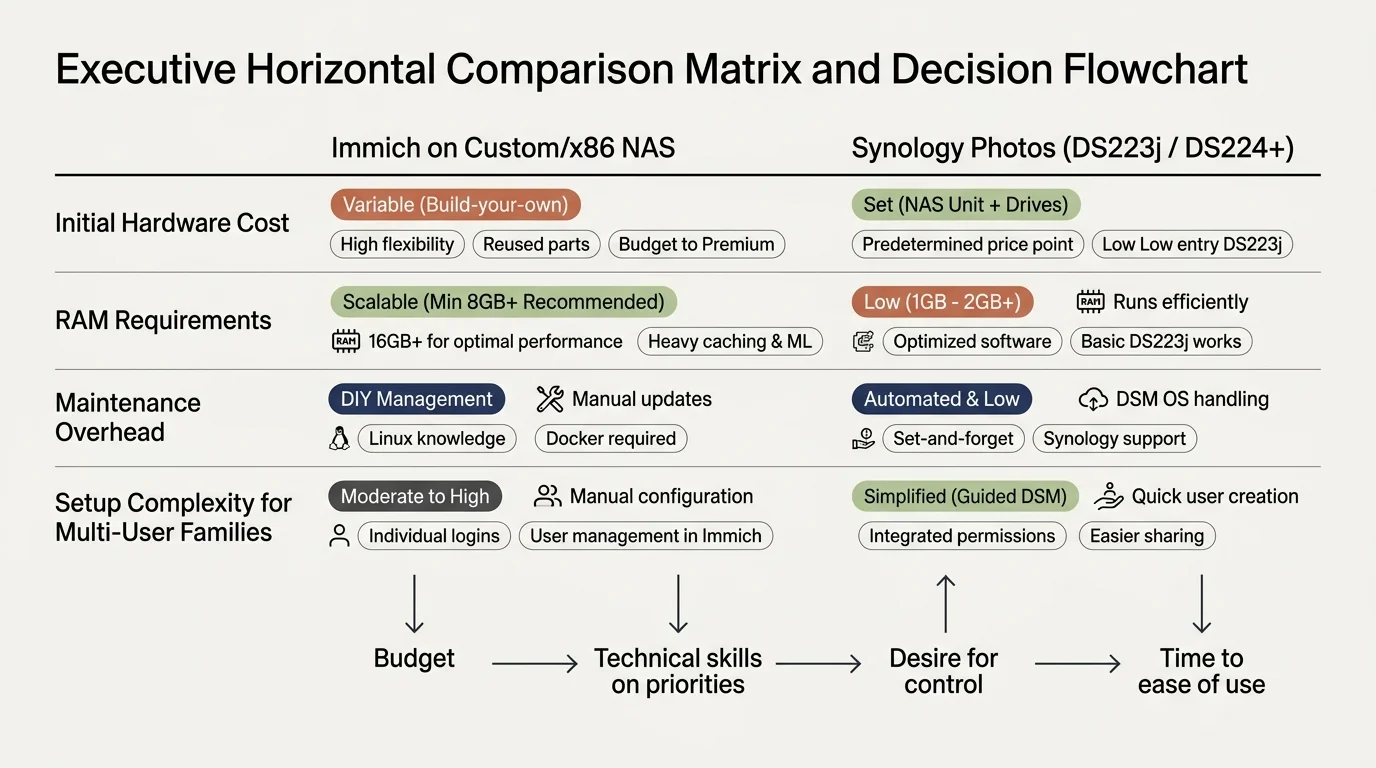
Comparison Framework: Budget NAS Photo Hosting Hardware and Software
Evaluating your hardware architecture requires balancing raw hardware capital expenses against machine learning capabilities. The comparison table below outlines real system metrics across four practical deployment environments.
| Platform & Hardware Tier | Minimum System RAM | Facial & Object AI | Active Microservices | Approximate Hardware Cost |
|---|---|---|---|---|
| Synology Photos on DS223j (Realtek ARM) | 1 GB DDR4 (Non-upgradable) | Facial recognition only (No object recognition) | Native DSM monolithic service | $189.99 (diskless) |
| Synology Photos on DS224+ (Intel Celeron) | 2 GB DDR4 (Expandable to 6 GB) | Full facial and object recognition | Native DSM monolithic service | $299.99 (diskless) |
| Immich on DS224+ (+4GB RAM Upgrade) | 6 GB DDR4 (Upgraded) | Full facial, object, and CLIP semantic search | 4 Docker microservice containers | $321.99 (diskless + RAM) |
| Immich on Custom Mini PC (Intel N100) | 16 GB DDR4 / DDR5 | Full facial, object, and CLIP semantic search | 4 Docker microservice containers | $179.00 – $220.00 (system only) |
This data illustrates that Immich demands substantial compute overhead compared to native DSM tools. You cannot deploy Immich on low-cost ARM units without facing system instability.
A self-hosted private cloud must balance computational capability against maintenance overhead; software that family members refuse to use offers zero archival preservation value.

Grandparent-Proof Remote Access Protocols Without Complex VPNs
Connecting distant family members to your self hosted family photo backup creates friction if your setup requires manual virtual private networks. Non-technical relatives will not toggle WireGuard or OpenVPN profiles before viewing family albums.
Synology solves this remote access problem effortlessly using its proprietary QuickConnect relay service. You configure a single alphanumeric QuickConnect ID, and relatives connect across firewalls without opening router ports.
QuickConnect automatically negotiates direct peer-to-peer hole-punching connections whenever possible. If symmetric network address translation blocks direct links, Synology routes traffic securely through encrypted regional relay servers.
Immich does not supply an integrated relay service, requiring you to engineer your own secure public gateway. Exposing Docker ports directly to the open internet via plain port forwarding exposes your home network to malicious scanners.
The safest configuration for Immich utilizes Cloudflare Tunnels paired with access control lists. Alternatively, you can configure Tailscale on remote client devices, utilizing subnet routers to automate connectivity without user intervention.
Cloudflare Tunnels restrict streaming high-bandwidth video libraries continuously across their free proxy tier under standard usage policies. For large video archives, an automated reverse proxy like Nginx Proxy Manager with Let’s Encrypt certificates remains the gold standard.
For aging grandparents, Synology Photos provides an app store experience matching mainstream commercial apps. Installing the app and inputting a QuickConnect ID takes less than two minutes during a holiday visit.
Worked Example: Four-Year Total Cost of Ownership and Hardware Setup
Consider a practical scenario supporting four family members who generate 1.2 terabytes of photos and 4K mobile clips over four years. Preserving original files requires redundancy, local storage capacity, and remote backup channels.
Commercial cloud options demand continuous payments. A 2 TB Google One subscription costs $99.99 per year, totaling $399.96 after four years. An equivalent 2 TB Apple iCloud+ family plan costs $479.52 across that same period.
For a budget Synology Photos deployment, purchase a DiskStation DS223j for $189.99. Add two 4 TB Seagate IronWolf hard drives at $89.99 each, running Synology Hybrid RAID for drive failure redundancy.
The DS223j hardware total equals $369.97. Operating power averages 16 watts under load, adding roughly $17 annually in electricity at national average rates ($68 over four years), yielding a total cost of $437.97.
For an Immich deployment, choose the Synology DiskStation DS224+ for $299.99. Add a Crucial 4 GB DDR4 2666 MHz SO-DIMM RAM stick for $22.00 to satisfy Docker container requirements.
Adding the same two 4 TB IronWolf hard drives ($179.98) brings initial hardware costs to $501.97. The DS224+ consumes 15 watts idle, totaling $64 in electricity over four years, reaching a four-year operational cost of $565.97.
While the Immich hardware tier costs $128 more than the DS223j setup, you gain an expandable container ecosystem, natural-language semantic photo search, and independence from proprietary NAS vendor operating systems.
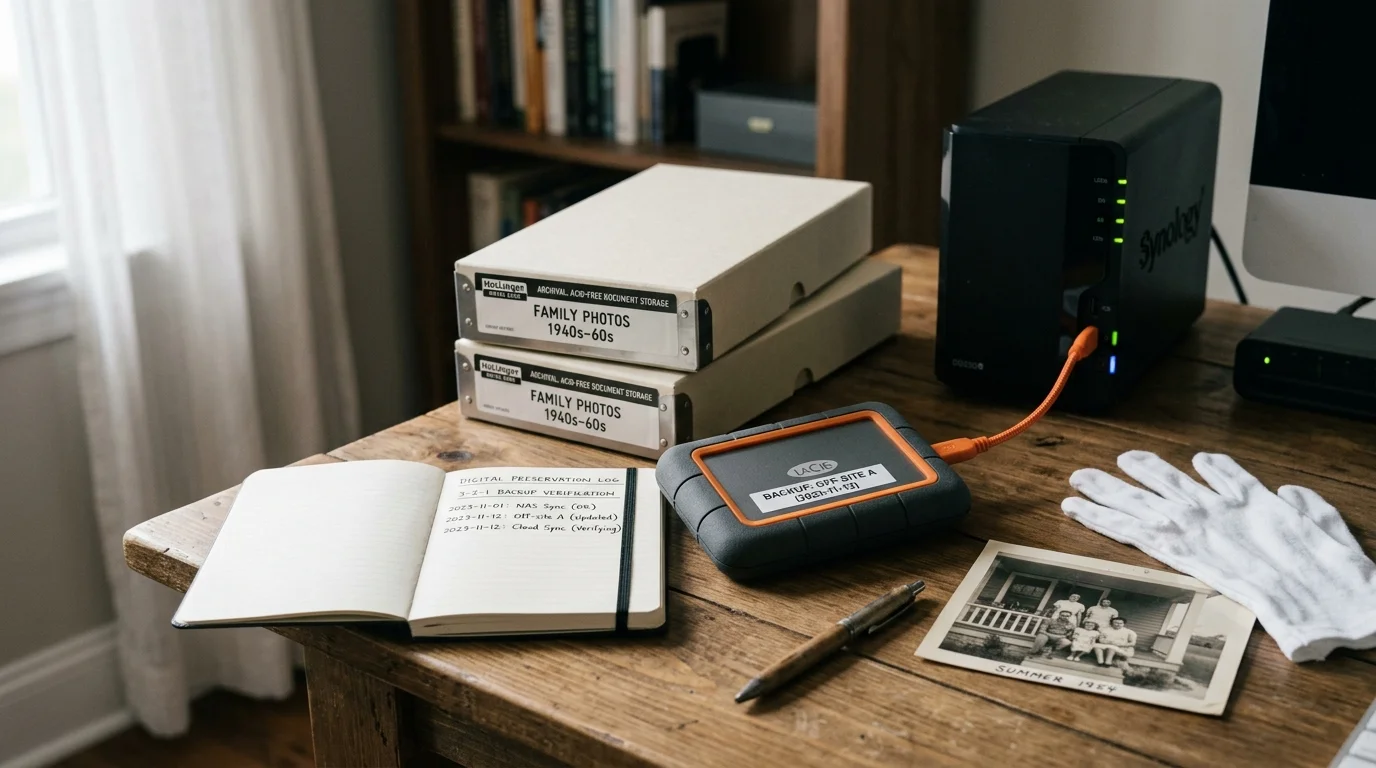
Archival Best Practices for Long-Term Digital Family Collections
Digital photographs degrade when storage media fails or file formats become obsolete over decades. Following structured archival methodologies protects your family records against silent bitrot and accidental data loss.
The National Archives Preservation guidelines advise maintaining non-proprietary master copies alongside standard access formats. Always save your camera’s original DNG or RAW files alongside exported JPEGs.
Implement a disciplined 3-2-1 backup strategy across your private family cloud infrastructure. Keep three total copies of your archive across two different media types, storing at least one copy in a geographically separate location.
Synology Hyper Backup automates this rule by transmitting encrypted nightly snapshots from your NAS to an offsite cold storage bucket like Backblaze B2. Immich databases require dedicated PostgreSQL database dump scripts prior to backing up storage volumes.
Enable Btrfs file system data scrubbing on supported models like the DS224+. This automated integrity check detects and repairs silent data corruption before individual family photos suffer permanent bit rot.
Frequently Asked Questions
Can Immich run safely on a Synology DS223j with 1 GB of RAM?
No, Immich cannot run safely on the DS223j. The Immich machine-learning stack and database microservices require an absolute minimum of 6 GB system RAM and an x86-64 processor.
Does Synology Photos alter or compress my original family photos?
Synology Photos preserves bit-for-bit exact copies of your uploaded original image and RAW camera files. The server generates auxiliary WebP thumbnails for browsing while leaving your primary digital assets completely untouched.
How does Immich handle HEIC images and live photos from iPhones?
Immich natively extracts and parses Apple HEIC assets alongside motion video clips. It links the static JPEG or HEIC image to the associated MOV file, replicating the interactive Live Photo playback experience.
What happens if my self-hosted NAS hard drive experiences a physical failure?
A dual-bay NAS using Synology Hybrid RAID or RAID 1 prevents data loss if a single drive fails. You replace the damaged disk, and the operating system automatically rebuilds the storage array without downtime.
Disclaimer: This article is for informational purposes only. When handling valuable or irreplaceable photographs, consider consulting a professional conservator. Always test preservation methods on non-valuable items first.