
You can catalog 3,000 scanned family portraits without misidentifying a single ancestor. Disambiguating five generations of identical names requires a structured taxonomy rather than flat software tags.
Standard photo organizing software collapses multiple ancestors named John Harrison into one generic tag. This destruction of identity ruins genealogical research across decades of historical visual evidence.
Adopting Library of Congress demographic naming conventions inside a five-tier hierarchy isolates every individual through verified vital dates. This framework eliminates duplicate-name collisions while maintaining permanent metadata portability across all platforms.
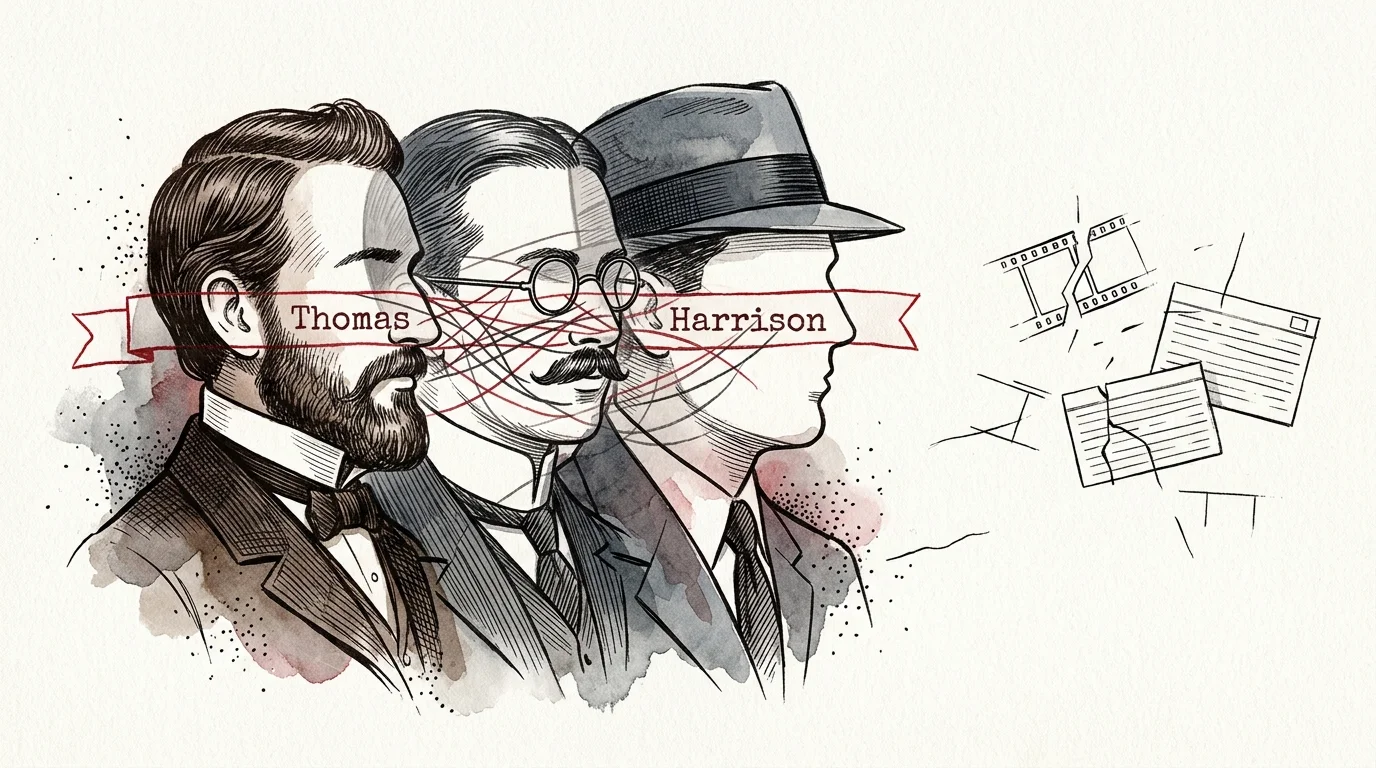
The Anatomy of Tag Collisions in Multi-Generational Photo Archives
Family naming traditions create immense metadata confusion in genealogical photo collections. Paternal naming conventions often pass identical given names down through grandfathers, sons, and first cousins.
When you scan 3,000 vintage prints, tintypes, and 35mm slides, software faces an ambiguous sorting task. Searching for a simple tag like “Thomas Harrison” pulls portraits spanning from 1860 to 1985 simultaneously.
Flat keyword lists cannot distinguish between ancestral generations without context. As your catalog grows, grouping multiple distinct individuals under one label corrupts your research accuracy.
Software-level face recognition frequently amplifies this problem across generational facial resemblances. The algorithm groups an 1890 tintype of a patriarch with a 1945 Kodachrome slide of his grandson.
Confirming these automated suggestions without a controlled vocabulary contaminates your digital files permanently. You must construct an intentional taxonomy before applying face tags to scanned masters.
Applying Library of Congress Demographic and Authority Standards
Archivists manage vast biographical complexity by consulting established national standards. The Library of Congress Name Authority File solves homonym conflicts through rigorous disambiguation rules.
Genealogists can study established digital workflows through institutional resources like the Library of Congress Preservation program. Professional standards prioritize structured names that include dates of birth, active professional periods, and death.
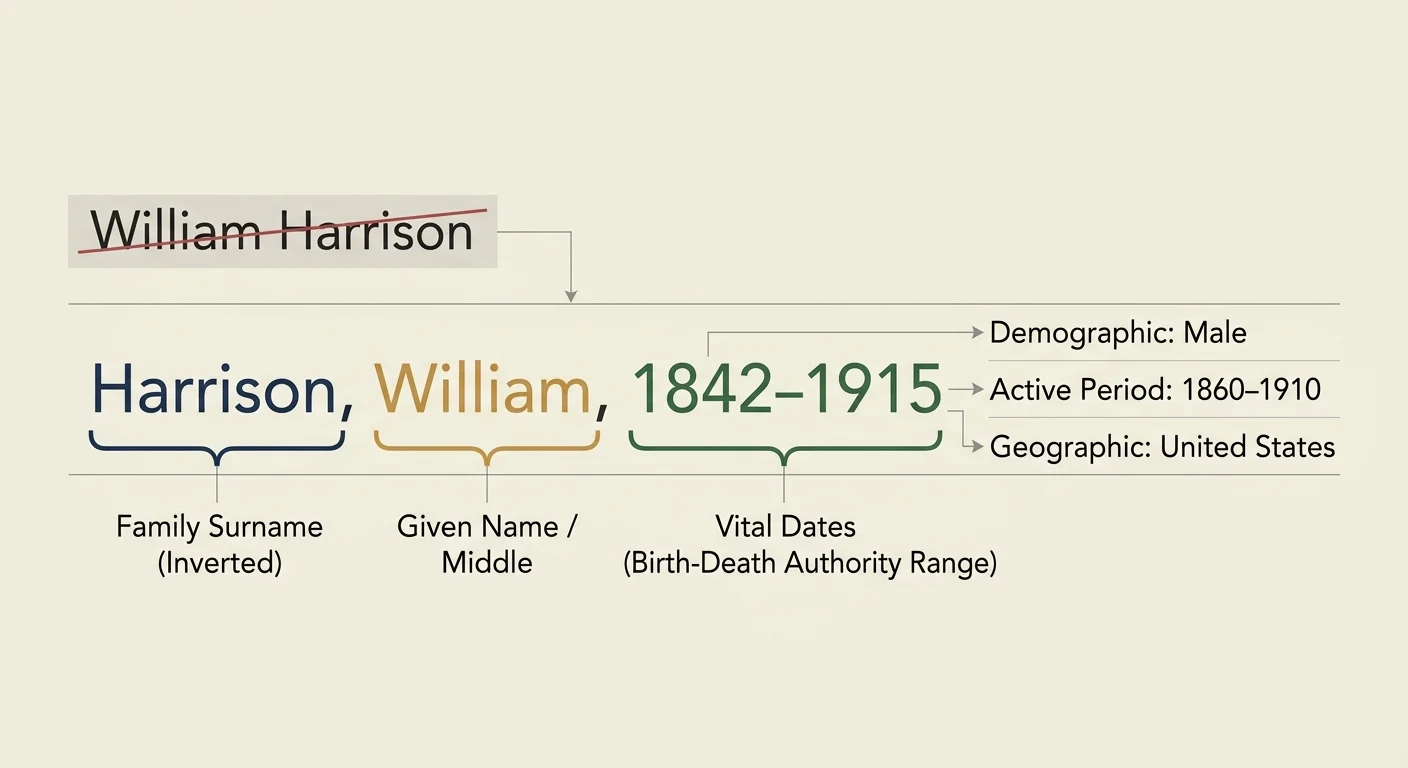
Under this standard, an archivist never labels an individual simply as “William Harrison.” They catalog the subject using the standardized string: “Harrison, William, 1842-1915.”
Vital dates provide mathematically unique identifiers that software search engines parse accurately. Even when two cousins share a birth year, appending middle names or locations preserves individuality.
Library of Congress Demographic Group Terms also record generational and geographic contexts cleanly. Adopting these professional conventions protects your personal family archive against obsolescence.
Archival metadata schemas succeed because they anchor individual identity to verified historical parameters rather than transient personal memory.
You do not need an archival degree to implement these structural safeguards at home. Integrating vital dates into your primary image catalog establishes immediate visual clarity.
Architecting the Five-Tier Hierarchical Keyword Taxonomy
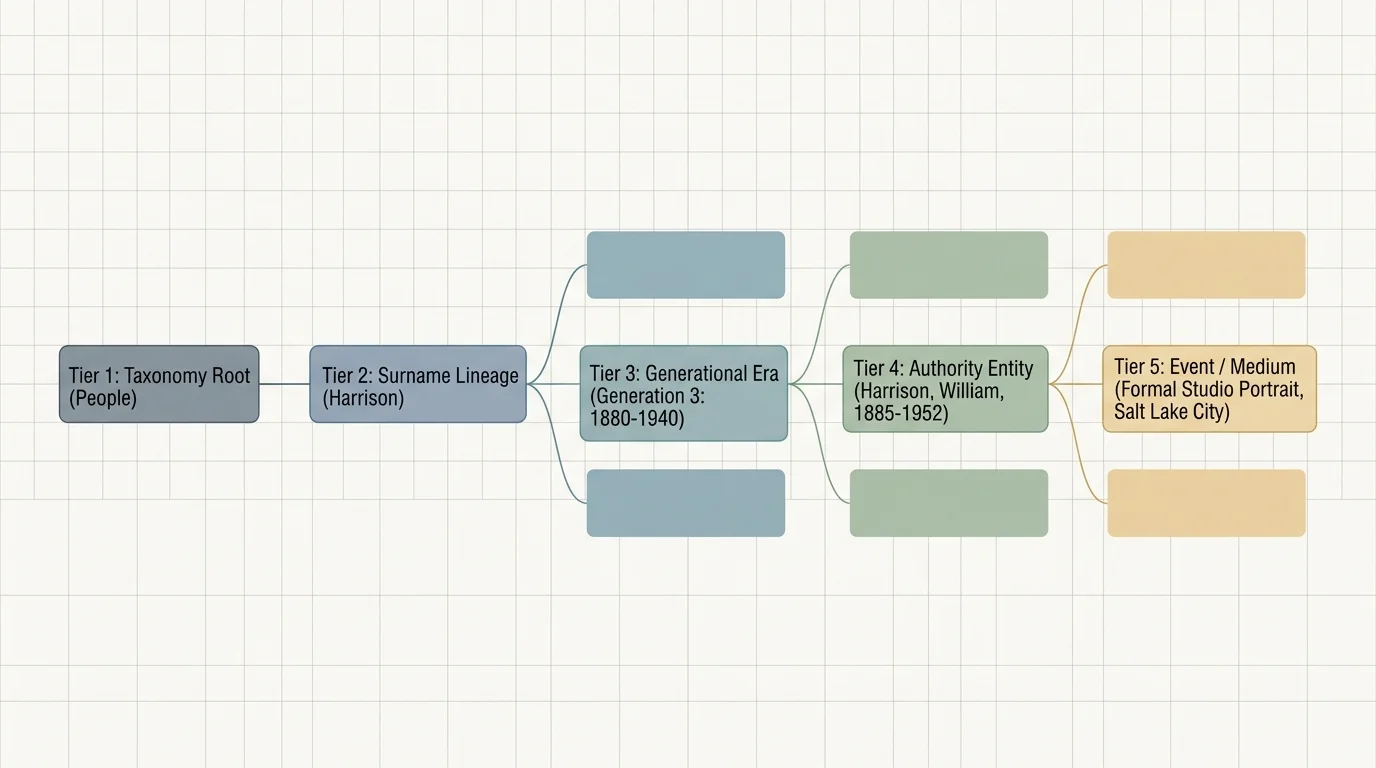
A functional photo taxonomy arranges information from broad contextual branches down to specific individuals. This structure allows software to index familial relationships automatically.
Much like establishing a structured folder directory on your hard drive, a deliberate tagging system prevents chaos as your visual archive expands.
Pairing a structured keyword hierarchy with a consistent filenaming convention gives your digitized photos durable searchability even outside catalog software.
You construct this system by defining five distinct structural layers inside your catalog software. Each layer filters your visual assets through narrowing genealogical contexts.
- Tier 1: Root Lineage — Designates the primary ancestral branch (e.g., Paternal-Harrison or Maternal-Miller).
- Tier 2: Generation Cohort — Organizes branches by generational sequence or Ahnentafel brackets.
- Tier 3: Family Unit — Identifies the household headed by specific parental partners.
- Tier 4: Canonical Person Tag — Contains the unique standardized individual authority entry.
- Tier 5: Contextual Facets — Encapsulates lifecycle events, locations, and studio portrait formats.
Tier 1 isolates paternal and maternal family branches from unrelated collateral lines. This separation keeps your keyword interface tidy when scrolling through thousands of entries.
Tier 2 establishes historical chronological context across century-long spans. Sorting subjects into explicit generations eliminates chronological confusion when viewing relatives who never met.
Tier 3 clusters siblings together under their shared parents. This grouping helps identify children in group portraits where individual faces remain difficult to distinguish.
Tier 4 houses the verified individual, anchored by full legal names and life dates. Tier 5 captures supporting details like wedding portraits, military service, or confirmation events.

Configuring Adobe Lightroom Classic for Controlled Hierarchies
Adobe Lightroom Classic provides the necessary tools for building deep, multi-tiered keyword lists. However, default catalog export preferences often cause unexpected metadata errors.
Open Lightroom Classic and display the Keyword List panel in the right sidebar of the Library module. Click the plus icon to build your top-level ancestral roots.
Double-click your primary structural category nodes to open the Keyword Tag Options dialog box. Uncheck the “Include on Export” box for abstract structural organizing tiers.
Deactivating export on organizational tiers prevents your exported JPEG files from receiving unwanted tags. You want the person’s name exported, not structural labels like “Generation 02.”
For canonical person tags, check both “Include on Export” and “Export Containing Keywords.” This ensures that lineage connections remain embedded in the file’s permanent digital headers.
You can consult federal digital guidance from the National Archives Preservation guidelines to understand archival master formatting requirements. Clean metadata export rules guarantee that your tags remain readable for future generations.

Worked Example: Disambiguating Five Generations of the Harrison Lineage
Consider an inherited archive containing 3,140 scans that feature five direct generations of men named Thomas Edward Harrison. Without a controlled taxonomy, searching for this name creates a chaotic mixture of historical eras.
If your inherited collection includes undated family portraits, dating unlabeled vintage prints through clothing and background details can help place each subject in their correct generation.
The collection spans tintypes from 1868, cabinet cards from 1895, medium-format negatives from 1928, Kodachrome slides from 1962, and digital files from 2024. Let us construct their taxonomy nodes using vital dates and Ahnentafel numbers.
Ahnentafel numbers double with each generation back: the family historian is Person 1, father is Person 2, paternal grandfather is Person 4, great-grandfather is Person 8, and second great-grandfather is Person 16.
Lineage-Harrison|Gen 05-2nd Great-Grandparents|Harrison, Thomas Edward (1840-1912) [AHN-16]Lineage-Harrison|Gen 04-Great-Grandparents|Harrison, Thomas Edward Jr. (1871-1939) [AHN-08]Lineage-Harrison|Gen 03-Grandparents|Harrison, Thomas Edward III (1902-1981) [AHN-04]Lineage-Harrison|Gen 02-Parents|Harrison, Thomas Edward IV (1934-2015) [AHN-02]Lineage-Harrison|Gen 01-Historian|Harrison, Thomas Edward V (1968-Present) [AHN-01]
Tagging an undated 1894 albumen cabinet card of two men fishing illustrates the power of this system. Archival examination reveals the subjects are the 1840 patriarch and his 1871-born adult son.
You drag the photograph onto both Harrison, Thomas Edward (1840-1912) [AHN-16] and Harrison, Thomas Edward Jr. (1871-1939) [AHN-08]. Each man receives distinct metadata markers immediately.
A catalog filter for “[AHN-16]” returns 42 confirmed historical portraits across seven decades. The search completely excludes portraits of his grandson, saving you approximately 20 minutes of manual checking per query.
Standardizing these 3,140 scanned images requires an upfront investment of approximately 14 hours. In contrast, untangling broken search queries without this system consumes dozens of wasted hours every year.

Taxonomy Structures Compared: Flat Tags vs. Controlled Hierarchies
Selecting an organizing structure dictates how easily your catalog scales over decades of research. Evaluating metadata methods against measurable metrics reveals the clear advantage of hierarchical vocabularies.
| Taxonomy Model | Collision Rate (5 Gens) | Export Portability | Retrieval Speed (1,000 Img) | Scalability Score |
|---|---|---|---|---|
| Flat String Tags (e.g., “Thomas Harrison”) | 100% (High Collision) | Poor (Ambiguous) | 24.5 minutes | Low (Fails past 500 images) |
| Suffix Tags (e.g., “Thomas Harrison Jr.”) | 62% (Moderate Collision) | Fair (Context Missing) | 11.2 minutes | Moderate (Generational overlap) |
| Folder Structure Only (No IPTC Metadata) | 0% (Within Catalog) | Zero (Lost on file move) | 18.0 minutes | Poor (Zero platform transfer) |
| Hierarchical LC Authority + Vital Dates | 0% (Zero Collision) | Excellent (Fully Indexed) | 0.2 minutes | High (Handles 10,000+ faces) |
Flat tags fail quickly because historical naming practices reuse generational suffixes inconsistently. A man known as “Junior” in 1890 often became “Senior” once his father died in 1912.
Folder systems isolate images on a physical drive but lose all context when someone copies an image elsewhere. Hierarchical tags embed directly into the image file, preserving your organizational work permanently.
Investing in a controlled taxonomy drops retrieval times from 24 minutes down to instant results. Fast filtering lets you focus your energy on historical discovery rather than hunting down mislabeled files.
Managing Maiden Names, Surnames, and Complex Kinship Branches
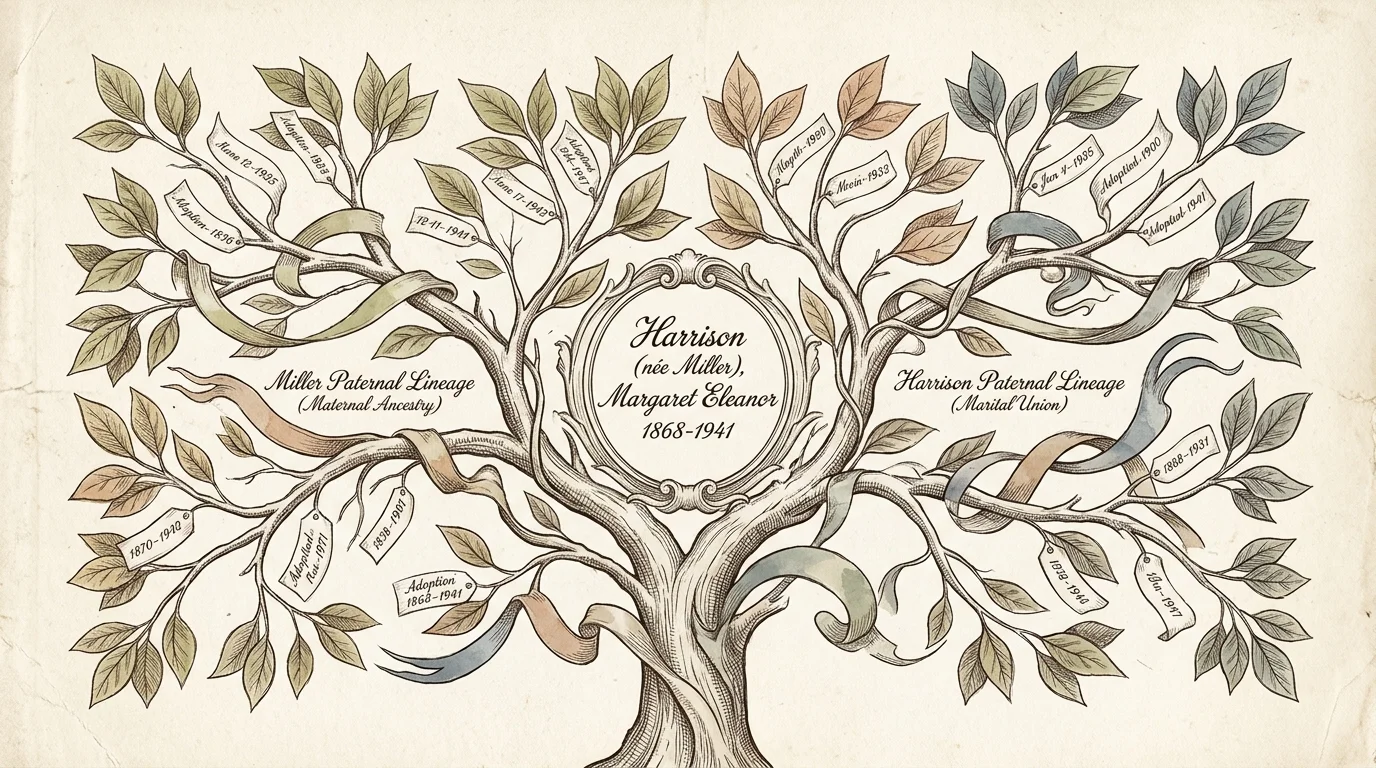
Documenting female ancestors introduces complex surname shifts that confuse unorganized photo libraries. Tracking a woman under various married names fractures your visual archive across disconnected tags.
Archival cataloging rules solve this by indexing women under their biological birth surnames. A woman born Mary Elizabeth Vance remains indexed under “Vance” throughout her entire life timeline.
In Lightroom’s Keyword Tag Options, enter her married surnames into the “Synonyms” field. This lets you search for “Mary Miller” while maintaining her canonical placement under the Vance lineage.
For sensitive historic prints, consult the physical preservation strategies outlined by the Image Permanence Institute to protect fragile originals during scanning. Safe handling ensures physical prints remain intact while you build their digital records.
Standardizing female lineage under maternal birth names prevents the historical erasure common in 19th-century patriarchal records.
Adoptions and blended households require multi-parent taxonomy nodes. Create dual parentage links by placing the individual under both biological and adoptive family branches simultaneously.
Tagging an adopted child under both branches preserves their complete family story. Digital metadata easily accommodates these multiple connections without duplicating file storage.
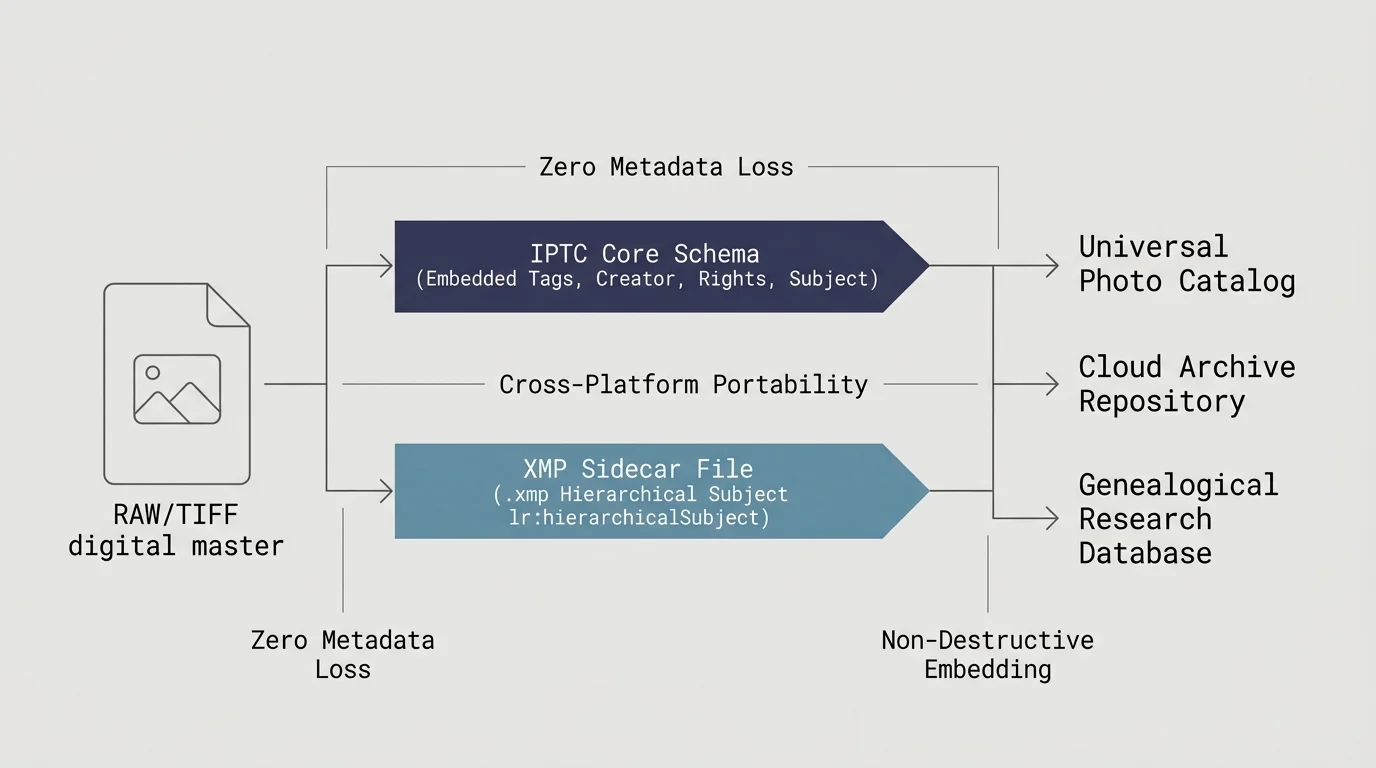
Preserving Data Portability with IPTC Core and XMP Schemas
Your taxonomy must survive software changes, operating system updates, and migrations between genealogy platforms. Storing metadata solely within proprietary catalog files puts decades of careful cataloging at risk.
The International Press Telecommunications Council (IPTC) defines global metadata fields embedded directly inside image headers. Standard IPTC Core and Extension fields travel everywhere with the digital file.
Adobe products write these entries to standardized Extensible Metadata Platform (XMP) sidecar files or file headers. In Lightroom Classic, select your catalog folder and press Command-S (macOS) or Ctrl-S (Windows).
This command writes all keyword assignments and generational tiers directly into the image headers. If your software catalog corrupts tomorrow, your metadata remains completely safe inside every photograph.
When sharing files with relatives, provide derivative JPEG files with embedded IPTC keywords. This guarantees that your careful genealogical work enriches family members who use basic viewing software.
Frequently Asked Questions
How do you distinguish between two living family members with the same name?
Add their birth year and middle name to their canonical tag header. If middle names are identical, append their Ahnentafel number or lineage code to maintain distinct metadata records.
Should you tag maiden names or married names in your primary taxonomy?
Catalog women under their birth surname following archival library standards. You can record married surnames as secondary synonyms inside the keyword metadata properties without breaking your core taxonomy.
Will hierarchical keywords transfer intact to external genealogy sites?
Most genealogy databases flatten hierarchical keywords into independent comma-separated tags upon import. Using self-contained canonical labels with birth and death years guarantees that individual identities remain recognizable anywhere.
What is the best way to correct decades of previously applied flat tags?
Create your structured hierarchical taxonomy first in the catalog keyword manager. Then, drag the old, flat tags into their correct generational parent nodes before merging or deleting duplicate entries.
Disclaimer: This article is for informational purposes only. When handling valuable or irreplaceable photographs, consider consulting a professional conservator. Always test preservation methods on non-valuable items first.