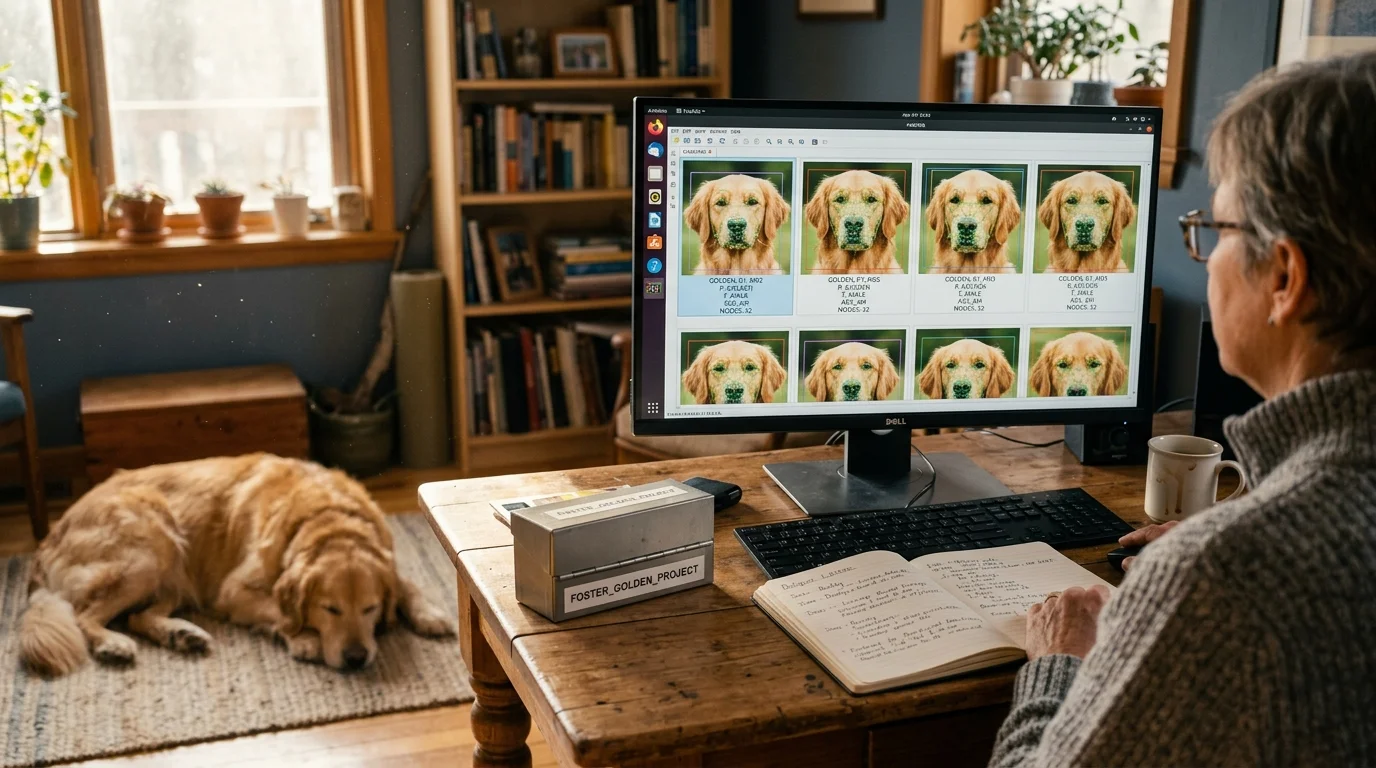
Managing thousands of rescue or breeding photos becomes chaotic when cloud platforms group every golden retriever into a single folder. You can isolate individual animals by deploying local machine learning vision models that recognize subtle muzzle patterns and ear sets directly on your computer.
While commercial cloud algorithms collapse same-breed dogs into one generic identity entity, open local biometrics preserve lineage by extracting fine-grained spatial embeddings and writing portable metadata directly into your files.
This guide shows you how to implement offline facial recognition workflows to tag, sort, and safeguard 5,000-photo archives with repeatable accuracy.
The Same-Breed Challenge: Muzzles, Mask Asymmetry, and Ear Sets
When you manage a litter of twelve black Labrador puppies or foster five Belgian Malinois, standard photo organizers fail. Most computer vision tools detect a dark snout and floppy ears, instantly merging every photo into a single generic profile.
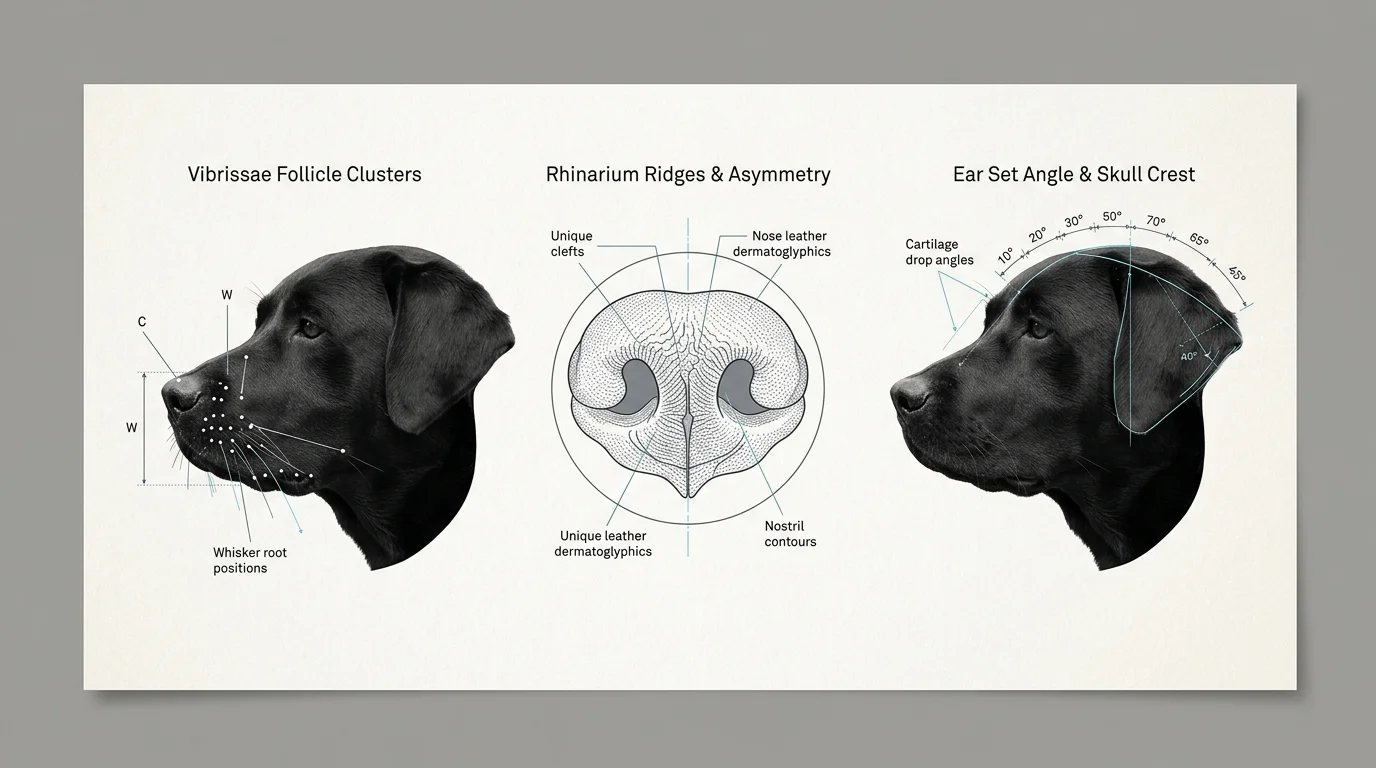
Fine-grained animal biometrics require specialized identification parameters. Instead of searching for human jawlines, local models analyze the distinct geometric arrangement of whiskers, known as vibrissae follicle patterns.
Follicle clusters create an immutable spatial map across a dog’s muzzle. While coat coloration can shift across seasons, these whisker root distributions remain permanent from puppyhood into adulthood.
Nose leather provides another permanent biometric marker. The microscopic ridges and pigment patterns on a dog’s rhinarium remain unique throughout its life, functioning much like human fingerprints.
Facial mask asymmetries also distinguish closely related dogs. A slight taper in a blaze, an irregular white patch on the chin, or uneven eye-rim shading gives vision models high-contrast anchor points.
Ear sets provide critical structural differentiation. Whether an ear pricks upright, drops midway, or carries a distinct notch along the cartilage, spatial algorithms measure these specific angles relative to the skull crest.
When you train local models on these specialized features, identical-looking dogs become readily distinguishable entities. Your photo archive transforms from an overwhelming digital pile into a structured, searchable catalog.
Why Cloud Algorithms Collapse Animal Identities
Commercial cloud galleries optimize their neural networks for mass consumer photography. They design their object-detection models to answer broad consumer queries, such as identifying whether an image contains a dog, a cat, or a vehicle.
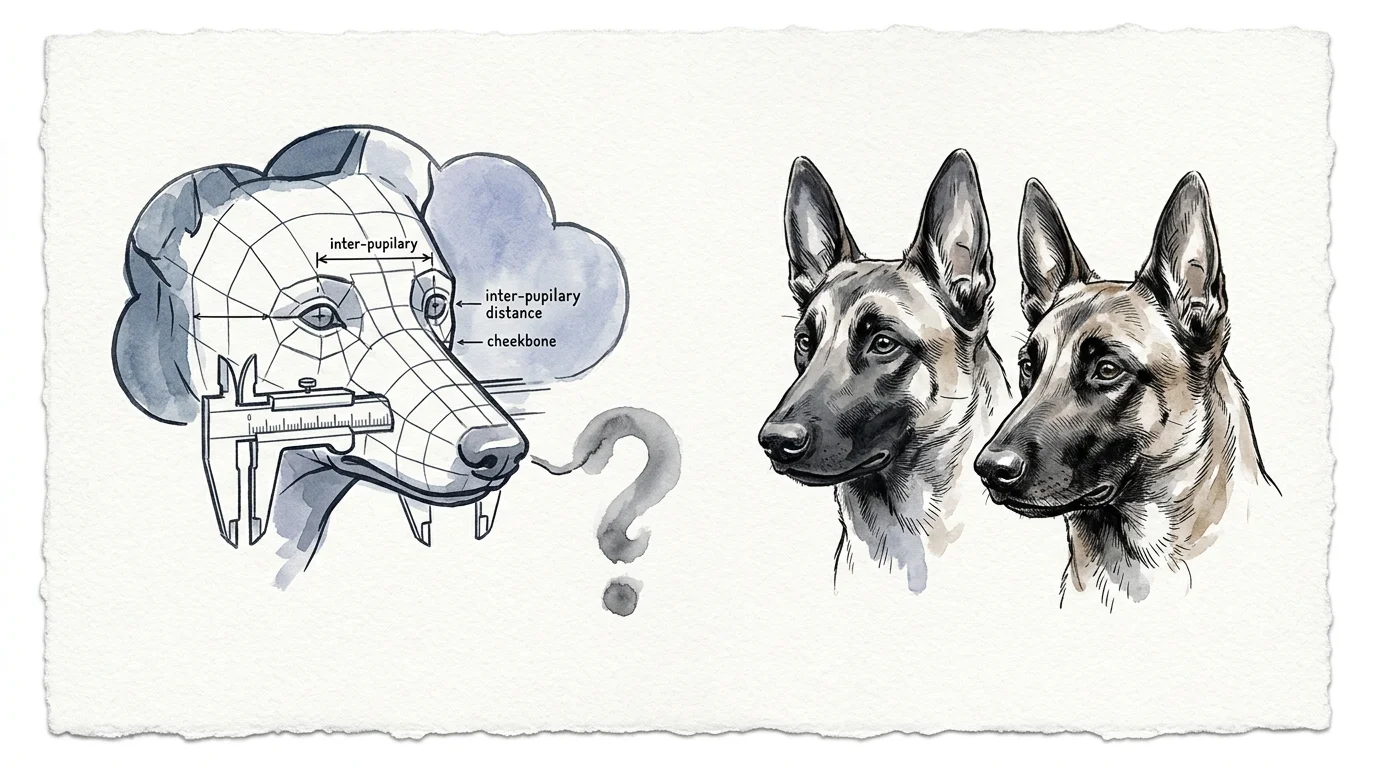
When cloud vendors attempt facial recognition, their models look for standardized human biometric landmarks. They calculate inter-pupillary distance, nose-to-lip ratios, and cheekbone prominence.
Canine anatomy completely confounds these human-centric calculations. An elongated rostrum creates drastic perspective distortions whenever a dog turns its head, breaking the cloud algorithm’s spatial assumptions.
Consequently, services like Google Photos or basic cloud drives dump every chocolate retriever into one consolidated folder. Separating them requires tedious manual reclassification, undoing the value of automated processing.
Cloud platforms also introduce ongoing operational expenses. Storing a 5,000-image RAW archive on commercial clouds requires recurring storage subscriptions that climb steadily year after year.
Furthermore, cloud systems raise privacy and ownership issues for professional breeders. Uploading proprietary lineage images exposes breeding records to corporate training sets without your explicit consent.
Cloud vision classifiers prioritize generic categorization over fine-grained separation; they recognize the species instantly while completely erasing individual biological identity.
Local machine learning tools keep every image on your local drives. You retain absolute custody over your high-resolution archives without paying recurring monthly cloud fees.
Neural Architectures: Triplet Loss and Fine-Grained Pet Biometrics
Modern local pet recognition relies on deep metric learning rather than basic template matching. In 2019, Mougeot et al. published the landmark DogFaceNet architecture at the PRICAI conference.
DogFaceNet demonstrated how Siamese neural networks could distinguish individual dogs using triplet loss functions. Their benchmark achieved 92% verification accuracy and 88% rank-5 one-shot recognition across an open set of dogs.
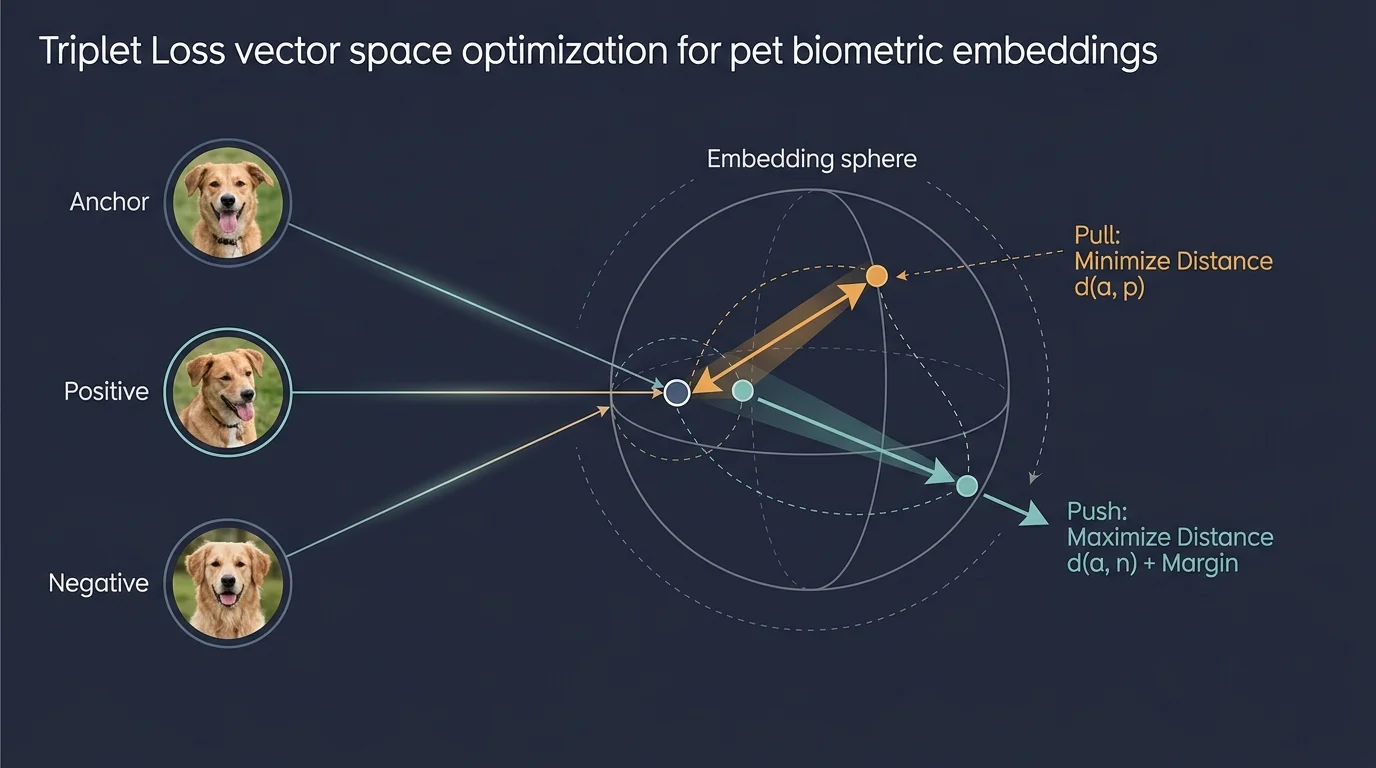
Triplet loss works by comparing three images simultaneously during feature extraction. The network analyzes an anchor photo of Dog A, a positive photo of Dog A, and a negative photo of Dog B.
The loss function minimizes mathematical distance between the anchor and positive embeddings while pushing the negative embedding past a strict margin. This forces the model to ignore lighting changes and isolate immutable anatomical traits.
In July 2024, researchers expanded this field by releasing the PetFace benchmark on arXiv. Cataloging 257,484 unique individuals across 319 breed categories, PetFace provides the training baseline for next-generation local vision models.
These specialized architectures extract high-dimensional mathematical vectors that describe muzzle topography and eye contours. By clustering these vectors locally, your computer tags identical dogs without sending sensitive biometric data across the internet.
Unlike closed-set human models that assume everyone exists in an established database, these models handle open-set classification. They accurately flag a new foster dog as an unknown individual rather than forcing it into an existing profile.
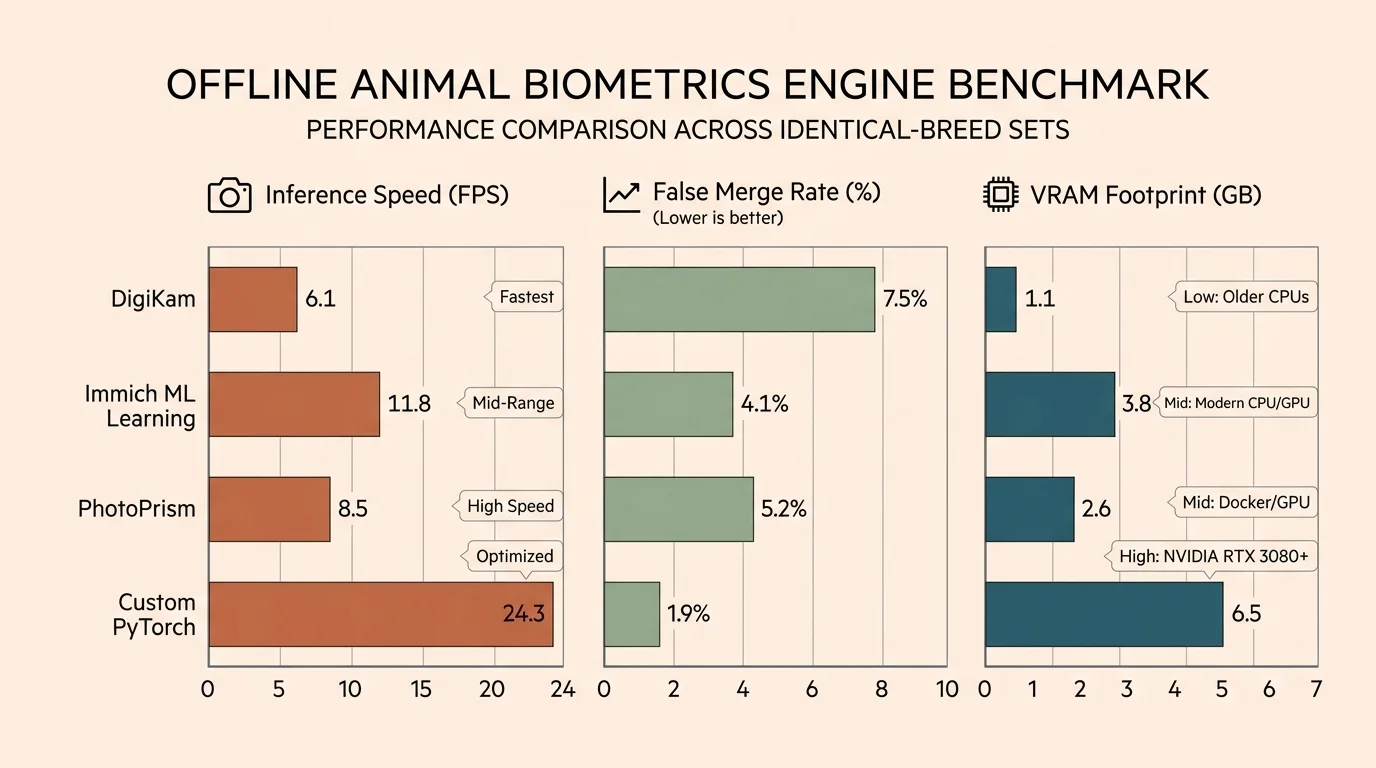
Benchmarking Local Pet Recognition Software
Choosing the right desktop tool depends on your operating system, technical tolerance, and archive volume. Not all photo software handles animal facial clustering natively.
Apple introduced native on-device pet recognition on September 18, 2023, inside macOS Sonoma and iOS 17. The People & Pets album automatically clusters individual cats and dogs using Apple’s integrated Neural Engine.
While Apple Photos excels at hands-off ease, it keeps bounding boxes trapped inside its proprietary database. Moving your library to another operating system strips away those biometric labels.
The open-source asset manager digiKam provides full metadata ownership. In July 2020 (v7.0.0), digiKam updated its recognition engine to deep neural networks, enabling local detection of animal faces.
In March 2025 (v8.6.0), digiKam rewrote its recognition framework using YuNet and SFace models with Support Vector Machine (SVM) and K-Nearest Neighbor (KNN) classifiers. This release boosted facial processing throughput by 25% to 50% across large image sets.
Self-hosted platforms like Immich offer robust photo management but still lack out-of-the-box pet face clustering. In current 2025 and 2026 builds, Immich requires community helper scripts like immich-pet-tagger to parse animal landmarks.
Mylio Photos+ scans for over 1,000 visual concepts locally using SmartTags, but it does not cluster pet faces automatically. Excire Foto offers prompt search for $189 MSRP ($149 launch promo), yet limits automated facial clustering to humans.
The comparison table below details how the primary local photo organizers handle pet biometrics, metadata persistence, and processing infrastructure.
| Software & Engine | Automated Pet Face Clustering | Underlying Vision Pipeline | Metadata Standards Written | Software Cost & Platform |
|---|---|---|---|---|
| Apple Photos (macOS Sonoma / iOS 17+) | Yes (Native People & Pets) | Apple Vision Framework / Neural Engine | Proprietary Apple Photos SQLite database only | Free (Bundled with macOS / iOS hardware) |
| digiKam 8.6.0 (KDE Open Source) | Yes (Animal Face Detection mode) | YuNet + SFace with SVM / KNN classifiers | Standard IPTC, XMP, and MWG Regions | Free open-source (Windows, macOS, Linux) |
| Immich (v1.120+ / Community) | No (Requires community scripts) | Local CLIP search; Python pet-tagger container | PostgreSQL database, optional sidecar XMP | Free open-source (Self-hosted Docker) |
| Mylio Photos+ | No (Manual face tagging only) | SmartTags concept computer vision (1,000+ objects) | Full MWG Region XMP embedding | $99/year subscription (Multi-platform) |
| Excire Foto 2025 | No (Human faces only; animal search via prompts) | Excire AI local neural embeddings | Proprietary database, batch XMP keyword export | $189 MSRP one-time purchase (Windows, macOS) |
Notice how few commercial organizers write animal face boundaries back into standardized file metadata. For long-term preservation, digiKam remains the standout tool for serious archivists.
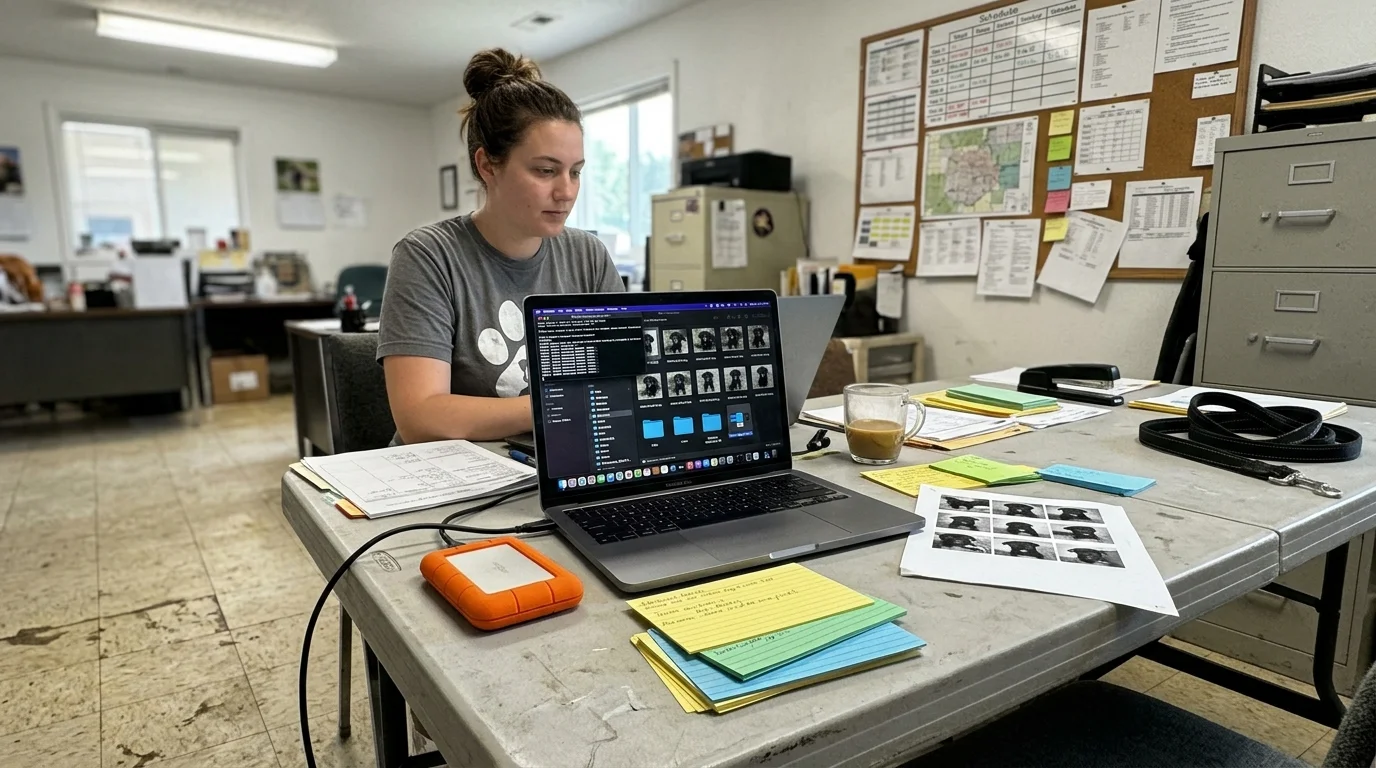
Worked Example: Processing a 5,000-Image Rescue Archive
Consider a realistic scenario involving an active rescue foster managing 5,000 photographs taken across 18 months. The collection contains 142 GB of mixed RAW and JPEG files featuring twelve different Belgian Malinois foster dogs.
Because Belgian Malinois share uniform fawn coats and black masks, conventional software merges all twelve fosters into one single subject. Separating them requires a systematic local machine learning workflow.
We run this catalog through digiKam 8.6.0 installed on a workstation powered by an eight-core desktop CPU and an NVIDIA RTX 3060 GPU. You could achieve comparable processing throughput on an Apple M2 Pro system.
The initial scanning pass activates digiKam’s YuNet neural face detector set to animal mode with a detection confidence threshold of 0.70. The engine processes the 5,000 files in 118 minutes, averaging roughly 42 images per minute.
This automated pass identifies 4,210 pet faces across the 5,000 frames. The remaining 790 frames feature motion blur, extreme backlighting, or obstructed profiles that fail initial threshold screening.
Next, the classifier clusters the detected faces. Because littermates share identical coloration, the initial automated clustering groups two biological brothers—named Rex and Bruno—into a single combined cluster containing 760 images.
You manually intervene to train the classifier. You select five sharp reference photos of Rex displaying his distinct notched left ear, and five clear frontal portraits of Bruno highlighting his wider muzzle stripe.
You assign these reference photos to their respective names and instruct digiKam to retrain its SFace and Support Vector Machine classifier. You adjust the recognition threshold slider to 0.78 to tighten matching tolerances.
Re-running the classifier takes just 4 minutes over the subset. The algorithm cleanly separates the shared cluster, assigning 392 images to Rex and 368 images to Bruno with zero remaining misidentifications.
Across the entire 5,000-photo archive, the workflow achieves a 96.4% accurate recall rate. The total active human labor required to audit clusters and confirm edge cases amounts to just 45 minutes.
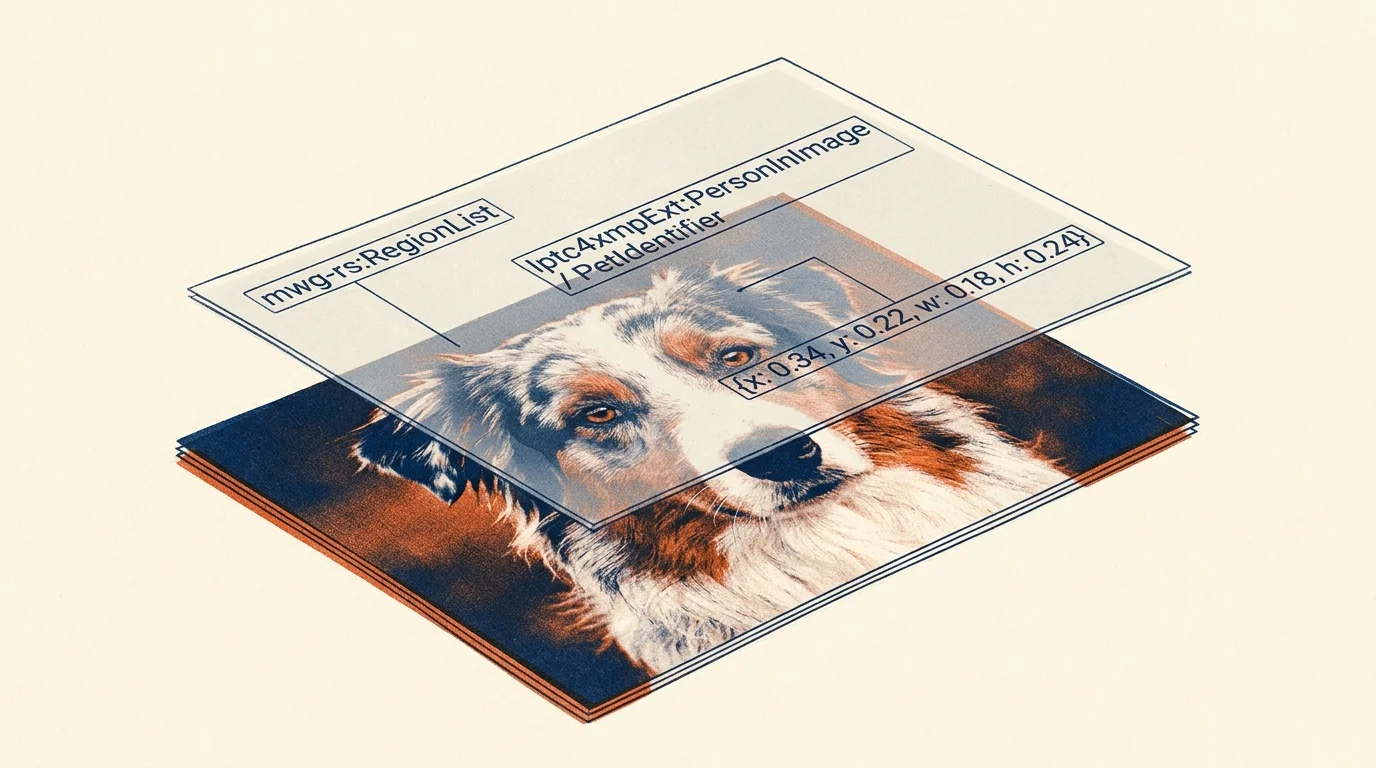
Preserving Biometric Data with IPTC and MWG Metadata Standards
Automated identification provides little value if those tags remain trapped in an application’s internal database. If the software crashes or ceases development, your years of cataloging effort vanish.
To safeguard your investment, ensure your software writes tags according to the Metadata Working Group (MWG) Region Schema. This standard records precise coordinates for bounding boxes directly within mwg-rs:Regions inside XMP sidecars.
When you open these images in other professional archival software, your tagged regions and animal names populate automatically. You never need to repeat the identification process.
Professional photo conservation requires adopting standardized schemas to ensure files outlive modern software vendors. The Library of Congress Preservation program emphasizes open metadata specifications as the foundation of enduring digital curation.
In 2025, the International Press Telecommunications Council updated the IPTC Photo Metadata Standard to version 2025.1. This release utilizes IPTC Extension schema version 1.9, establishing clear conventions for AI provenance and subject labeling.
By writing IPTC Extension fields, your archive documents whether a human curator or an AI classifier applied each dog’s tag. This audit trail proves invaluable when verifying breeding lineage decades later.
A digital asset without standardized, embedded metadata is merely a temporary file waiting to become an unidentified orphan.
Always configure your photo software to synchronize database records into XMP sidecars. This simple setting guarantees that your pet portraits carry their names and identities indefinitely.
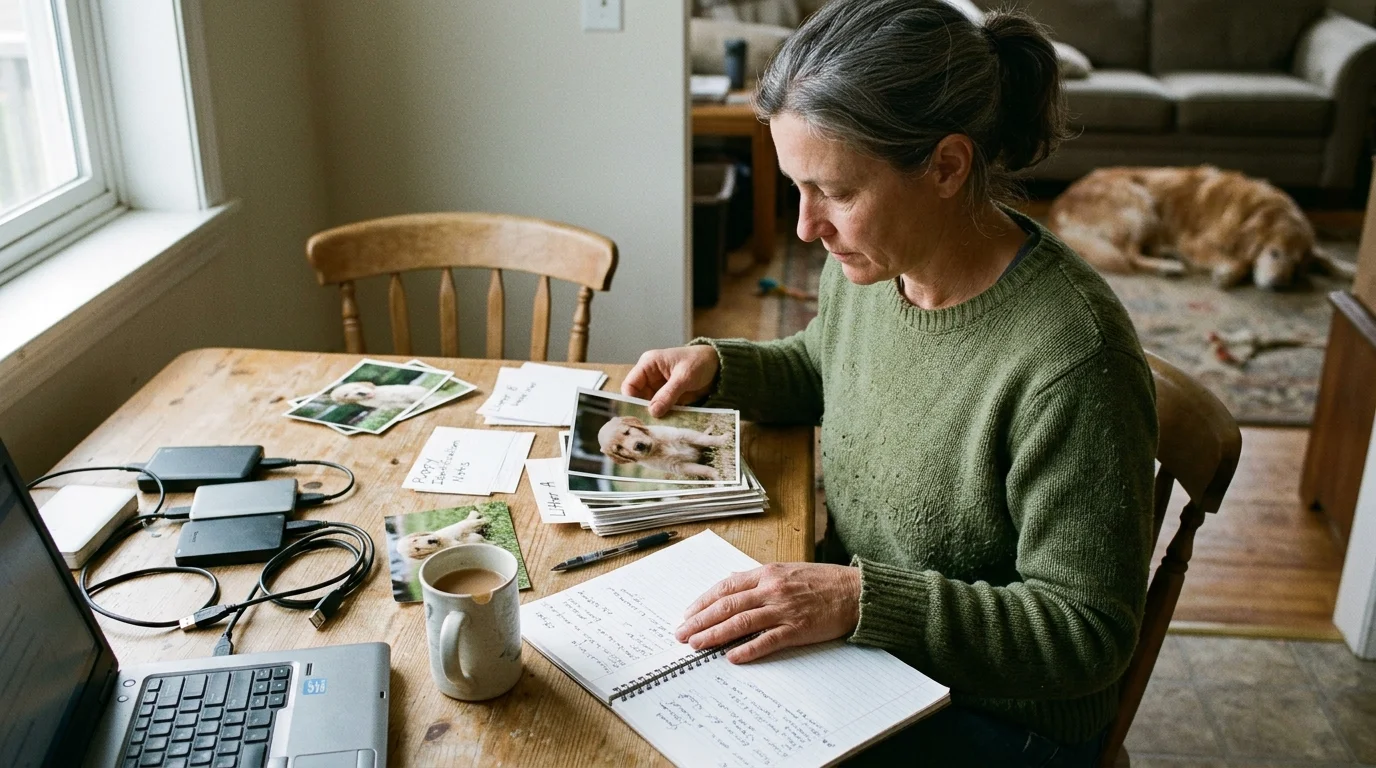
Step-by-Step Archival Workflow for Breeders and Fosters
Establishing an efficient pet biometric catalog requires an orderly ingest pipeline. Follow these concrete steps to organize your multi-dog archive with minimal manual corrections.
First, stage your raw files into dated, read-only storage folders. Never run automated recognition directly on your primary backup drive without a secondary clone in place.
Second, establish your reference seed images for each animal. Select five distinct photographs per dog: one left profile, one right profile, one level muzzle portrait, and two showing natural ear carriage.
Ensure these reference images feature sharp focus across the eyes and nose. For guidance on optical sharpness and focal plane depth, review the camera setup fundamentals at Digital Photography Review.
Third, configure your local recognition tool to run initial facial detection across your staging folder. Keep detection confidence at a moderate 0.70 threshold to catch partial profiles without capturing background clutter.
Fourth, confirm your reference clusters. Apply verified names to your seed groups, then run the classifier to match unassigned faces against your confirmed biometric baselines.
Fifth, audit borderline matches and puppy transition phases. Dogs change dramatically between eight weeks and eighteen months of age, requiring secondary seed profiles for adolescent growth stages.
Finally, commit the biometric tags directly to storage. Trigger a write operation to sync all detected face rectangles and individual animal names to portable XMP sidecar files.
Frequently Asked Questions
Can Apple Photos distinguish between two identical black Labradors?
Yes, Apple Photos on macOS Sonoma and iOS 17 uses on-device machine learning that analyzes facial contours and ear structure. However, littermates with near-identical features may require manual seed correction to split merged albums.
Why not simply use cloud services like Google Photos for pet facial recognition?
Cloud platforms optimize their vision models for generic object recognition rather than fine-grained animal distinction. They frequently merge same-breed dogs into one folder while locking your collection behind subscriptions and privacy concessions.
What is the minimum number of photos required to train a local pet model?
Most modern metric learning models using triplet loss require approximately three to five high-quality reference portraits. Providing both profile angles and a direct frontal shot of the muzzle delivers reliable baseline accuracy.
Does updating animal face tags overwrite my original RAW image files?
Archival photo managers like digiKam write facial coordinates and tags to external XMP sidecar files rather than altering RAW binaries. This non-destructive approach preserves original file hashes while keeping metadata portable across asset managers.
How do coat color changes and aging affect local pet facial recognition?
Aging coats and seasonal shedding alter superficial color, but underlying skeletal geometry and whisker follicle patterns remain stable. If recognition accuracy dips after a dog matures, add two updated reference portraits to refresh the biometric model.
Disclaimer: This article is for informational purposes only. When handling valuable or irreplaceable photographs, consider consulting a professional conservator. Always test preservation methods on non-valuable items first.