

Your family history lives within the frames of your photographs. Whether those images are brittle, sepia-toned prints from your grandmother’s attic or thousands of high-definition snapshots living on your smartphone, they represent a collective legacy. Sharing these memories should feel like an act of connection; unfortunately, the technical hurdles and privacy concerns of the digital age often turn it into a source of stress. You might worry about who can see your children’s faces, or perhaps you feel overwhelmed by the sheer volume of files cluttering your hard drive.
Simplifying family photo sharing requires a balance between accessibility and security. You want your siblings to see the latest vacation photos and your parents to enjoy digitized versions of their wedding album, but you do not necessarily want that data harvested by social media algorithms or exposed to the public. By choosing the right tools and establishing a clear workflow, you can bridge the gap between generations and ensure your photographic heritage remains both protected and celebrated.

Understanding the Balance Between Privacy and Convenience
Before you upload a single image, you must define your sharing goals. There is a fundamental difference between “broadcast” sharing and “intimate” sharing. Broadcast sharing—the kind you see on Facebook or Instagram—prioritizes social engagement. While these platforms make it easy for distant acquaintances to “like” a photo, they often compromise your privacy through data tracking and public-facing profiles.
Before you can upload your images, it is helpful to know how to take great group photos so every family member looks their best in the digital gallery.
Intimate sharing, on the other hand, prioritizes the security of your family unit. You use private family photo sharing methods to ensure that only the people you explicitly invite can view your content. This approach protects your children’s digital footprints and keeps your personal moments off the public web. When evaluating a service, look for granular permissions. You should have the ability to decide who can merely view a photo and who has the authority to download or contribute their own images to the collection.
Consider the “friction” involved for your recipients. If a platform requires a complex login process or a paid subscription for every family member, your relatives may stop checking the updates. Your goal is to find a secure photo sharing platform that offers high security without creating technical barriers that discourage participation. Data privacy is not just about keeping strangers out; it is about creating a safe digital living room where your family feels comfortable being themselves.

Top Platforms for Private Family Photo Sharing
The market offers several robust options for sharing photos securely. Each platform has strengths depending on whether you value storage capacity, ease of use, or cross-device compatibility. Choosing the right one depends heavily on the devices your family members already use.
| Platform | Best For | Key Feature | Primary Consideration |
|---|---|---|---|
| Apple iCloud Shared Library | Apple Users | Seamless integration with iPhone Camera app | Requires everyone to be in the Apple ecosystem |
| Google Photos | Cross-platform ease | Powerful AI search and facial recognition | Privacy-conscious users may dislike Google’s data scanning |
| Amazon Photos | Prime Members | Unlimited full-resolution storage | Interface can feel cluttered compared to competitors |
| FamilyAlbum | Young Families | Chronological timeline and auto-generated movies | Mobile-only experience (primary focus) |
| Flickr | Quality Enthusiasts | High-resolution display and privacy sets | Free version is limited; requires a Pro subscription for large sets |
If your entire family uses iPhones, iCloud Shared Photo Library is arguably the most efficient choice. It allows you to contribute photos automatically based on who is in the picture or when it was taken. This eliminates the “can you text me those photos?” conversation after a family dinner. However, its major drawback is its exclusivity to Apple products; your cousin with an Android phone will be left out of the loop.
For families with a mix of devices, Google Photos remains a leader. Its facial recognition is remarkably accurate—allowing you to create “Live Albums” that automatically add new photos of specific people as you take them. This is a “set it and forget it” solution for busy parents. Just remember that Google offers 15GB of free storage shared across your entire account, so you may eventually need a paid Google One plan to house a lifetime of memories.

Optimizing Your Cloud Photo Storage Workflow
Sharing is the final step of a larger process: capture, organize, and store. Without organization, sharing becomes a burden. If you have 50,000 unorganized images, finding the five perfect shots of your daughter’s graduation is like finding a needle in a haystack. To simplify your workflow, adopt a “culling” habit. Delete blurry shots, duplicates, and screenshots before they ever reach your shared folders.
If your library has become unmanageable, you can conquer photo chaos by breaking the cleanup into small, achievable steps.
Structure your cloud photo storage using a consistent naming convention or folder hierarchy. While AI search tools are getting better, they are not infallible. Organizing folders by Year > Event Name (e.g., 2023 > Summer Road Trip) provides a logical structure that any family member can navigate. When you share a folder, you are sharing a curated experience, not a raw data dump.
“Organization is the foundation of preservation; a photo you cannot find is a memory you have effectively lost.”
Use the “Favorites” or “Heart” feature on your device to mark the best images. Most cloud services allow you to filter by favorites, making it easy to populate a “Best of the Year” shared album quickly. By maintaining an organized library, you ensure that when you invite a loved one to view your collection, they see a beautiful narrative of your life rather than a chaotic stream of digital clutter.
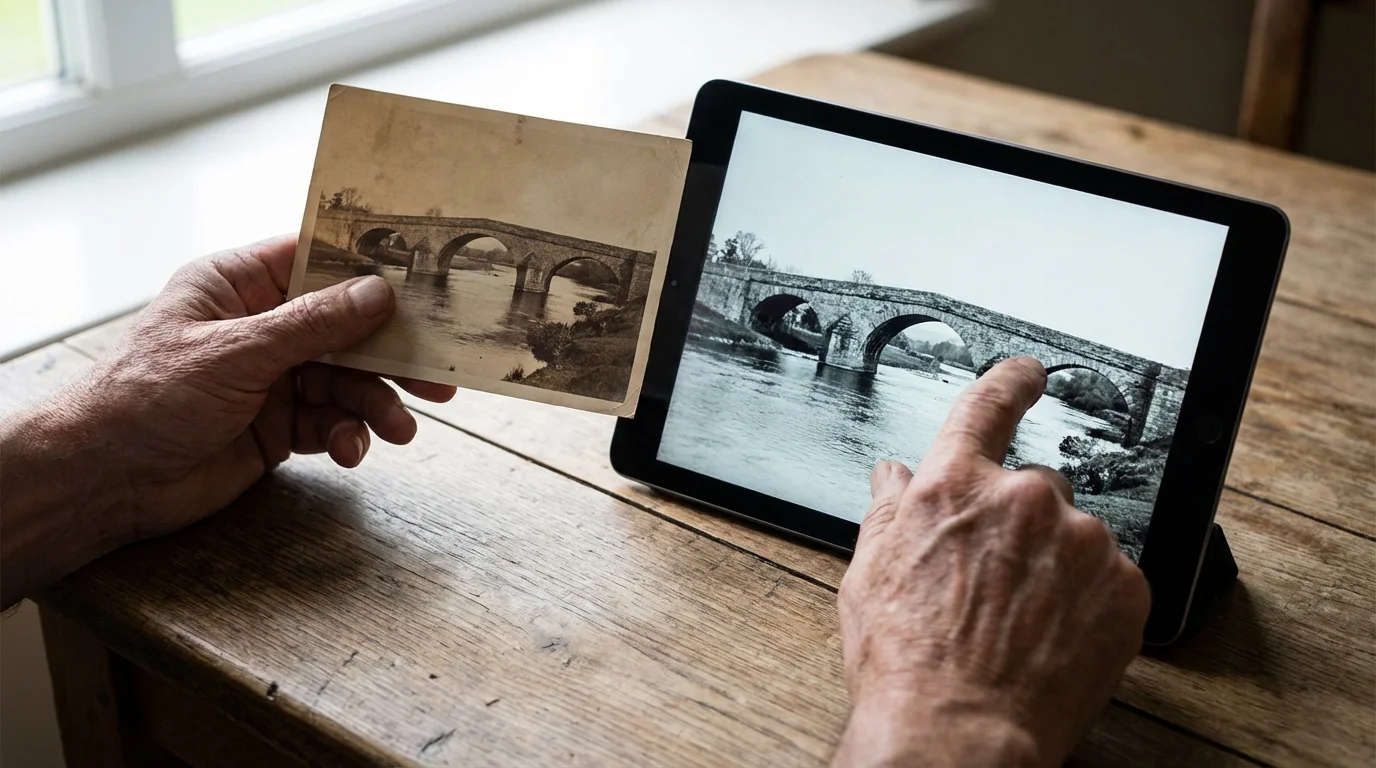
Sharing Digitized Heirlooms and Physical Prints
Preserving and sharing old family photos requires extra care. These physical artifacts are susceptible to light, humidity, and improper handling. Before you scan them for sharing, refer to the Library of Congress Preservation guidelines to ensure you are handling the originals with the respect they deserve. Use clean, dry hands (or cotton gloves) and avoid touching the emulsion side of the prints.
Once you have digitized your heirloom photos using a high-quality flatbed scanner or a dedicated scanning service, the sharing process changes. These images carry more weight than a casual smartphone snap. You are not just sharing a picture; you are sharing a piece of history. When uploading these to a secure photo sharing platform, take the time to add metadata or captions. Digital files do not have the benefit of “notes on the back” like physical prints do.
Include the names of the people, the approximate date, and the location in the file’s description field. This ensures that when your grandchildren look at these photos decades from now, they know exactly who is in the 1945 Christmas photo. Sharing these digitizations with elder family members often triggers “memory bursts,” where they provide additional details about the event. Be ready to record these stories and add them to the digital record.

Essential Security Best Practices for Photo Sharing
Security is not a one-time setup; it is a continuous practice. When using any private family photo sharing service, start by auditing your existing share links. Many people create a “public link” to share an album and then forget it exists. If that link falls into the wrong hands, anyone can view your photos. Always prefer “Invite by Email” over “Shareable Link” whenever the platform allows it. This restricts access to specific accounts that you recognize.
Beyond just sharing, it is vital to protect your collection by implementing a ‘3-2-1’ backup strategy to ensure your digital photos never disappear.
Another critical step is managing metadata. Every photo taken with a smartphone contains EXIF data, which includes the exact GPS coordinates of where the photo was taken. If you are sharing photos of your children at home or school, this can be a significant privacy risk. Before sharing, check your platform’s settings. Most reputable services like Google Photos or iCloud give you the option to “Remove Location Data” when sharing via a link. You can also find technical reviews of software that strips this data on sites like Digital Photography Review.
Finally, implement Two-Factor Authentication (2FA) on your primary photo storage account. Your photo library is one of your most precious digital assets. If a malicious actor gains access to your password, 2FA serves as a vital second line of defense, requiring a code from your phone or an authenticator app to log in. This simple step provides peace of mind that your family’s private moments remain exactly that—private.

Engaging Less Tech-Savvy Relatives
The best sharing system in the world is useless if Grandma can’t figure out how to open the link. To bridge the digital divide, you must simplify the entry point for less tech-savvy relatives. Instead of sending them to a complex cloud interface, consider using hardware-based solutions. Digital photo frames, such as those made by Aura or Skylight, allow you to “email” photos directly to the frame in their living room. The photos simply appear, requiring zero technical interaction from the recipient.
If you prefer a digital-only approach, send a direct link via a messaging app they already use, such as WhatsApp or iMessage. Avoid platforms that require them to create a new username and password just to view a single album. If possible, set up their device for them during your next visit. Install the app, log them in, and show them how to use the “Slideshow” feature. Sometimes, a five-minute tutorial is all it takes to transform a relative from a passive observer into an active participant in your digital family circle.
Be patient and encouraging. Older generations often fear “breaking” something or “deleting” photos by accident. Reassure them that they are in a “view-only” mode where they can explore without risk. When they comment on a photo or “like” it, acknowledge their interaction. This positive reinforcement makes them feel connected to the family narrative, which is the ultimate goal of photo sharing.

Beyond the Screen: Creative Ways to Share Memories
While digital sharing is convenient, there is something irreplaceable about a physical object. You can use your secure photo sharing platform as a curated source for physical projects. Once a year, take your most-liked or most-commented photos from your shared family album and print a high-quality photo book. This provides a tactile backup of your digital life and serves as a beautiful gift for parents and grandparents.
For a physical way to keep the family connected, you can also learn how to make a family photo calendar that showcases a new favorite memory every month.
Consider these creative sharing ideas:
- QR Code Albums: Print a physical album of old photos, but include a QR code on the back of the page that links to a private video or a larger digital gallery of that specific event.
- Collaborative Calendars: Create a family calendar where each month features a photo from the previous year. This is a practical way to keep memories visible every day.
- Digital Time Capsules: Create a shared folder intended for a child’s 18th birthday. Family members can drop in photos, videos, and short voice notes over the years, creating a massive, secure surprise.
- Themed Slideshows: For family reunions, stream a curated shared album to a smart TV. It serves as a great conversation starter and background for the event.
“A photograph is a secret about a secret. The more it tells you, the less you know.” — Diane Arbus
By moving memories from the “cold storage” of a hard drive into the physical world, you breathe new life into them. Whether it is a canvas print on a wall or a simple 4×6 tucked into a letter, physical sharing reinforces the bonds that digital photos represent. Use your digital tools to organize and protect, but do not forget the power of a printed memory.
Frequently Asked Questions
What is the safest way to share photos with family without using social media?
The safest method involves using end-to-end encrypted cloud storage or dedicated private family photo sharing platforms. Services like iCloud Shared Photo Library or Google Photos with specific user invites allow you to control exactly who sees your images without making them public on social networks.
Will sharing photos online reduce their quality?
It depends on the platform settings. Many social media sites compress images heavily to save space. To preserve quality, use cloud photo storage services and select ‘Original Quality’ settings, or share high-resolution files via specialized file-transfer services.
How can I help older family members access shared digital albums?
Choose platforms with simple interfaces or use hardware solutions like digital photo frames that receive photos via email. Setting up a ‘view-only’ shared link that requires no login is often the most effective way to include relatives who are less tech-savvy.
How do I remove location data from photos before sharing them?
Most smartphones allow you to toggle off ‘Location’ in the camera settings. For existing photos, you can use the ‘Privacy’ or ‘Information’ settings on your phone or computer to ‘Strip Metadata’ or ‘Remove Location’ before uploading to a secure photo sharing platform.
Disclaimer: This article is for informational purposes only. When handling valuable or irreplaceable photographs, consider consulting a professional conservator. Always test preservation methods on non-valuable items first.






1 Comment