You can catalog 500 mixed-format photographic artifacts in under twenty volunteer hours without spending a dollar on specialized collections management software. Assigning a two-digit alphanumeric call-number system directly to archival enclosures establishes immediate physical and digital control.
Commercial museum platforms overwhelm small historical societies with costly subscription fees and bloated database schemas. A standardized alphanumeric code connected to a clean spreadsheet provides permanent provenance tracking without software lock-in.
Whether your collection contains brittle cabinet cards, curling film negatives, or fragile cyanotypes, this low-cost framework protects physical integrity while making every artifact instantly retrievable.
The Anatomy of a Two-Digit Alphanumeric Ephemera Code
A functional historical society photo cataloging system requires a consistent naming syntax. When volunteers confront a mixed backlog, complex Dewey or Library of Congress systems create hesitation and input errors.
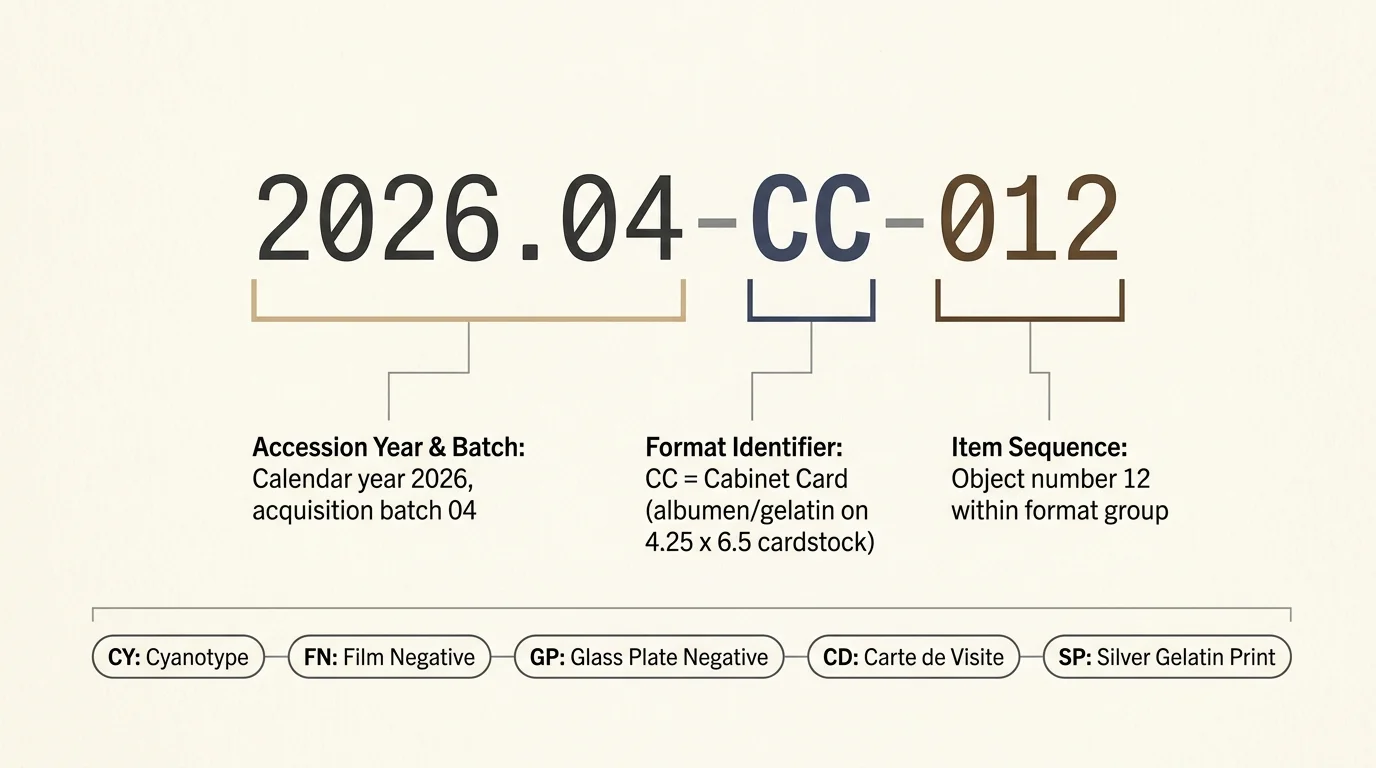
The two-digit alphanumeric structure splits an accession number into three logical tiers: accession year, format identifier, and item sequence. This tiered structure ensures every item has a unique identifier that conveys immediate physical information.
Consider the call number 2026.04-CC-012. The initial segment represents the accession year and acquisition batch, identifying the donation sequence for that calendar year.
The two-letter middle component represents the artifact format. In this example, CC denotes a cabinet card mounted on standard cardboard stock.
The final three digits represent the sequential object count within that specific format group. An item marked 012 is the twelfth cabinet card processed within collection batch four.
Assigning explicit format codes directly within the call number prevents catalogers from housing incompatible chemistries together. It tells volunteers where the physical item lives without forcing them to open the database first.
Standardizing these two-digit codes across your repository establishes reliable small museum photo indexing. The most common two-letter codes include:
- CC: Cabinet Card (albumen or gelatin print mounted on heavy 4.25 x 6.5-inch cardstock)
- CY: Cyanotype (iron-based blue photographic print on uncoated paper)
- FN: Film Negative (flexible cellulose nitrate, acetate, or polyester sheet film)
- GP: Glass Plate Negative (gelatin dry plate or wet collodion on pane glass)
- CD: Carte de Visite (small albumen portrait on 2.5 x 4-inch mount)
- SP: Silver Gelatin Print (standard 20th-century paper prints on resin or fiber base)
Limiting format designations to two capital letters keeps call numbers brief. Volunteers can write them quickly on archival enclosures without crowding envelope edges.
Physical Sorting Protocol for 500 Mixed-Format Artifacts
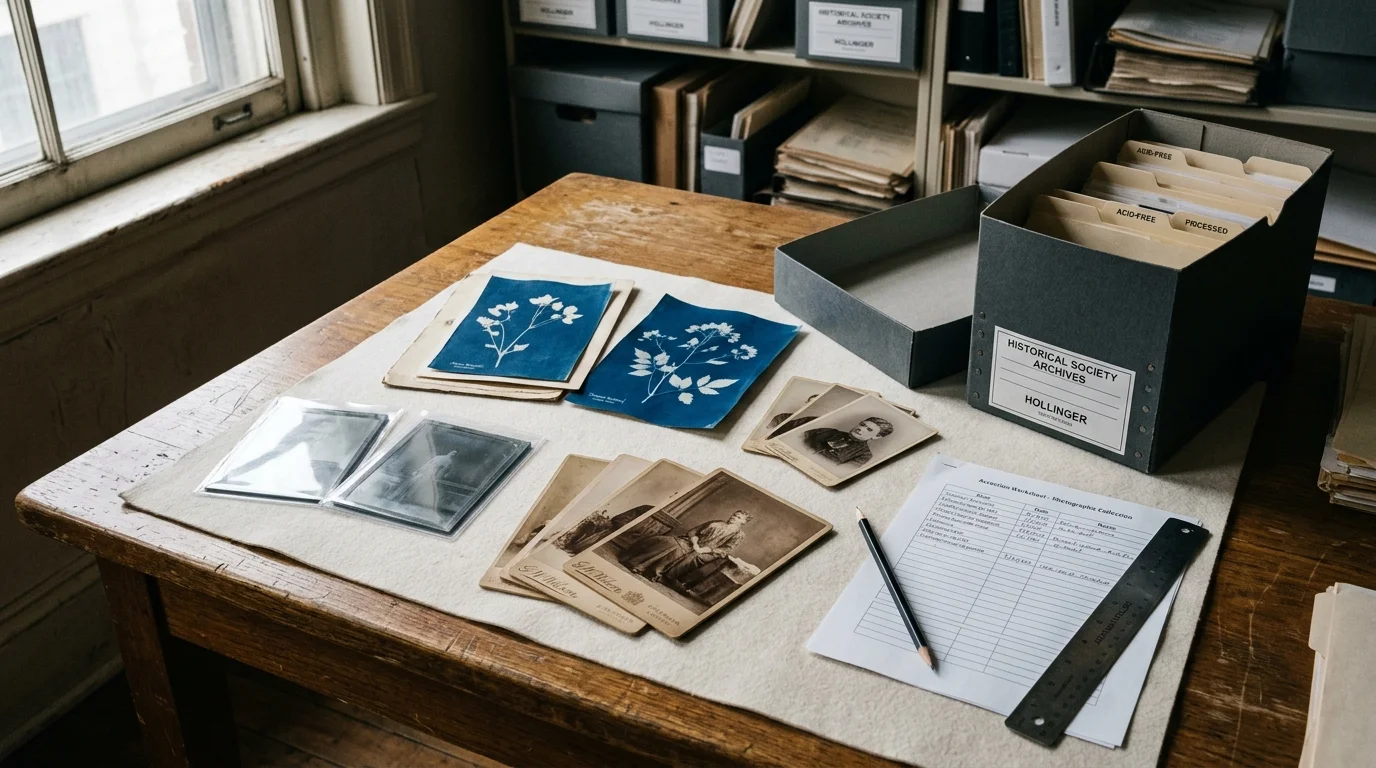
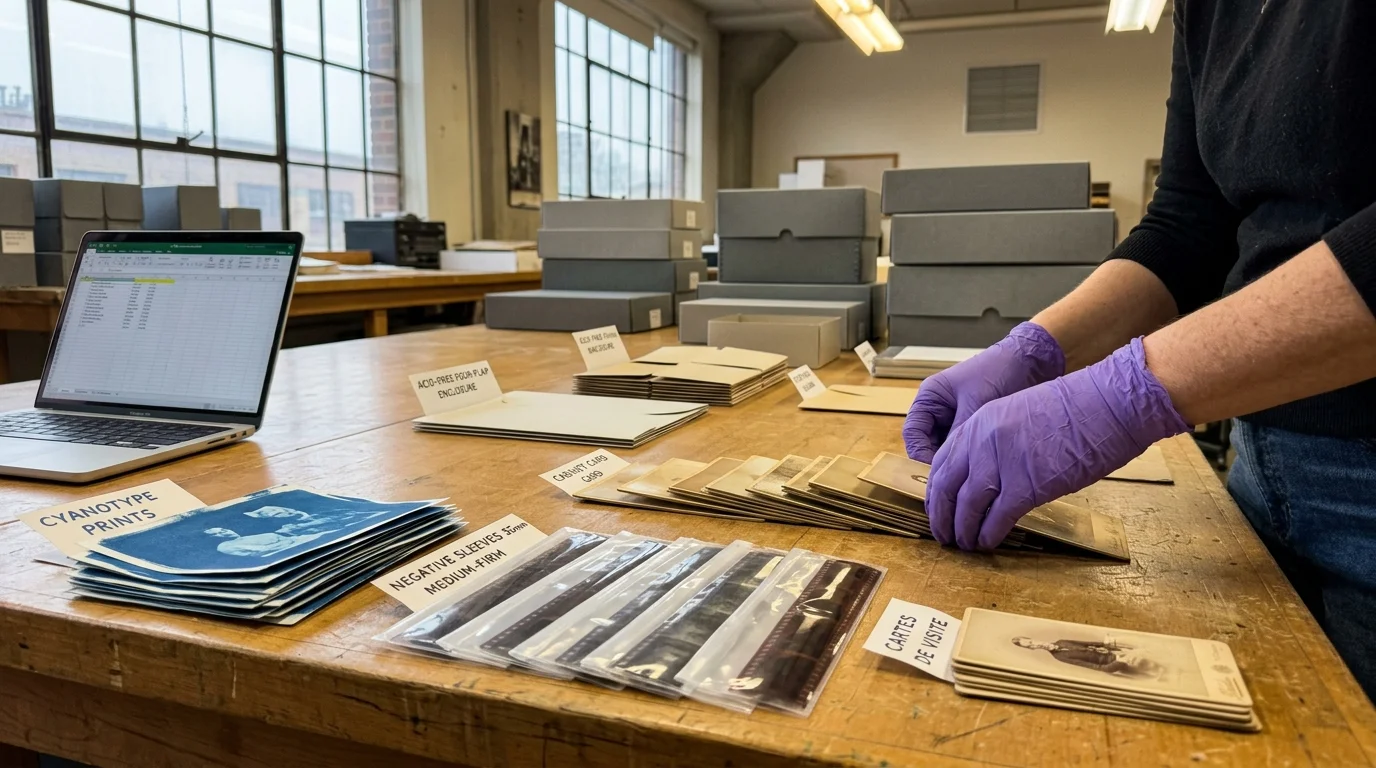
Before entering data into a computer, you must stage the physical sorting area systematically. Preparing a clean, draft-free workspace prevents accidental damage to fragile 19th-century mounts and emulsion layers.
Clear two large tables and cover them with unbuffered white blotter paper or clean, unprinted polyethylene sheeting. This creates an unsoiled surface that highlights flaking emulsion, loose debris, or detached fragments.
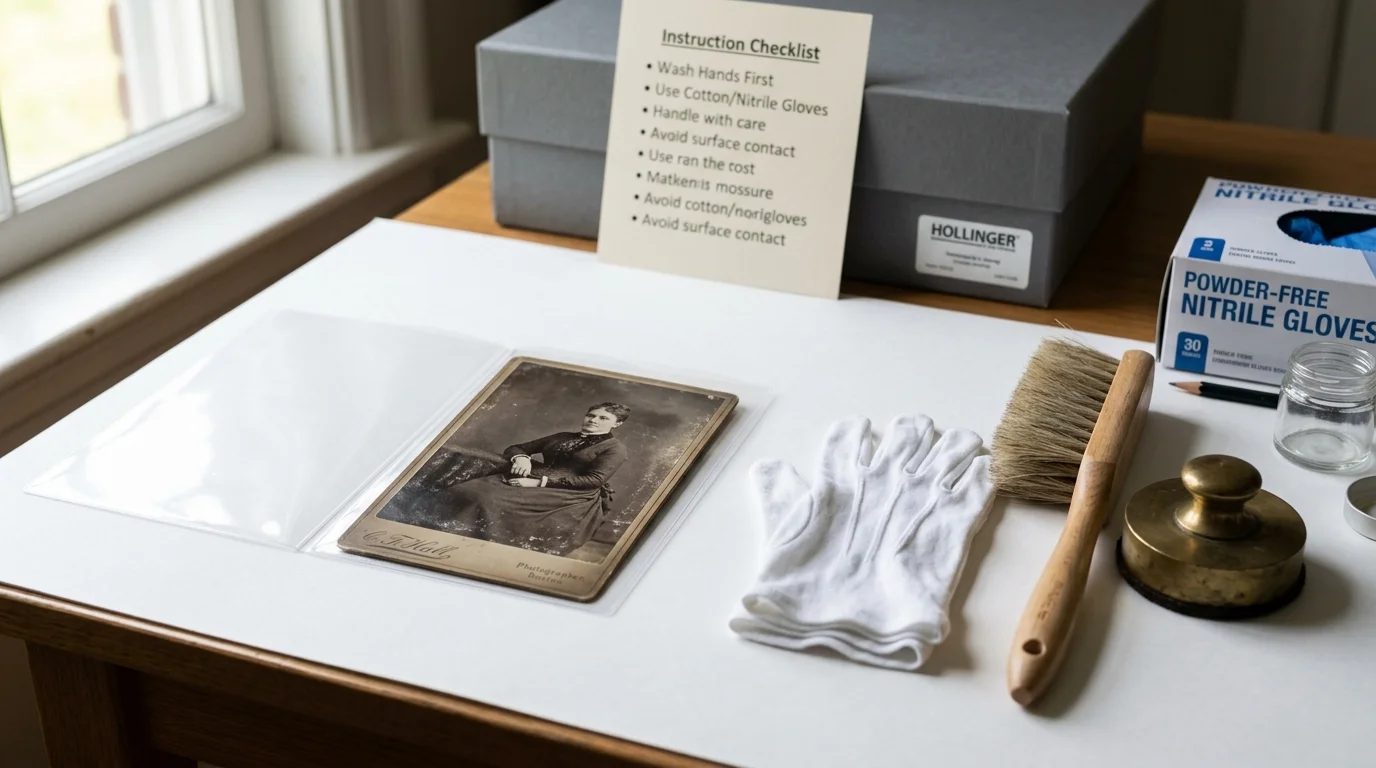
Wear powder-free nitrile gloves when handling film negatives, glass plates, and bare photographic prints. Skin oils cause irreversible fingerprint etching on silver-based emulsions over time.
Never wear cotton gloves when handling glass plates or flaking cabinet cards. Fabric fibers catch on glass chips and lifted paper edges, causing severe tears or dropped artifacts.
Follow guidelines established by the Library of Congress Preservation Directorate by maintaining a dedicated sorting flow. Move items logically from arrival box to format staging, then to final enclosure.
Sort by physical format first rather than by date or subject matter. Organizing by format groups items with identical storage requirements together, minimizing chemical contamination between disparate photographic media.
Place cabinet cards into one processing tray and cyanotypes into another. Keep sheet negatives separated from prints to ensure off-gassing degradation products do not damage stable photographic papers.
Inspect each item under raking light for surface dust and physical stability. If an item exhibits powdery mold, quarantine it immediately in an airtight plastic container away from the main collection.
Sort loose fragments into small, individual acid-free paper sleeves. Number these fragments with a temporary slip matching the primary artifact until you complete final accessioning.
Archival Enclosures and Exterior Marking Standards
Never write call numbers directly onto the face or mount of a photographic artifact. Even soft pencil pressure can crack brittle albumen emulsions or dent historic paper mounts.
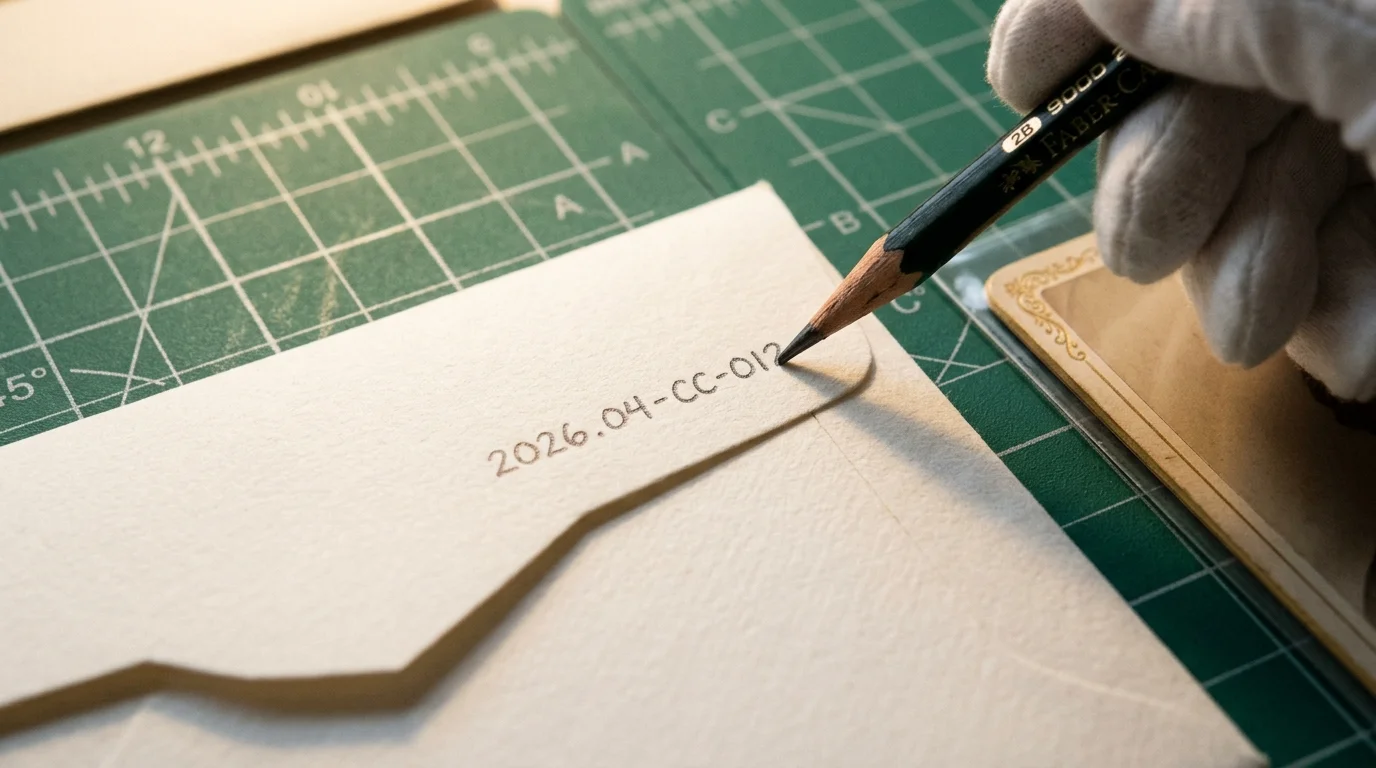
Write call numbers on the archival enclosure before inserting the photograph inside. Writing on the envelope while the artifact is inside creates an embossed impression that permanently defaces the historic item.
Use a medium-soft 2B or B graphite pencil on paper envelopes. Graphite is chemically inert, will not bleed through paper fibers, and resists fading under indoor ambient light.
Avoid ink pens, felt markers, and ballpoint pens near collection items. Inks contain volatile solvents and acidic dyes that migrate through paper enclosures into photographic emulsions.
When using clear polyester, polypropylene, or high-density polyethylene sleeves, write on self-adhesive acid-free labels using archival pigment pens. Allow the ink to dry completely before applying the label to the outer sleeve margin.
Write the call number in the top right corner on the front exterior of every envelope. This uniform placement allows volunteers to thumb through storage boxes without pulling individual items out.
Standardize letter size to approximately one-quarter inch in height. Consistent sizing ensures legible reading in dim archival storage environments without occupying excess envelope surface.
Include the parent collection name below the call number in smaller text. If an enclosure separates from its storage container during research, this secondary inscription ensures rapid relocation.
Format-Specific Enclosure Comparison
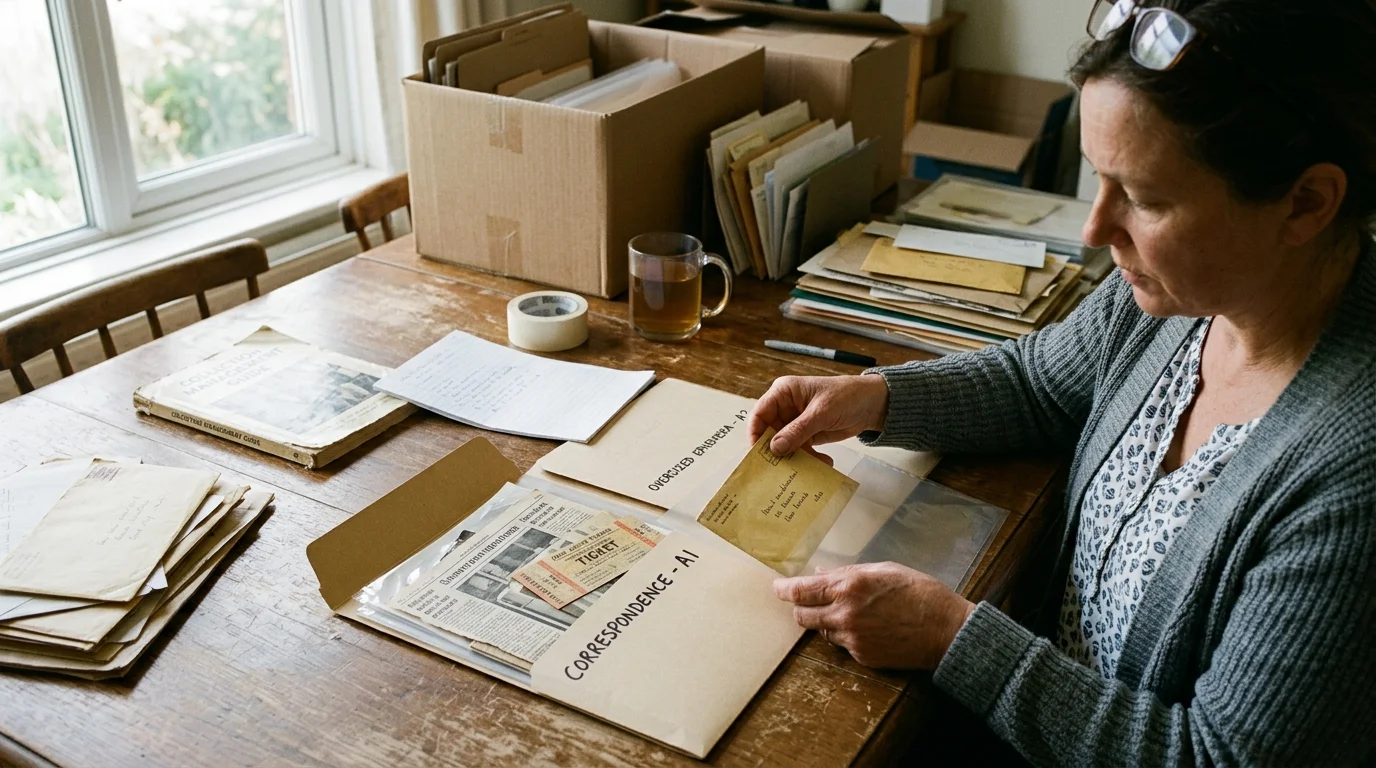
Different photographic emulsions require distinct micro-environments to prevent physical deterioration. Placing all 500 items into identical generic paper envelopes causes chemical degradation over decades of storage.
Cyanotypes react adversely to alkaline environments. Storing iron-based cyanotypes in calcium-carbonate-buffered paper causes the vibrant Prussian blue image to fade or shift chemically to yellow-brown.
Alkaline buffering agents accelerate the chemical hydrolysis of Prussian blue pigments. Always house cyanotypes in unbuffered, neutral-pH enclosures to maintain chemical equilibrium.
Consult the enclosure matrix below to match common ephemera formats with their optimal preservation enclosures and handling orientations.
| Format Name | Format Code | Primary Enclosure Material | Chemical Buffering Type | Optimal Storage Axis | Critical Vulnerability |
|---|---|---|---|---|---|
| Cabinet Cards | CC | 100% Alpha-Cellulose Paper Envelope | Buffered (pH 7.5 to 8.5) | Vertical on Long Edge | Warping of Brittle Cardboard Mount |
| Cyanotypes | CY | Unbuffered Cotton Rag or Melinex Sleeve | Strictly Unbuffered (pH 6.5 to 7.5) | Flat in Drop-Front Box | Pigment Hydrolysis from Alkaline Exposure |
| Film Negatives | FN | High-Density Polyethylene (HDPE) Sleeves | Neutral / Unbuffered | Vertical in Document Box | Acid Gas Build-Up (Vinegar Syndrome) |
| Glass Plate Negatives | GP | Four-Flap Seamless Paper Enclosures | Unbuffered Acid-Free Paper | Vertical on Long Edge Only | Catastrophic Mechanical Glass Fracturing |
Four-flap enclosures prevent adhesive degradation from contacting glass plate surfaces. Standard glued envelopes feature center seams where acidic adhesive degrades gelatin emulsions over time.
Store glass negatives vertically on their longest edge using corrugated acid-free dividing boards. Stacking glass plates horizontally causes excessive weight on lower plates, resulting in shattered glass.
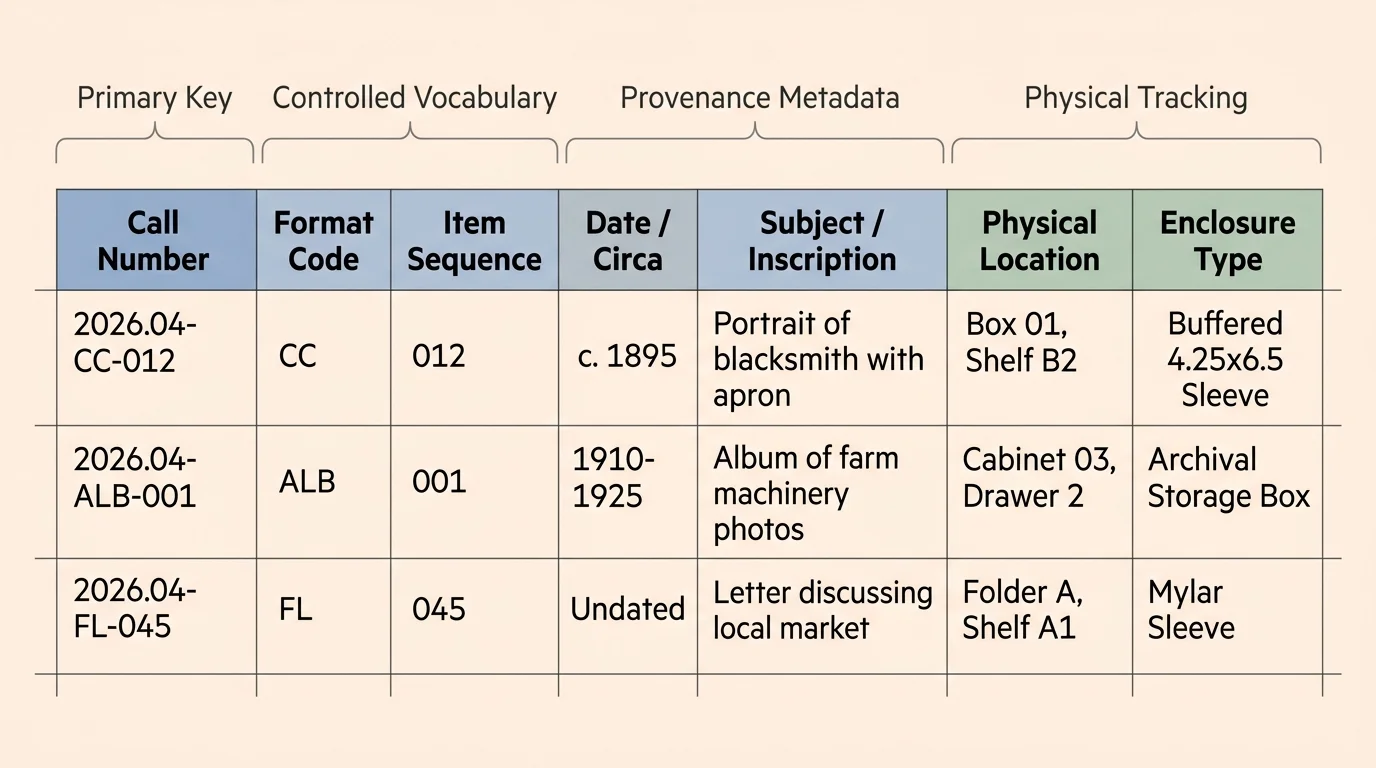
Building the Flat CSV Ledger: Essential Field Schema
You do not need expensive proprietary software to maintain rigorous accession records. A standardized flat-file CSV spreadsheet functions effectively as an enterprise-grade database without software license renewals.
Build your catalog old photos excel template using free software like LibreOffice Calc or Google Sheets. Export the completed register as a UTF-8 encoded Comma-Separated Values (CSV) file for universal long-term accessibility.
CSV files remain readable across any computing platform, preserving your records through operating system transitions. Proprietary museum software file formats often become unreadable when software vendors discontinue legacy software versions.
Structure your spreadsheet schema with ten core metadata fields. Each field must contain discrete data points to allow sorting and multi-field filtering without data corruption.
- Call_Number: The unique alphanumeric code (e.g., 2026.04-CC-001).
- Format_Code: The two-letter category identifier (e.g., CC, CY, FN).
- Object_Type: Plain-text descriptor (e.g., Cabinet Card, 35mm Negative Strip).
- Date_Created: Date in ISO 8601 format (YYYY-MM-DD) or year approximation (e.g., 1895-ca).
- Title_Description: Concise, objective visual summary of the image content.
- Creator_Studio: Photographer, studio name, or publishing firm if stamped on the mount.
- Dimensions_MM: Exact height by width measured in millimeters (e.g., 165 x 108).
- Box_Location: Physical storage container identifier (e.g., BOX-01-ARCHIVAL).
- Condition_Rating: Standardized score (P = Poor, F = Fair, G = Good, E = Excellent).
- Donor_Provenance: Accession source, donor name, and transfer date.
Format dates strictly using ISO 8601 principles to ensure your spreadsheet sorts chronologically. Entering dates as text strings like “June 4th, 1912” breaks chronological sort functions across large records.
Keep the title description objective and verifiable. Avoid speculative statements; write “Man standing beside steam boiler” rather than “Grandfather working hard at the plant.”
Maintain separate condition notes to record structural flaws. Document active tears, surface abrasions, silver mirroring, or chemical odors that indicate accelerating acetate degradation.
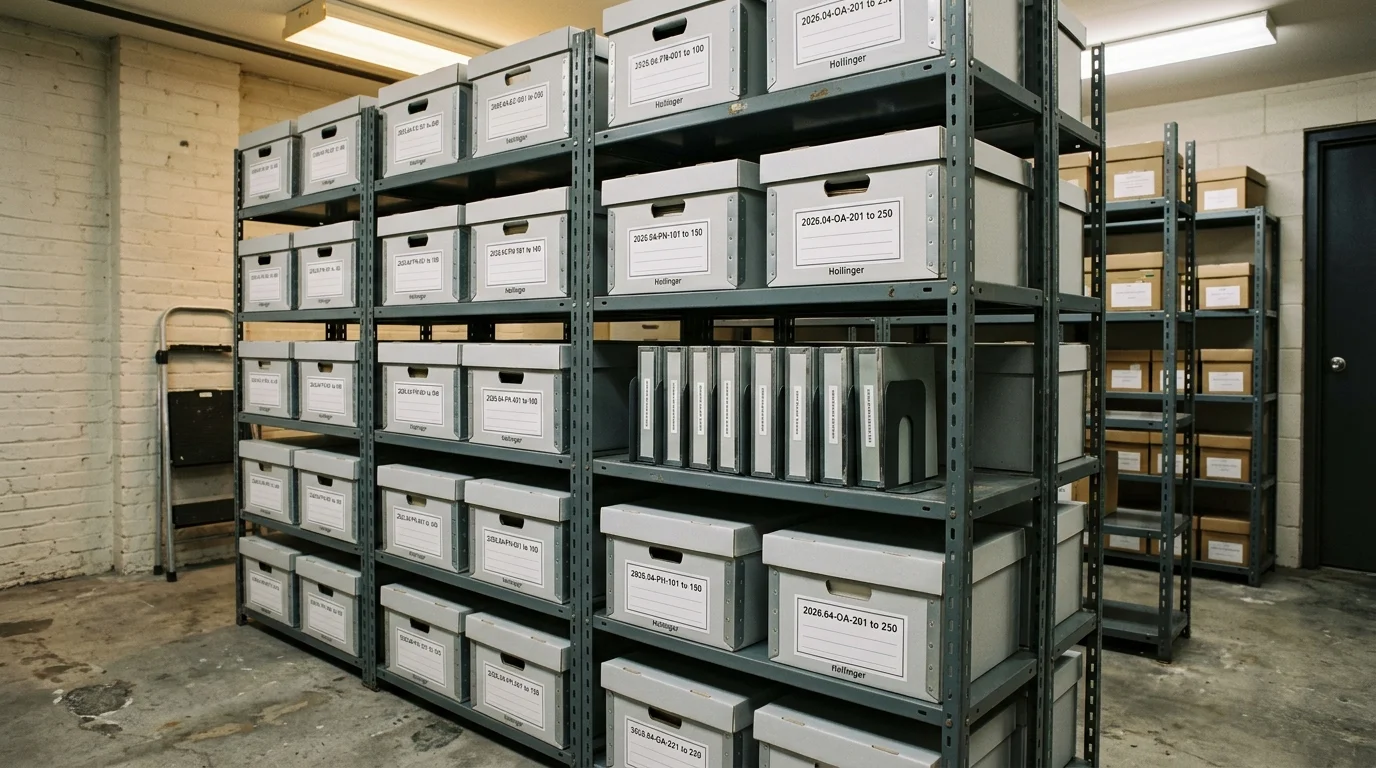
Cost and Storage Footprint: A Worked Historical Society Scenario
To demonstrate practical execution, consider processing a recent donation: the 1924 Miller Foundry Collection. This unorganized box contains exactly 500 mixed-format photographic artifacts documenting industrial history.
The collection inventory breaks down into 210 cabinet cards, 95 cyanotype blueprints, 140 safety film negatives, and 55 glass plate negatives. Volunteers must catalog and preserve the entire collection on a strict $200 budget.
Purchase supplies from dedicated archival distributors rather than general office supply stores. Standard retail photo albums and self-adhesive magnetic pages contain polyvinyl chloride (PVC) that degrades photographs.
The total material acquisition breakdown for housing 500 artifacts includes:
- Two 100-packs of 5×7 buffered envelopes for cabinet cards: $34.00
- One 100-pack of 8×10 unbuffered archival folders for cyanotypes: $28.50
- Two 100-packs of 4×5 HDPE sleeves for film negatives: $24.00
- One 100-pack of 4×5 four-flap unbuffered enclosures for glass plates: $32.00
- Two standard letter-size archival document storage boxes: $28.00
- One archival drop-front flat box for cyanotypes: $19.50
- One heavy-duty glass plate storage box with corrugated dividers: $34.00
The overall preservation materials invoice totals $200.00 exactly. Software costs remain $0.00 by utilizing free, open-source spreadsheet applications.
Execute the labor in three scheduled volunteer sessions. Two trained volunteers track their hours across specific accession milestones:
- Session 1 (Sorting and Format Allocation): 4.5 hours total labor.
- Session 2 (Enclosure Labeling and Sleeving): 8.0 hours total labor.
- Session 3 (Spreadsheet Data Entry and Verification): 7.5 hours total labor.
The volunteer team completes accessioning in 20 hours total, averaging 2.4 minutes of handling per historical artifact. The physical result occupies 1.8 cubic feet of secure shelving space.
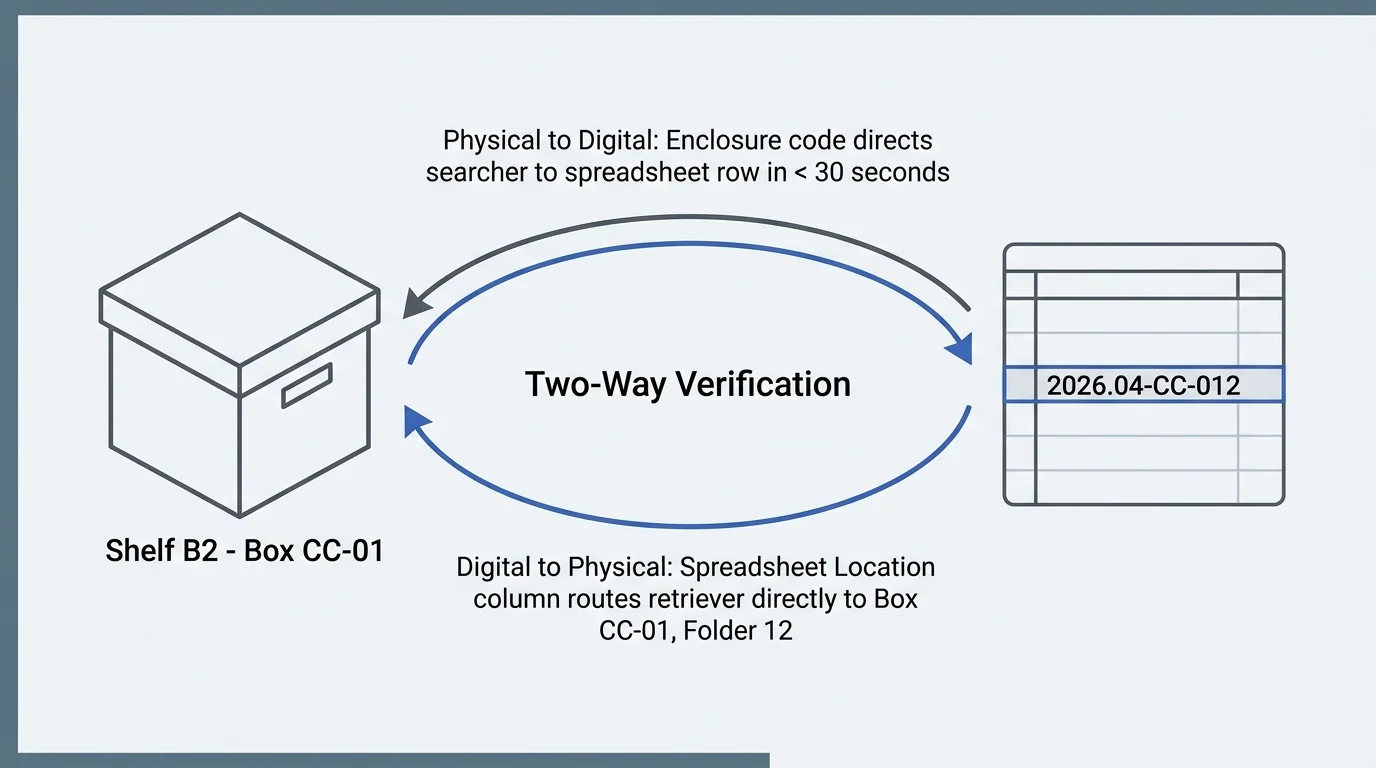
Cross-Referencing Physical Locations to Prevent Inventory Drift
An archival catalog fails if researchers cannot locate the physical item on repository shelves within two minutes. You must tie the two-digit call number directly to the exterior shelf architecture.
Assign every storage container a clean, sequential box code. Use names such as BOX-01-CC for cabinet cards and BOX-02-CY for cyanotypes to maintain format boundaries.
Adhere to storage practices from the National Archives Preservation division by maintaining accurate box content sheets. Affix an inventory sheet inside the box lid listing every call number stored within.
List the call number range clearly on the exterior box label. An exterior label stating “2026.04-CC-001 through 2026.04-CC-105” prevents volunteers from searching through incorrect boxes.
Never move a physical photograph without updating the spreadsheet ledger immediately. When removing an item for scanning or exhibition, place an acid-free cardstock “charge-out” marker in its place.
Write the call number, borrower name, and checkout date on the charge-out slip. This step prevents misplacement and eliminates mystery vacancies in your physical storage system.
Conduct annual random spot-checks across ten percent of the collection. Cross-check the spreadsheet location with the physical shelf location to catch filing errors before they multiply.
Implementing the Cataloging System Safely
Volunteers often encounter deteriorated artifacts requiring conservative handling. You must establish clear boundary protocols outlining when processing must pause for professional conservation assessment.
If glass negatives exhibit cracked edges, do not attempt to tape or glue the glass fragments together. Place each fragment in an individual four-flap folder and store them flat together inside a padded container.
Negatives emitting a sharp, vinegar-like odor indicate advanced cellulose acetate film deterioration. Segregate these degrading negatives immediately to prevent acidic vapors from deteriorating adjacent stable photographic materials.
When handling severely soiled albumen prints, brush loose surface dirt lightly with a soft hake-hair brush. Never apply liquid cleaners, water, or commercial erasers to photographic surfaces.
For items with flaking emulsions or water damage, contact certified conservators through the American Institute for Conservation. Professional conservators provide specialized stabilizing treatments that volunteer repositories cannot perform safely in-house.
Store finalized archival boxes in an interior room shielded from exterior windows. Maintain indoor environmental controls at temperatures below 68 degrees Fahrenheit and relative humidity between 30 and 40 percent.
High ambient temperatures accelerate chemical degradation across all photographic emulsions. Stable temperature control combined with low-humidity conditions extends the physical lifespan of your historical society’s photo collection for generations.
Frequently Asked Questions
Why should I use a two-digit format code instead of simply numbering items sequentially from 1 to 500?
Sequential numbering provides zero information about physical dimensions or preservation requirements. Format codes instantly inform staff which storage box houses the item, ensuring fragile glass or large prints receive proper housing.
What is the difference between buffered and unbuffered enclosures for historical photographs?
Buffered paper contains calcium carbonate to neutralize ambient environmental acids. Unbuffered paper is chemically neutral, making it essential for cyanotypes and color photographs that degrade when exposed to alkaline environments.
Can we use Google Sheets or Microsoft Excel instead of dedicated museum cataloging software?
Yes, standard spreadsheets provide robust collections management capability for small repositories. Exporting the database regularly as an open-standard CSV file ensures permanent accessibility without recurring software fees or format obsolescence.
How do you catalog a group of photos when the exact date and donor are unknown?
Use the calendar year the backlog is processed as the accession prefix, followed by a designated “found in collection” batch number. Record the date field using decade approximations with the abbreviation “ca” (circa).
Disclaimer: This article is for informational purposes only. When handling valuable or irreplaceable photographs, consider consulting a professional conservator. Always test preservation methods on non-valuable items first.