You likely have a digital shoebox—a smartphone gallery overflowing with thousands of images, or perhaps a computer folder filled with scanned memories of your grandparents. These images represent the heartbeat of your family history. However, a photograph loses its power when it remains trapped on a single device. Sharing these memories is how you build a collective family narrative; yet, in an era of data breaches and invasive advertising, you must prioritize safety and privacy when choosing where to host these treasures.
If you have not digitized your physical prints yet, understanding the importance of backing up physical photos digitally is a critical first step in preserving your family heritage.
The challenge lies in finding the right balance between convenience and security. While social media platforms offer instant gratification, they often compromise your privacy and degrade the quality of your images through heavy compression. To protect your photographic heritage, you need a dedicated private photo sharing platform that treats your memories with the respect they deserve. This guide examines the best way to share photos safely, ensuring your family stays connected without sacrificing digital security or image integrity.

The Privacy Limitations of Social Media
You might feel tempted to create a “private” group on a major social network to share family photos. While this seems convenient, these platforms operate on a business model that thrives on data extraction. When you upload a photo to a standard social network, you often grant the platform a broad license to use your content. Furthermore, the facial recognition algorithms and metadata tracking used by these companies can build a detailed profile of your children and relatives before they are old enough to consent to a digital footprint.
Transitioning your images from camera roll to heirloom requires moving away from public social networks to a secure, organized environment.
Before moving your collection to a more secure space, you may want to learn how to archive your social media history to ensure those early digital interactions aren’t lost.
Data compression is another hidden cost of social media sharing. To save bandwidth, platforms like Facebook or WhatsApp strip away the fine details of your images. A 10MB file from your high-end camera might be crushed down to a 500KB file, losing the clarity required for future printing. If these shared copies become the only versions your relatives have, you have effectively lost the high-fidelity history of that moment. Using a dedicated photo sharing service preserves the 12 to 50 megapixels of data modern sensors capture, ensuring that your great-grandchildren can see the sparkle in a relative’s eye or the texture of an old heirloom.
The goal of photo sharing is not just to view an image today, but to ensure the image remains a viable historical record for tomorrow.
Essential Features for Family Sharing Platforms
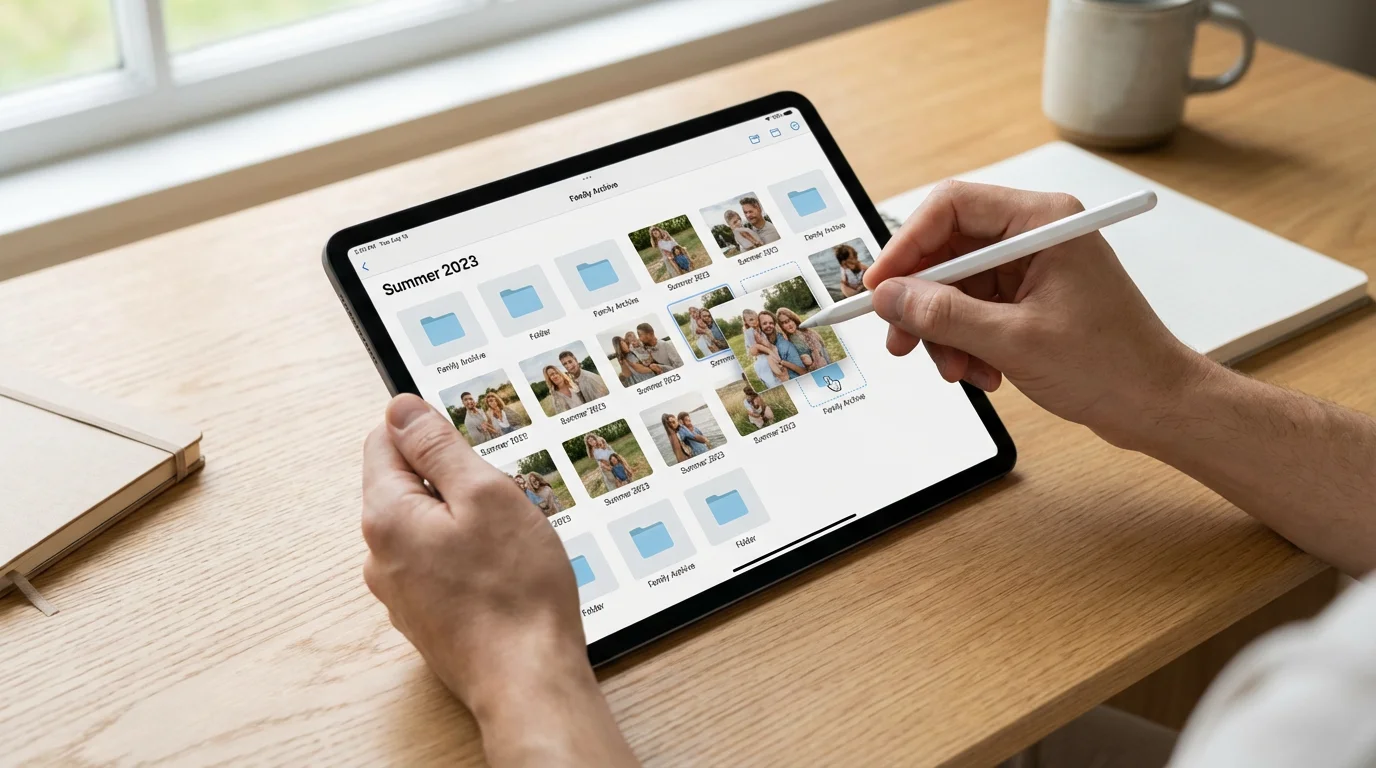
Before you commit your entire library to a platform, you must evaluate it against specific criteria. Not all online albums are created equal. You should look for a service that offers “granular permissions.” This means you can decide who can only view a photo and who can download or contribute their own images. This prevents accidental deletions and keeps your primary collection organized.
Using a dedicated photo management tool is also a smart way to sort and tag your files before uploading them for others to see.
Consider the “technological bridge” your family requires. Your tech-savvy teenager might want a sleek mobile app, while your elderly parents might prefer a simple email link or a browser-based gallery. The best way to share photos is through a platform that meets everyone at their level of comfort. Additionally, look for platforms that offer end-to-end encryption or, at the very least, robust two-factor authentication. This adds a necessary layer of protection against unauthorized access to your private family moments.

Top Cloud Storage Solutions for Private Sharing
Cloud storage providers offer some of the most robust infrastructure for family sharing. These companies invest billions in security, making them a safer bet for long-term storage than smaller, niche startups that might go out of business.
While cloud storage is incredibly convenient, comparing cloud vs. external hard drives vs. NAS can help you build a more robust long-term preservation strategy.
Regardless of the platform you choose, setting up automatic photo backup from your phone ensures that every new memory is safely stored as soon as it is captured.
| Platform | Best For | Privacy Level | Storage Limit |
|---|---|---|---|
| Apple iCloud Shared Library | All-iPhone Families | High (End-to-End option) | Starts at 5GB (Free) |
| Google Photos | Search and AI Organizing | Medium | 15GB (Free, shared with Drive) |
| Microsoft OneDrive | Windows Users & Documents | High | 5GB (Free) / 1TB (Paid) |
| Amazon Photos | Prime Members | Medium | Unlimited Full-Res for Prime |
Apple iCloud Shared Photo Library: If your entire family uses iPhones, this is perhaps the most seamless option. You can create a library where up to five other people can contribute, edit, and delete photos. One of the standout features is the “Shared from Camera” toggle, which automatically sends photos to the shared library when you are physically near your family members. This eliminates the “can you text me that photo?” conversation after a holiday dinner.
Google Photos: Google excels at searchability. You can type “beach 2022” or “Grandpa” and find exactly what you need in seconds. Their “Partner Sharing” feature allows you to share your entire library (or just photos of specific people) with one other person automatically. However, keep in mind that Google’s privacy policies are more permissive regarding data analysis than Apple’s, which may be a dealbreaker for some privacy-conscious families.

Specialized Family Sharing Apps
If you want a “walled garden” experience that feels more like a private digital living room, specialized apps are the answer. These platforms avoid the clutter of general cloud storage and focus entirely on the emotional experience of sharing memories.
FamilyAlbum (Mitene): This app has gained immense popularity among new parents. It offers unlimited free storage for photos and videos and organizes them into a clean, chronological timeline. It is designed with simplicity in mind—grandparents receive a notification whenever a new photo is posted, and they can leave comments without navigating complex menus. Crucially, they do not show third-party ads, which keeps the environment focused on your family.
SmugMug: For families who take photography seriously, SmugMug provides a professional-grade experience. It is a paid service, but it allows you to create beautiful, password-protected galleries. You can even order high-quality prints directly from the interface. Because you are the customer (not the product), your data remains private, and your images are stored in their original, uncompressed resolution. This makes it an excellent choice for preserving and sharing high-resolution scans of old family heirlooms.

Maintaining Image Integrity and Digital Preservation
When you share a photo, you are also distributing a piece of digital history. To ensure these files survive the next twenty years, you must treat them with archival care. This begins with the “Master File” concept. Always keep your original, highest-resolution file in a primary backup location, and treat the shared version as a secondary copy.
Adhering to home photo archiving best practices will protect your original files from degradation while you share compressed versions online.
The Library of Congress Preservation guidelines suggest that digital files require active management. When sharing, choose formats that are widely compatible. While HEIC (Apple’s high-efficiency format) saves space, JPEG remains the universal standard for sharing because it can be opened on almost any device without specialized software. If you are sharing scanned historical documents or professional portraits, consider using a platform that supports TIFF files or, at the very least, “Original Quality” uploads to prevent the loss of metadata—the hidden data that tells you when and where a photo was taken.
Metadata is the digital equivalent of writing on the back of a printed photo. Many sharing platforms strip this information to protect privacy or save space. Before choosing a private photo sharing platform, test a few uploads to see if the date, time, and GPS data (if desired) remain intact when a family member downloads the image. Losing this information makes it significantly harder to organize a family archive ten years down the line.

Organizing Your Shared Albums for Generations
A shared album with 5,000 unorganized photos is a burden, not a gift. To make your collection useful, you must implement a naming and tagging system. Use a “Year-Month-Event” naming convention for albums. For example, “2023-12-Christmas-at-Smiths” is much more searchable than “Christmas Photos.”
Before you begin compiling files, decluttering your photo collection by removing duplicates makes the sharing process much more manageable.
If you are starting with a massive backlog of images, following a proven workflow on how to organize 20 years of digital photos can prevent you from feeling overwhelmed during the sharing process.
Many modern platforms use facial recognition to group photos of the same person. You should take the time to label these faces in your primary library. When you share these albums, the platform can automatically suggest new additions to the shared space. This reduces the manual labor of curation. If you are digitizing old family photos, use the description field in your sharing app to add context: who is in the photo, what was the occasion, and where was it taken? This turns a simple image into a narrated history.
- Be selective: Don’t share fifty nearly identical shots of the same birthday cake. Pick the best two or three.
- Use descriptions: Add a sentence or two to provide context for future generations.
- Encourage contributions: Ask other family members to add their perspectives to the album to create a 360-degree view of an event.
- Regularly prune: Once a year, go through shared albums and remove accidental screenshots or blurry outtakes.

Security Best Practices for Every User
Your family sharing environment is only as secure as its weakest link. If you have a secure password but your sibling uses “password123,” your private family photos are at risk. You must encourage everyone in the shared group to follow basic security hygiene.
First, always use two-factor authentication (2FA). This requires a second form of identification—like a code sent to your phone—before anyone can log in to the photo account. Even if a hacker steals a password, they won’t be able to access your memories. Second, be wary of “public links.” Some platforms allow you to create a link that anyone can view if they have the URL. While convenient, these links can sometimes be indexed by search engines or forwarded to people outside your family. Whenever possible, invite family members by their specific email address or account username rather than using an open link.
Finally, remember that sharing is not a backup. A private photo sharing platform is a tool for communication, but it is not a fail-safe archive. Follow the 3-2-1 backup rule: keep three copies of your photos, on two different types of media (e.g., an external hard drive and a cloud service), with one copy stored off-site. For more technical details on how digital files degrade over time, you can consult the resources at the Image Permanence Institute, which provides data on the longevity of both digital and physical media.
Sharing creates the connection, but proper backup creates the legacy. Never let a sharing platform be the only place your memories live.
Frequently Asked Questions
What is the difference between “High Quality” and “Original Quality” on Google Photos?
Until recently, Google’s “High Quality” (now called Storage Saver) slightly compressed images to save space. While the difference is often invisible to the naked eye on a phone screen, “Original Quality” ensures every pixel captured by your camera is preserved. For long-term preservation, always choose “Original Quality” if your storage budget allows.
Can I share photos from an iPhone with someone on Android?
Yes. While Apple’s “Shared Library” is best for iPhone users, you can still share individual albums via a web link. Alternatively, using cross-platform apps like Google Photos, FamilyAlbum, or OneDrive ensures that everyone can participate regardless of what phone they carry in their pocket.
How do I stop someone from downloading my photos from a shared album?
Most online albums are designed for sharing, which inherently includes the ability to save images. If you need strict control, platforms like SmugMug allow you to disable right-click saving and downloads on specific galleries. However, for most family situations, the best defense is simply choosing a private platform with a small, trusted group of invitees.
Is it safe to store my photos on a “Free” service?
Free services often come with a trade-off, such as lower security, data mining, or the risk of the service shutting down. If your photos are irreplaceable, it is worth paying a few dollars a month for a reputable service like Apple, Google, or Microsoft, which provides better support and more robust security features.
Preserving your family’s photographic history is an ongoing project—one that requires the right tools and a bit of digital discipline. By moving away from public social media and toward secure, private photo sharing platforms, you ensure that your memories remain intimate, high-quality, and accessible to the people who matter most. Start small: pick one platform, invite your closest relatives, and begin uploading the moments that define your family’s unique story.
Disclaimer: This article is for informational purposes only. When handling valuable or irreplaceable photographs, consider consulting a professional conservator. Always test preservation methods on non-valuable items first.