
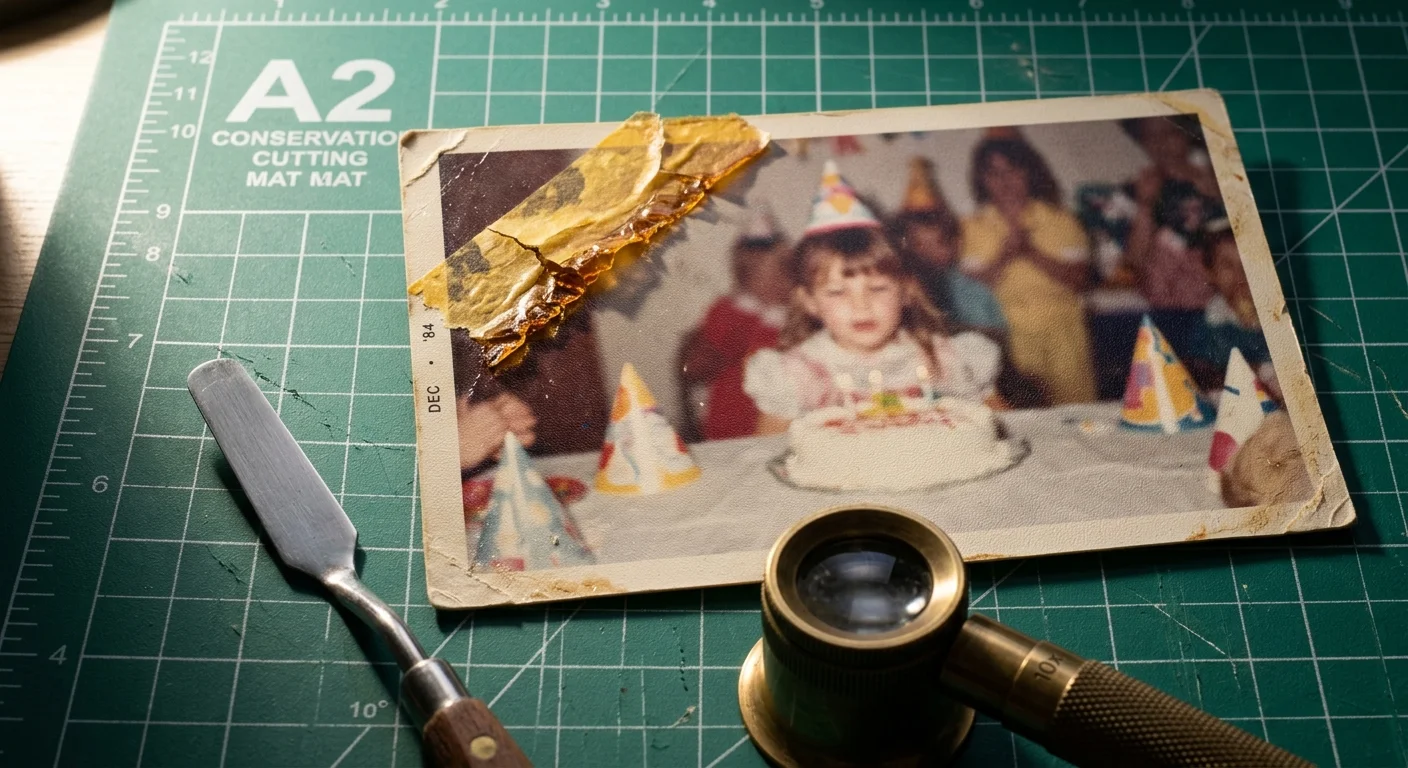
You can restore a 1980s color family snapshot obscured by yellowed, brittle refrigerator tape without destroying delicate facial details. Solvent carrier lifting combined with digital dye rebuilding provides a safe, permanent recovery pathway for damaged prints.
Scanning through degraded tape carriers creates specular refraction and edge shadows that software adjustments cannot resolve. Removing the plastic film first allows digital frequency separation to strip adhesive yellowing while locking the original matte pebble texture intact.
This tutorial guides you through safe solvent release protocols and Photoshop clone-stamping techniques to rebuild underlying color dyes seamlessly.
The Chemistry of 1980s Chromogenic Prints and Aged Adhesive
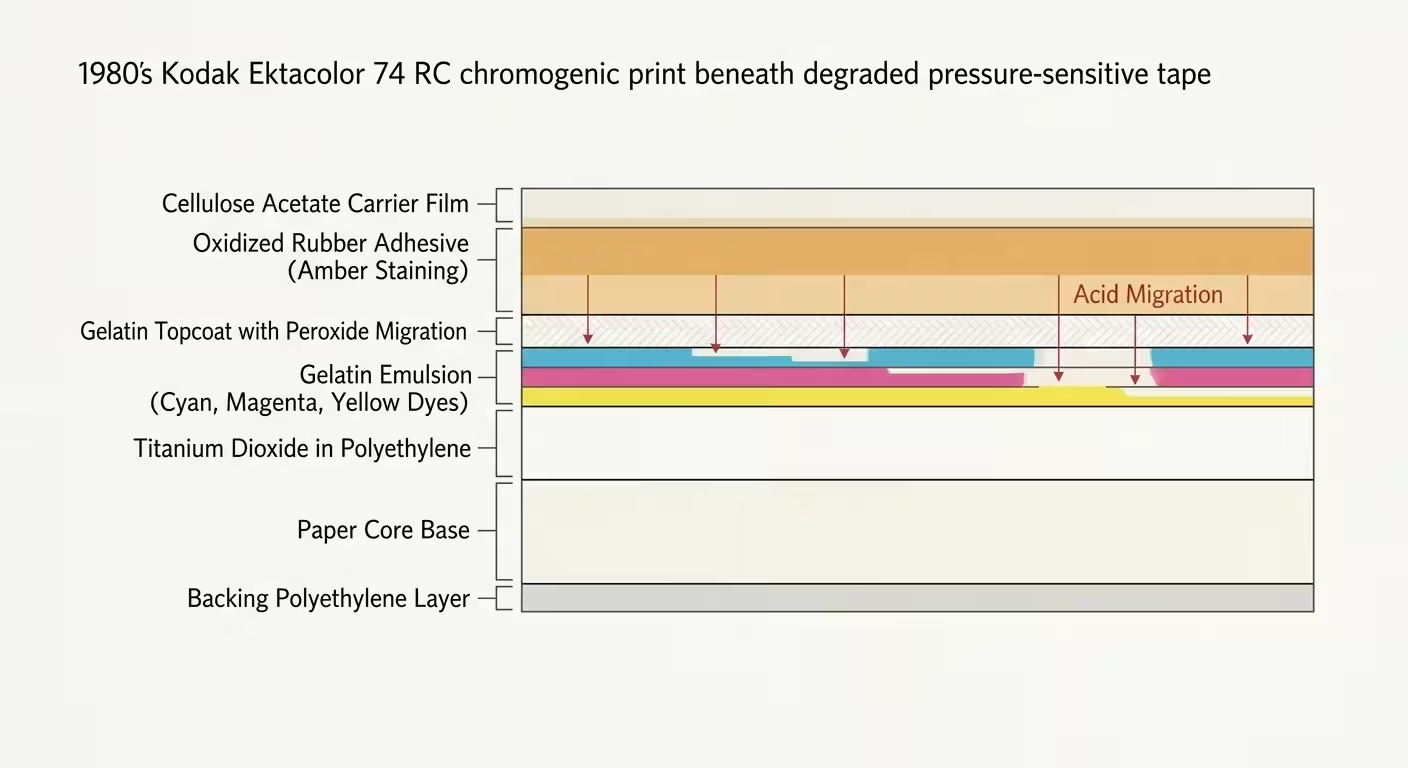
Most color snapshots from the 1980s are chromogenic prints manufactured on resin-coated (RC) paper substrates, such as Kodak Ektacolor 74 RC. These prints seal a wood-pulp paper core between two impermeable waterproof polyethylene sheets.
Prints subjected to fluctuating indoor environments face accelerated breakdown similar to heat-damaged photographs requiring emergency stabilization.
The top polyethylene layer contains titanium dioxide for optical brightness, topped with an emulsion of gelatin suspension layers. These layers hold cyan, magenta, and yellow organic azo and indoaniline dyes forming your family memory.
Household pressure-sensitive adhesive tapes from this era typically feature a cellulose acetate or polypropylene backing film. The adhesive layer beneath consists of natural rubber or styrene-butadiene elastomers combined with acidic hydrocarbon resin tackifiers.
When exposed to heat and ambient light on a kitchen refrigerator, these rubber-based adhesives rapidly oxidize. Autoxidation breaks molecular elastomer chains and cross-links the polymers, transforming the sticky film into an insoluble, brittle amber crust.
According to technical preservation research at the Image Permanence Institute, oxidized adhesives generate peroxides and acidic by-products that migrate straight into the print’s gelatin topcoat. This chemical attack alters the light absorption properties of underlying photographic dyes.
The resulting amber stain strongly absorbs blue light spectrums. This absorption creates an apparent total loss of detail in underlying facial features when viewed or captured through conventional scanners.
Solvent Release Protocols: Heptane versus Petroleum Ether
Never peel aged tape off an RC photograph dry. The cross-linked adhesive’s tensile grip frequently exceeds the shear strength of aged gelatin, ripping the face off your photograph.
While solvents are vital for synthetic tape adhesives, water-sensitive emulsion bonds on older stocks instead require separating fused prints with controlled vapor chambers.
Similar solvent-softening strategies are applied when removing prints stuck to magnetic album pages to avoid mechanical tears.
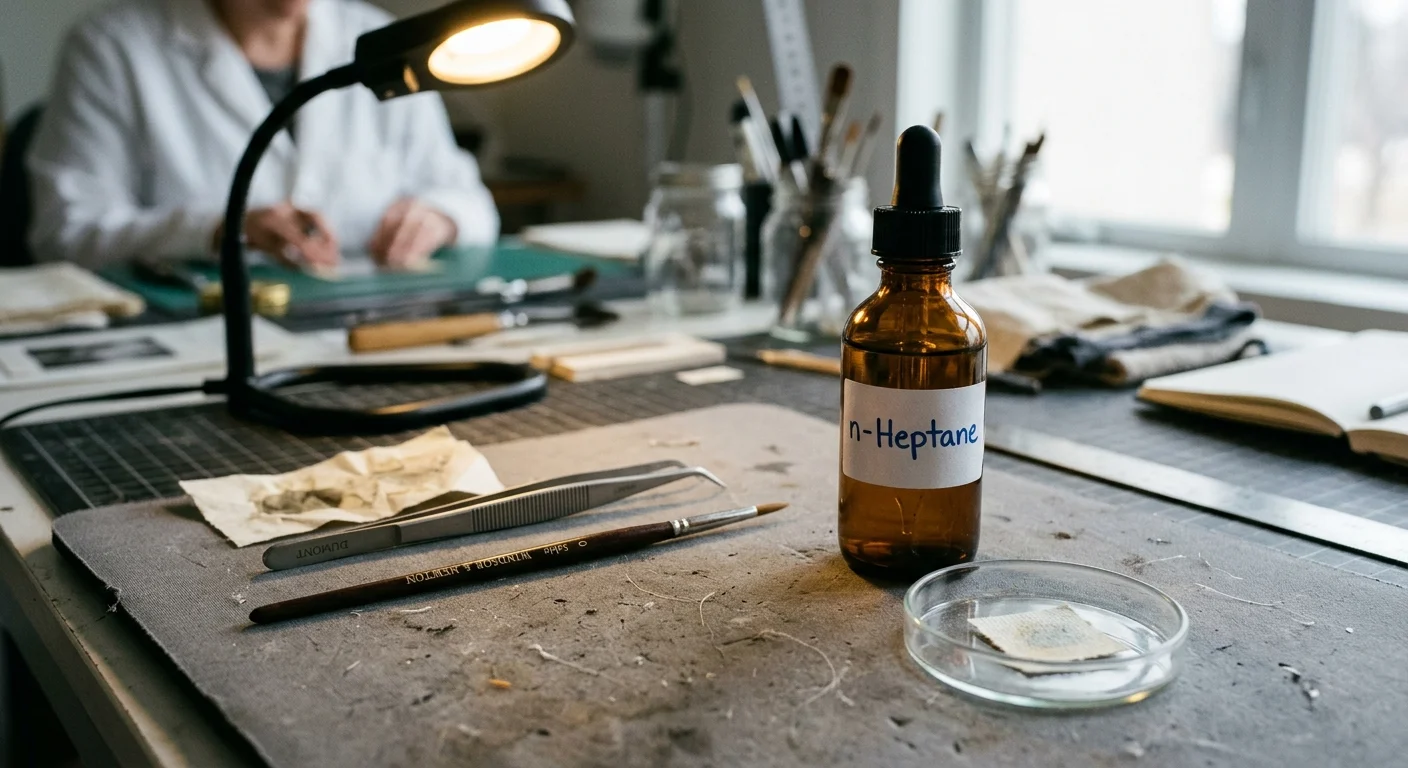
Conservators soften the adhesive matrix using volatile aliphatic hydrocarbons. These non-polar solvents dissolve adhesive tackifiers without interacting with water-soluble photographic gelatin or penetrating the waterproof polyethylene resin coat.
Heptane and petroleum ether (ligroin boiling fractions) are the two primary solvent choices for pressure-sensitive tape releases on chromogenic papers. Each chemical presents distinct evaporation rates, dwell times, and carrier release characteristics.
| Solvent Type | Boiling Range | Evaporation Rate (n-Butyl Acetate = 1) | Typical Carrier Release Dwell Time | Gelatin Emulsion Safety Profile |
|---|---|---|---|---|
| Heptane (Pure n-Heptane / Bestine) | 98°C (208°F) | 3.18 | 45 to 65 seconds | Completely inert to hardened photographic gelatin; zero swelling risk. |
| Petroleum Ether (Boiling fraction 35–60°C) | 35°C to 60°C (95°F–140°F) | 10.50 | 15 to 25 seconds | Zero swelling; evaporates too rapidly for thick rubber tackifiers. |
| Mineral Spirits (Stoddard Solvent) | 150°C to 200°C (302°F–392°F) | 0.12 | 180 to 240 seconds | Safe on gelatin, but leaves non-volatile oily fractions on matte finishes. |
Pure n-heptane is the preferred standard for lifting aged tape carriers from 1980s color prints. Its balanced evaporation rate allows sufficient capillary penetration under plastic tape backings before flash evaporation occurs.
Petroleum ether boils at room temperatures, flashing off before softening cross-linked adhesive beds on non-porous polypropylene carriers. Mineral spirits linger excessively, risking long-term hydrocarbon absorption into raw paper edge fibres.
Follow professional protocols outlined by the American Institute for Conservation when utilizing solvents. Work exclusively under a certified chemical fume hood or outdoors using an organic vapor half-mask respirator.
Safe Carrier Film Removal and Residue Stabilization
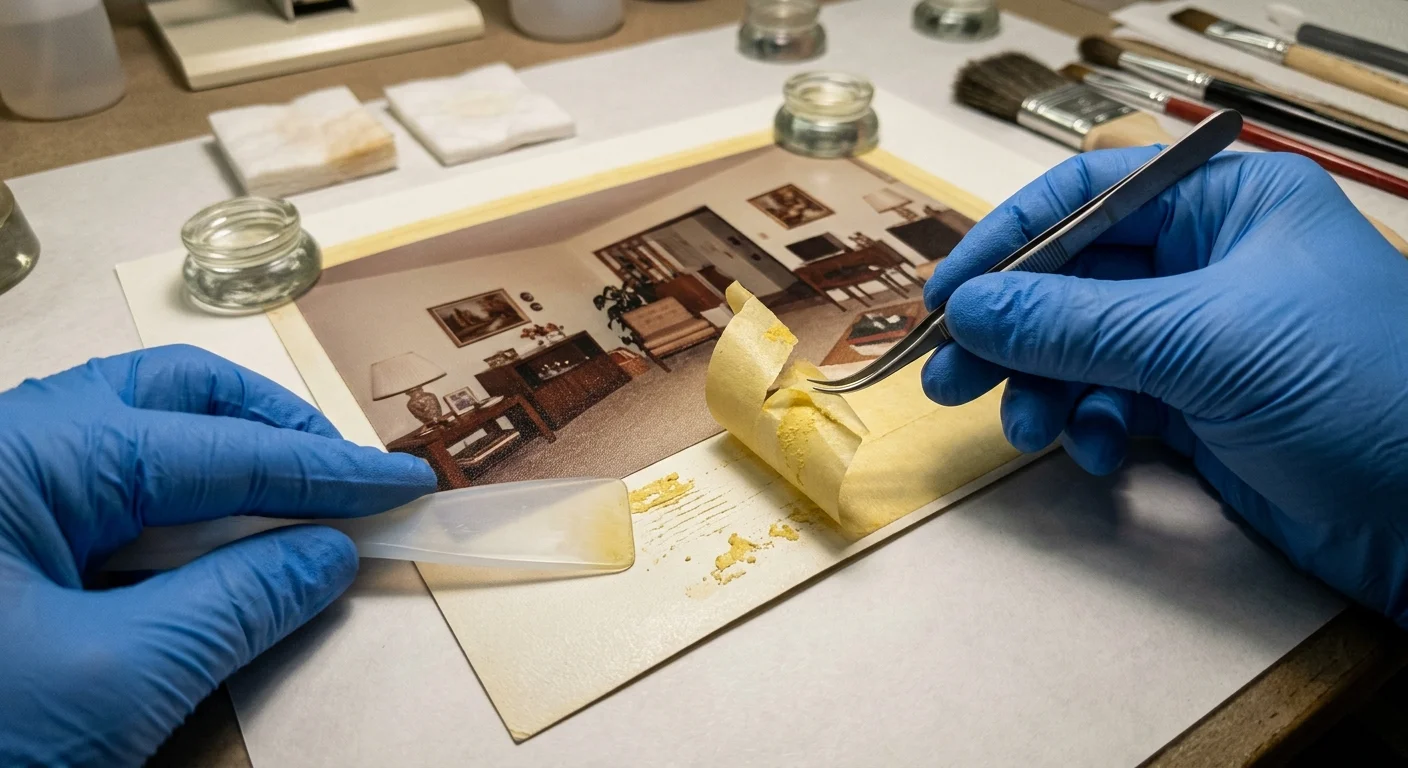
Prepare a clean, rigid workstation using an acid-free glass or polytetrafluoroethylene (PTFE) backing board. Secure the snapshot face-up using small conservation-grade weights placed carefully along extreme print borders away from emulsion areas.
Following proper handling practices is an essential part of protecting photographic prints from progressive environmental damage.
Draw 1.0 to 1.5 milliliters of pure heptane into a chemical-resistant borosilicate glass micro-pipette. Deposit droplets along the upper edge seam where the carrier tape meets the photograph surface.
Capillary action draws the heptane underneath the impermeable tape carrier within seconds. Allow the solvent to dwell undisturbed for 45 to 60 seconds to break tackifier intermolecular bonds.
Gently slide the edge of a flexible micro-spatula or Teflon spatula beneath the tape corner. Lift the carrier film back at a flat 180-degree angle parallel to the print face.
Lifting tape upward at a perpendicular 90-degree angle exerts high vertical tension on aged emulsion. Folding the tape flat against itself transfers tension horizontally across the solvent-softened plane, protecting the image layer.
Work incrementally across the tape strip, delivering 0.5-milliliter solvent boosters ahead of your spatula. The plastic carrier film should release smoothly without picking off gelatin flecks or underlying paper fibres.
Once the carrier separates, a thick, sticky yellow adhesive residue remains bonded to the photographic gelatin. Do not rub aggressively with cotton swabs, as loose fibres will embed directly into the tacky matrix.
Dampen a lint-free polyurethane foam swab with heptane. Roll the swab head across the adhesive surface in a single rotating motion, picking up dissolved resin rather than dragging it.
Allow the photograph to dry flat under a clean glass weight for 20 minutes inside an archival folder. Any oxidized yellow staining remaining after solvent cleaning resides inside the gelatin layer and requires digital correction.
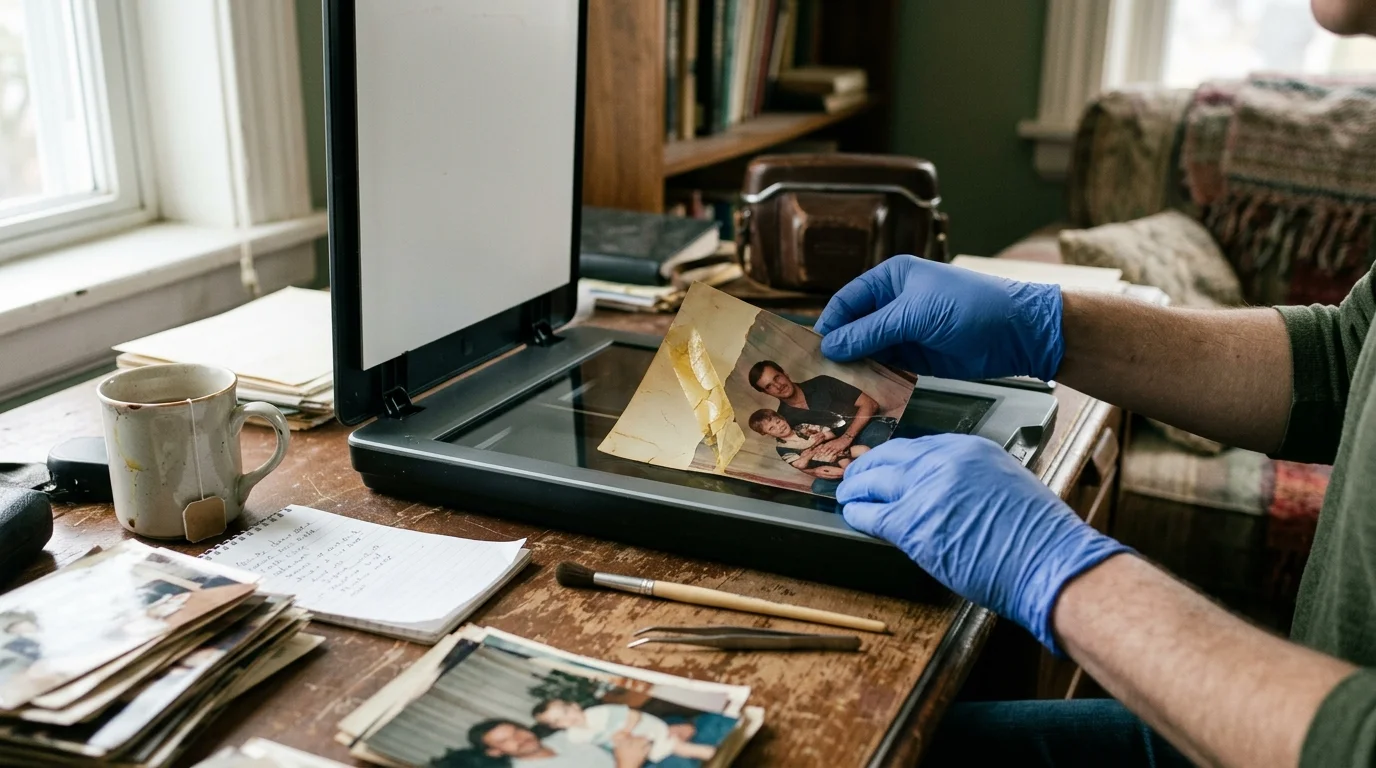
High-Fidelity Scanning Parameters for Stained Matte Textures
Removing the reflective carrier film eliminates severe specular reflections and internal light refraction during scanning. Now you can capture the raw data necessary to edit out yellow scotch tape marks in post-production.
Capturing individual channels with strict fidelity is equally critical when isolating RGB color channels to eliminate reflective surface degradation.
1980s matte snapshot prints feature a mechanically embossed “E” surface (pebble/lustre) or “N” surface (smooth matte). Scanning matte prints requires careful optical setup to avoid exaggerating surface stipple texture under directional lighting.
- Optical Resolution: Scan at a genuine optical resolution of 1200 samples per inch (SPI/DPI). This resolves the physical paper stipple pattern as discrete geometric shapes rather than blurred noise clumps.
- Bit Depth: Capture the image in 16-bit per channel RGB mode (48-bit total color). Standard 8-bit mode compresses dark yellow and amber tones into narrow histograms, causing severe posterization during recovery.
- Infrared Cleaning Disablement: Turn off hardware-based infrared clean channels (such as Digital ICE). Infrared beams scatter across adhesive stain edges, mistaking organic chemical stains for surface dust and punching hollow artifacts into faces.
- Color Space Selection: Output the uncompressed scan as a 16-bit TIFF mapped to the ProPhoto RGB or Adobe RGB (1998) color profile to retain maximum chromatic gamut.
Calibrate your flatbed scanner using an IT8 reflective target before digitizing historical color materials. Calibration ensures neutral baseline color response and linear density rendering across damaged highlight zones.
As explained in technical digitization guides on Cambridge in Colour, capturing high bit-depth files preserves subtle tonal separations in dense shadow and highlight areas. That dynamic range allows you to pull clean color data out of deep adhesive stains.
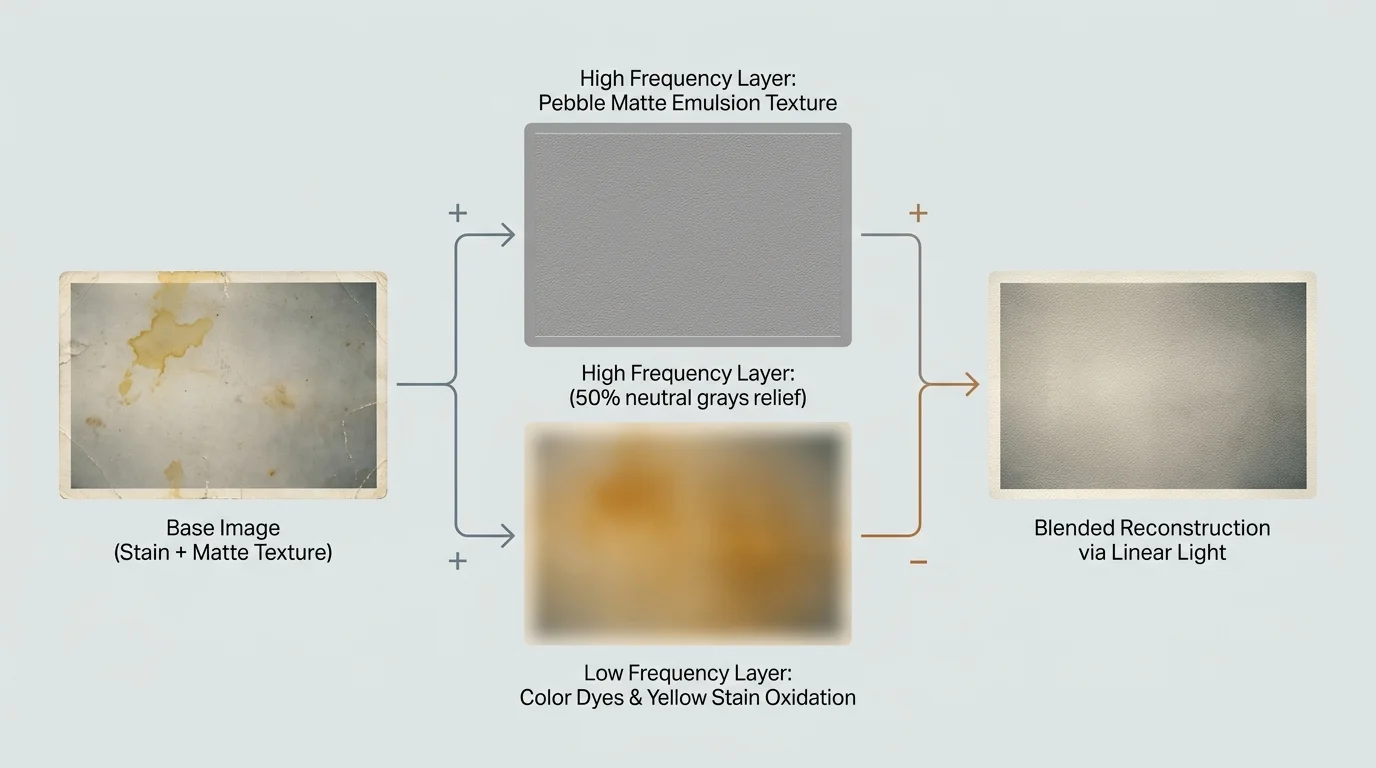
Digital Separation: Isolating Texture from Yellow Dye Oxidation
Standard Photoshop repair tools like the Healing Brush or Clone Stamp fail when applied directly to stained matte surfaces. They smear the delicate pebble paper texture together with the yellow stain, producing flat, artificial, plastic-looking patches.
Once stains are segregated into separate layers, you can apply foundational techniques to restore faded color snapshots without muddying tonal balance.
Unlike repeating geometric patterns that can be eliminated by removing paper grid textures with FFT filters, irregular pebble stippling requires frequency separation to preserve paper character.
Frequency separation solves this challenge by splitting your digital scan into two distinct spatial frequency layers. The low-frequency layer contains broad color, skin tone transitions, and oxidized adhesive stains.
The high-frequency layer contains the sharp structural detail, facial pores, eyelashes, and the physical matte paper stipple texture. Isolating these elements allows you to paint out adhesive yellowing without disturbing the photograph’s physical texture.
Duplicate your base scan layer twice inside Adobe Photoshop. Name the middle layer “Low Frequency – Color” and name the top layer “High Frequency – Texture”.
Select the “Low Frequency – Color” layer and navigate to Filter > Blur > Gaussian Blur. Choose a pixel radius that completely blurs the pebble paper texture while keeping major facial features identifiable.
For a 1200 DPI scan of a 1980s matte print, set the Gaussian Blur radius between 3.0 and 4.5 pixels. Click OK to commit the blur to the color layer.
Select the “High Frequency – Texture” layer and navigate to Image > Apply Image. Configure the dialog box specifically for a 16-bit document to prevent color clipping:
- Layer: Select “Low Frequency – Color”.
- Channel: RGB.
- Invert: Unchecked.
- Blending: Add.
- Scale: 2.
- Offset: 0.
After clicking OK, change the blending mode of your “High Frequency – Texture” layer from Normal to Linear Light. The composite view on your monitor now looks identical to your original scanned photograph.
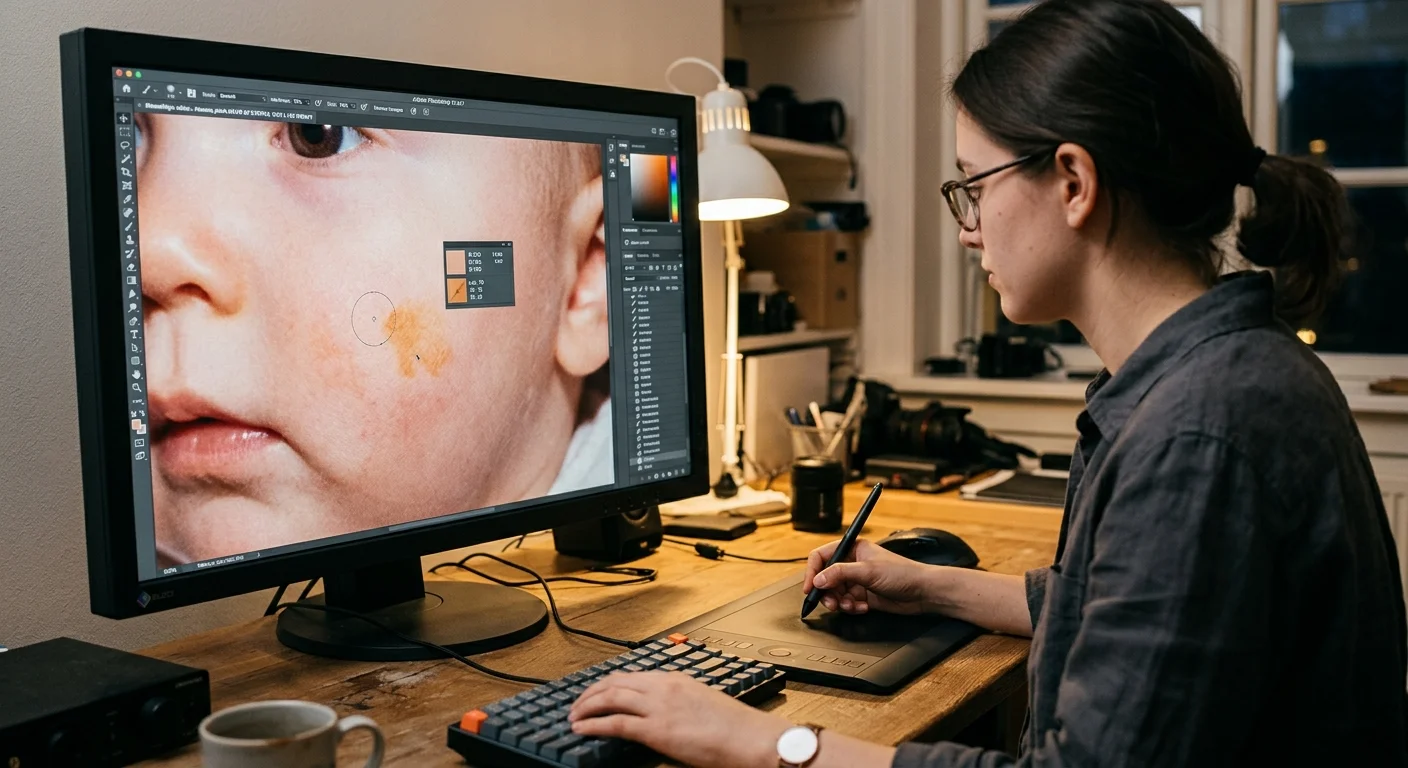
Step-by-Step Dye Rebuilding Across Facial Highlights
To restore tape damaged photo photoshop files, all initial color correction occurs entirely between your separated frequency layers. Insert a new, empty layer between “Low Frequency” and “High Frequency”, naming it “Low Frequency Paint”.
Inspect the adhesive stain across the subject’s face using your Photoshop Info panel. The amber tape oxidation causes a severe drop in blue channel values, while red and green channel values stay relatively high.
Select your Clone Stamp tool (shortcut: S) and configure its options bar. Set the sample source to “Current and Below”, set brush opacity to 25%, and set brush hardness to 0%.
Sample clean skin tones directly adjacent to the yellow tape boundary. Paint with slow, short strokes across the low-frequency stain patch to blend natural skin tones into the adhesive discoloration.
Because your top layer holds the high-frequency paper grain and pore detail, your soft cloning does not soften the image. The matte paper texture remains crisp and consistent across the repaired zone.
For stubborn amber borders, create a Curves adjustment layer clipped directly to your “Low Frequency – Color” layer. Select the Blue channel curve and raise the lower-midpoint curve upward to restore missing blue spectral energy.
Invert the Curves layer mask to solid black using Command+I (or Ctrl+I). Paint with a soft white brush at 15% opacity over the tape line to neutralize deep yellow stains into natural skin tones.
Switch your attention to the “High Frequency – Texture” layer if the original tape lifted tiny paper flakes. Select the Clone Stamp tool, set its sample option to “Current Layer”, and clone clean matte texture over damaged areas.
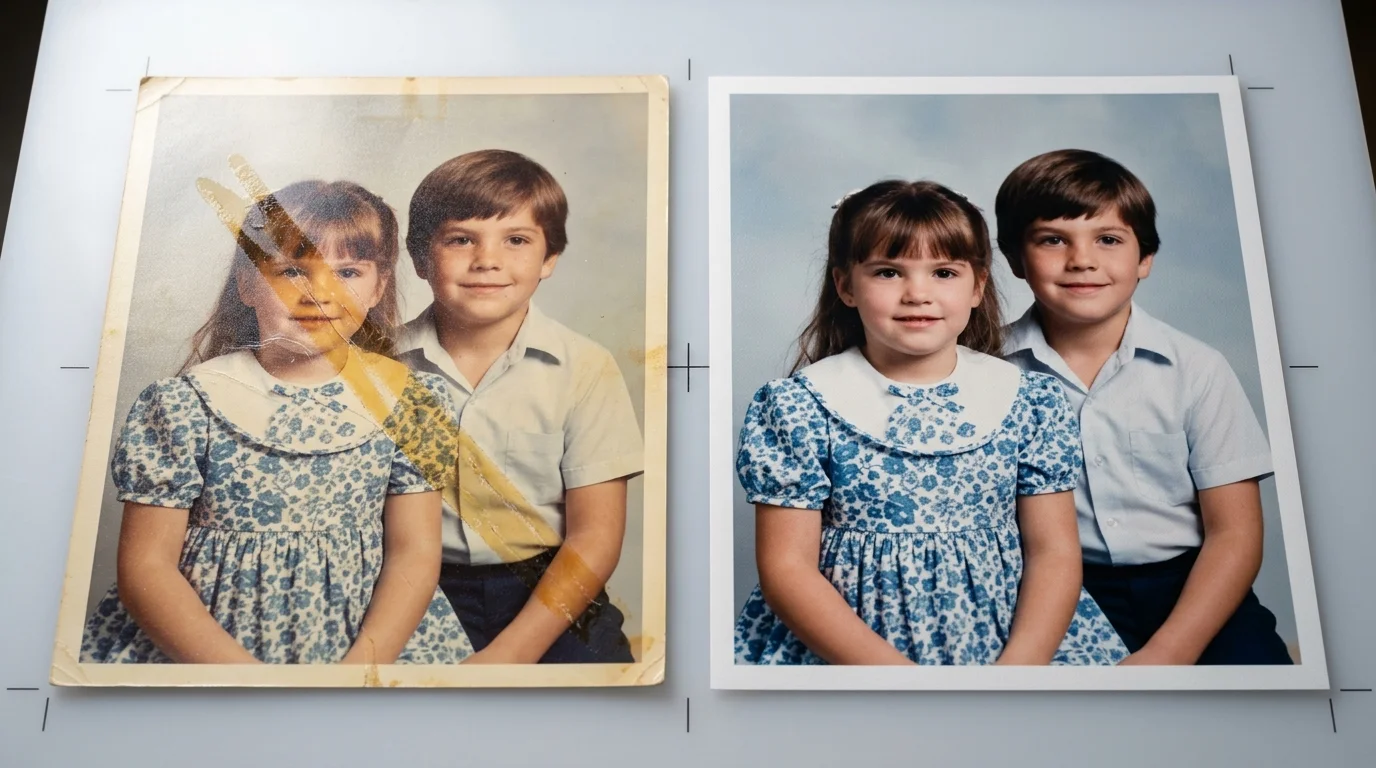
Worked Restoration Example: 1984 Kodak Ektacolor 74 RC Print
This worked restoration scenario details an original 3.5×5-inch snapshot taken in June 1984. The print features a young child sitting outdoors, printed on Kodak Ektacolor 74 RC paper with an embossed “E” lustre surface.
A 0.75-inch-wide strip of yellowed Scotch Magic Tape crossed the child’s left cheek, eye socket, and temple. The tape had baked in place for 38 years on a refrigerator door, turning dark amber and brittle.
We applied 1.2 milliliters of pure n-heptane along the upper tape edge using a glass dropper. After a 50-second dwell time, we peeled the acetate carrier flat at 180 degrees using a rounded Teflon conservation bone folder.
We cleaned sticky residual rubber gum using heptane on polyurethane swabs, leaving oxidized yellow stains inside the gelatin. We then scanned the print on an Epson Perfection V850 Pro flatbed scanner at 1200 DPI in 16-bit RGB mode.
Sampling the stained cheek highlight on the low-frequency layer revealed damaged RGB values of R=224, G=182, B=78. Unaffected skin highlights just 4 millimeters away registered R=226, G=184, B=162.
We separated frequencies using a 3.5-pixel Gaussian Blur on the low layer and 16-bit Add settings on the high layer. On our intermediate color layer, we painted with clean sampled tones at 20% opacity using a soft-edged brush.
We clipped a Curves layer to the color plane, lifting the Blue midpoint output from 78 up to 160. Within seven minutes of digital brushwork, the adhesive line disappeared, leaving skin tones and the original 1984 pebble-matte grain intact.
This hybrid approach allows you to remove tape marks from scanned photo collections without losing the original physical print qualities.
Archival Storage for Treated Resin-Coated Prints
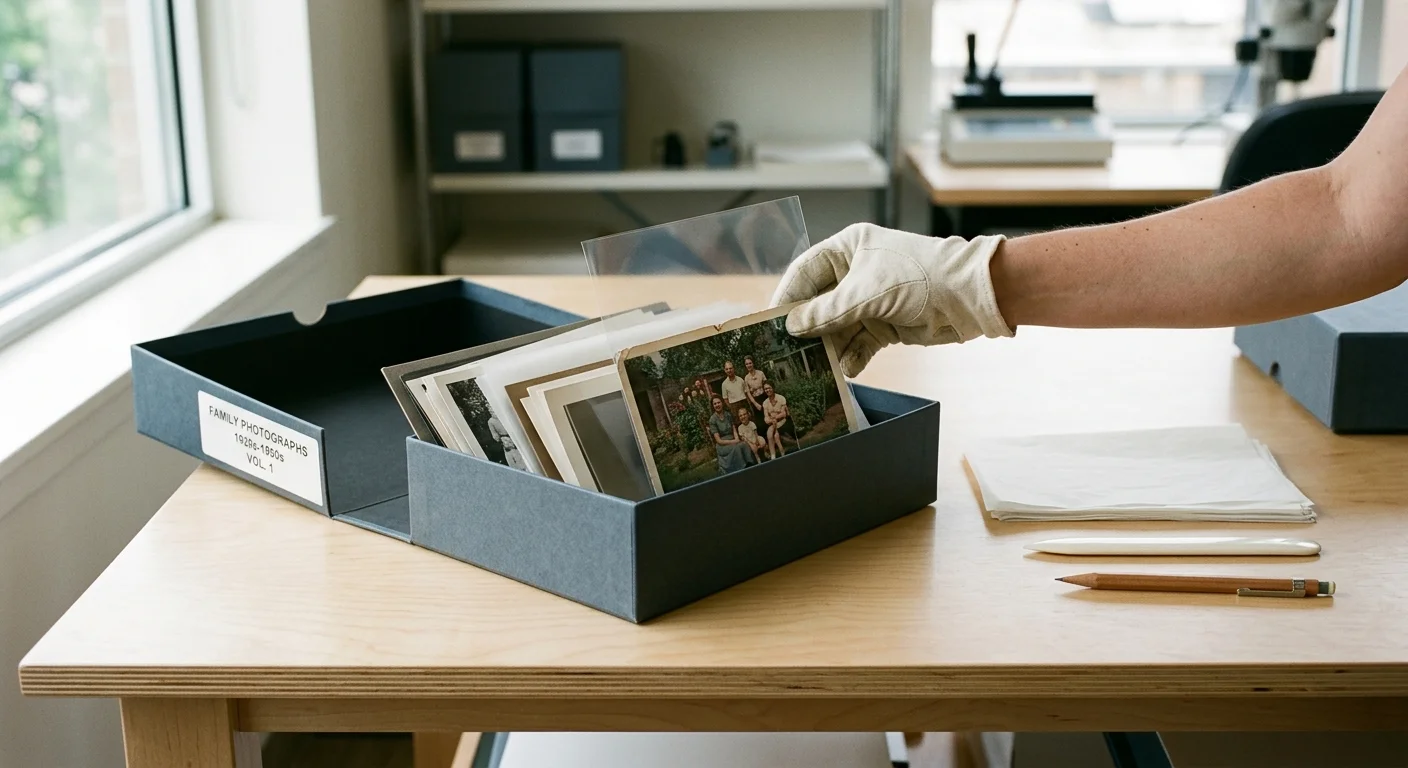
Once chemical treatment and scanning are complete, stabilize your physical 1980s print for long-term preservation. Resin-coated photographic emulsions remain vulnerable to light, elevated relative humidity, and atmospheric oxidants.
Never re-adhere loose photos into magnetic scrapbooks, self-adhesive albums, or onto construction paper. These consumer products contain acidic wood lignin and pressure-sensitive glues that cause identical yellow degradation over time.
House your treated print in an uncoated archival polyester (Mylar D or Melinex 516) sleeve. Alternatively, use acid-free, unbuffered, high-alpha cellulose paper envelopes that pass the Photographic Activity Test (ISO 18916).
Store photographic materials in a cool, dry, dark environment away from attics, basubasements, and exterior walls. Maintain storage conditions below 68°F (20°C) with stable relative humidity between 30% and 50%.
Keep your 16-bit uncompressed master TIFF restoration scans backed up across multiple distinct storage locations. Use the 3-2-1 backup strategy: three total copies on two separate storage media types, with one copy offsite.
Frequently Asked Questions
Can I use isopropyl alcohol to remove yellowed tape from my photographs?
No, avoid isopropyl alcohol on 1980s color prints. Rubbing alcohol contains water that swells the delicate gelatin emulsion, causing it to soften, detach from the resin-coated polyethylene layer, and dissolve underlying dye couplers.
Why does frequency separation work better than the Photoshop Content-Aware Fill tool?
Content-Aware Fill guesses both color and physical texture simultaneously, which results in blurry, mismatched skin patches across matte prints. Frequency separation isolates the yellow adhesive stain onto a blurry color layer, leaving the physical pebble paper texture completely undamaged.
Can yellow tape stains on old photos be bleached out physically with conservation chemicals?
No, chemical bleaches that reduce oxidized adhesive stains will simultaneously destroy the organic cyan, magenta, and yellow image dyes in the emulsion. Once tape carrier film and surface gum are lifted with safe solvents, correct remaining discoloration digitally.
Disclaimer: This article is for informational purposes only. When handling valuable or irreplaceable photographs, consider consulting a professional conservator. Always test preservation methods on non-valuable items first.



2 Comments